AI Sales Assistants Compared: 9 Tools by Use Case
Summary
- The right AI sales assistant for your team depends on the job you want it to do. For example: working inside the CRM, supporting field reps before and after visits, documenting online meetings or finding new customers.
- The five CRM assistants (Microsoft, Salesforce, HubSpot, Pipedrive, SAP) each require their own system and work with its data.
- Acto is built for wholesale distributors and direct sales organizations with a large base of existing customers. It reads ERP order history and tells inside and field sales whom to contact today and with which offer.
- Choose in this order: the task first, then the system your team already works in, and finally the data the assistant can read there.
| Task | Tools | Right for |
|---|---|---|
| Working inside the CRM | Microsoft Copilot for Sales, Salesforce Agentforce, HubSpot Breeze, Pipedrive AI, SAP Joule | Teams that already use their CRM every day |
| Field sales before and after visits | Acto, snapADDY VisitReport | Teams with many customer visits and visit reports |
| Documenting online meetings | tl;dv | Teams with many meetings in Teams, Zoom or Meet |
| Finding new customers | Apollo AI Assistant | B2B outbound teams, often in software sales |
Which AI sales assistant will actually take work off my team's plate? That depends on which work you want to get rid of. That's why this list is sorted by use case. Full disclosure: Acto is one of the nine vendors we compare here.
What is an AI sales assistant?
An AI sales assistant is software that helps a salesperson before, during or after customer contact, runs in the system they already use, and suggests the next step. It works where the work happens: in Outlook, in the CRM, on a smartphone or in an online meeting.
At their core, the tools on this list handle one of four tasks:
- Working inside the CRM: drafting emails, updating records, summarizing conversations and suggesting next steps
- Supporting field sales around the visit: clarifying beforehand which customer is due, capturing the visit report afterwards
- Documenting online meetings: recording the conversation and writing notes and tasks into the CRM
- Finding new customers: researching target accounts, enriching contacts and drafting outreach
We've deliberately left out analytics and forecasting platforms that need their own project, a data science team or custom dashboards. We compared that category separately in predictive sales software for wholesale distribution (in German).
The demand is there. In the B2B-Marktmonitor 2026 (B2B Market Monitor 2026) by ECC KÖLN with CGI and Intershop, a survey of 250 manufacturers and distributors, 64 percent see a high need for AI agents in analyzing customer behavior and deriving actions, and 67 percent in integrating systems and data sources. Day to day, though, AI has rarely arrived: wholesale and logistics have an AI adoption rate of 24.1 percent, according to the IW report "KI als Wettbewerbsfaktor" (AI as a Competitive Factor).
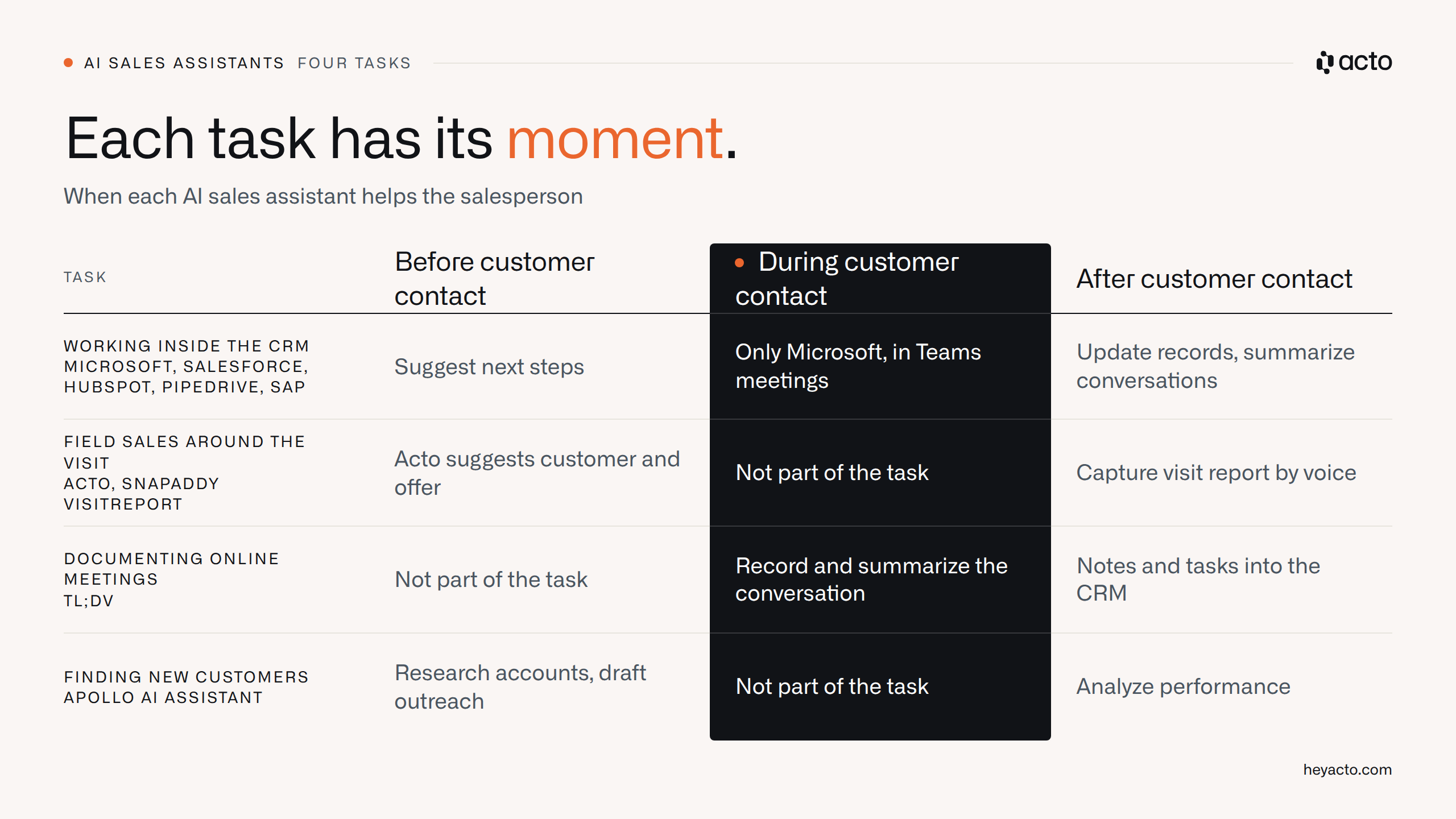
Each task has its moment, and during the conversation itself, almost only the meeting tools help.
Which AI sales assistant handles which task?
The nine assistants split across four tasks, and within each task, the system your team works in determines the right tool. The table shows where each tool runs, which data it reads and what it requires from you. The information comes from vendor pages and supplementary third-party sources, as of November 2026.
| Tool | Use case | Works in | Reads this data | Requires | Right if … |
|---|---|---|---|---|---|
| Microsoft Copilot for Sales (now Sales agent) | Working inside the CRM | Outlook, Teams | CRM data, email, calendar, Teams meetings | Microsoft 365 Copilot license, Dynamics 365 Sales or Salesforce | Your team spends the day in Outlook and Teams |
| Salesforce Agentforce | Working inside the CRM | Salesforce | Salesforce objects such as leads, accounts, opportunities | Salesforce instance with well-maintained data | You want to qualify many inbound leads |
| HubSpot Breeze | Working inside the CRM | HubSpot | HubSpot CRM, website activity, public information | HubSpot as CRM | Your team already works in HubSpot all day |
| Pipedrive AI | Working inside the CRM | Pipedrive | Deals, activities, contacts in Pipedrive | Pipedrive as CRM, Sales Assistant in beta | A small team wants help with notes and emails |
| SAP Joule | Working inside the CRM | SAP applications, e.g. SAP Sales Cloud | Data and permissions of the logged-in user | SAP landscape with consistently maintained data | Your sales team works in SAP applications |
| Acto | Field sales before and after visits | Outlook, Salesforce, Dynamics 365, SAP C4C, app | ERP order history, CRM data, visit reports | Data export from the ERP, repeat-order business | Most of your revenue comes from existing customers |
| snapADDY VisitReport | Field sales after the visit | App (iOS, Android, Windows), dashboard | Information and voice captured during the meeting | CRM for handover, Voice AI as an add-on | Your field reps need structured visit reports |
| tl;dv | Documenting online meetings | Zoom, Google Meet, Microsoft Teams | Recording and transcript | Participant consent, CRM integration from Pro plan | Many of your meetings take place online |
| Apollo AI Assistant | Finding new customers | Apollo, Slack, ChatGPT | Apollo's contact database | Apollo account | You run outbound at scale |
The groups follow the tasks. Five tools work in the CRM, two around the field sales visit, one in online meetings and one in new customer acquisition. If you have several tasks, combine two tools from different groups.
What criteria did we use to compare the assistants?
We measured each assistant against five questions: where it works, what data it knows, what it requires, which lever it pulls and where its limits are. Our sources are vendor pages, public reviews on G2, Capterra, OMR Reviews and Gartner Peer Insights, and our conversations with sales leaders in wholesale distribution. We did not test the tools ourselves.
- Where does it work? An assistant that makes the rep open yet another window gets ignored in practice. What should count is whether it shows up in Outlook, the CRM, on the smartphone or on the phone.
- What data does it know? It can only suggest what's in its data. That might be CRM entries, email and calendar, voice, a meeting recording, a contact database or the order history in the ERP.
- What does it require? Think CRM license, IT effort and data quality. 54 percent of respondents in the B2B-Marktmonitor 2026 want standardized AI solutions that are ready to use without IT effort.
- Which lever does it pull? Every sales initiative has to increase either revenue per visit (right customers, right topics) or the number of visits (less admin, more time with customers). McKinsey estimates that automation and AI can free up around 20 percent of a sales team's capacity.
- Where are its limits? Each profile names the situation in which the tool won't help.
The first criterion carries the most weight, because sales software is bought in the office and used in the car, or not at all. We analyzed 64 meetings with sales leaders in wholesale distribution, and the most frequently cited problem was lack of time: for visit reports in the CRM, for preparing meetings, for following up on quotes. That's exactly how AI should be used: take the tedious work away so sales can focus on customers again and skip those frustrating evenings in the CRM entirely.
Whether an assistant gets used comes down to its value for the rep. A tool that creates extra work or feels like surveillance stays closed, no matter how good the demo was.

Which AI sales assistants work directly in the CRM?
Five of the nine assistants are built into a CRM or into the enterprise software of a major vendor: Microsoft, Salesforce, HubSpot, Pipedrive and SAP. They know that system's data and require it. So once you know which CRM you run, the choice in this group is usually already made.
Microsoft Copilot for Sales (now Sales agent)
Microsoft now lists Copilot for Sales under the name "Sales agent." It brings CRM information into Outlook and Teams: it drafts emails and follow-ups, suggests next steps and captures insights and tasks in Teams meetings. It's only useful with a connected CRM, currently Dynamics 365 Sales or Salesforce Sales Cloud. On top of that you need a Microsoft 365 Copilot license and an administrator to set up the integration. It does not support on-premises installations of Dynamics 365 or Exchange.
Its strength is that it shows up where many sales teams already spend their day. On Gartner Peer Insights it scores 4.2 points from 63 reviews (as of November 2026). One Director of Sales there praises the admin time saved for teams in the Microsoft world. Other reviewers criticize inconsistent suggestion quality, outputs that need rework and a CRM sync that isn't always reliable.
Right if your team works in Outlook and Teams and Dynamics 365 Sales or Salesforce is already well maintained.
Salesforce Agentforce
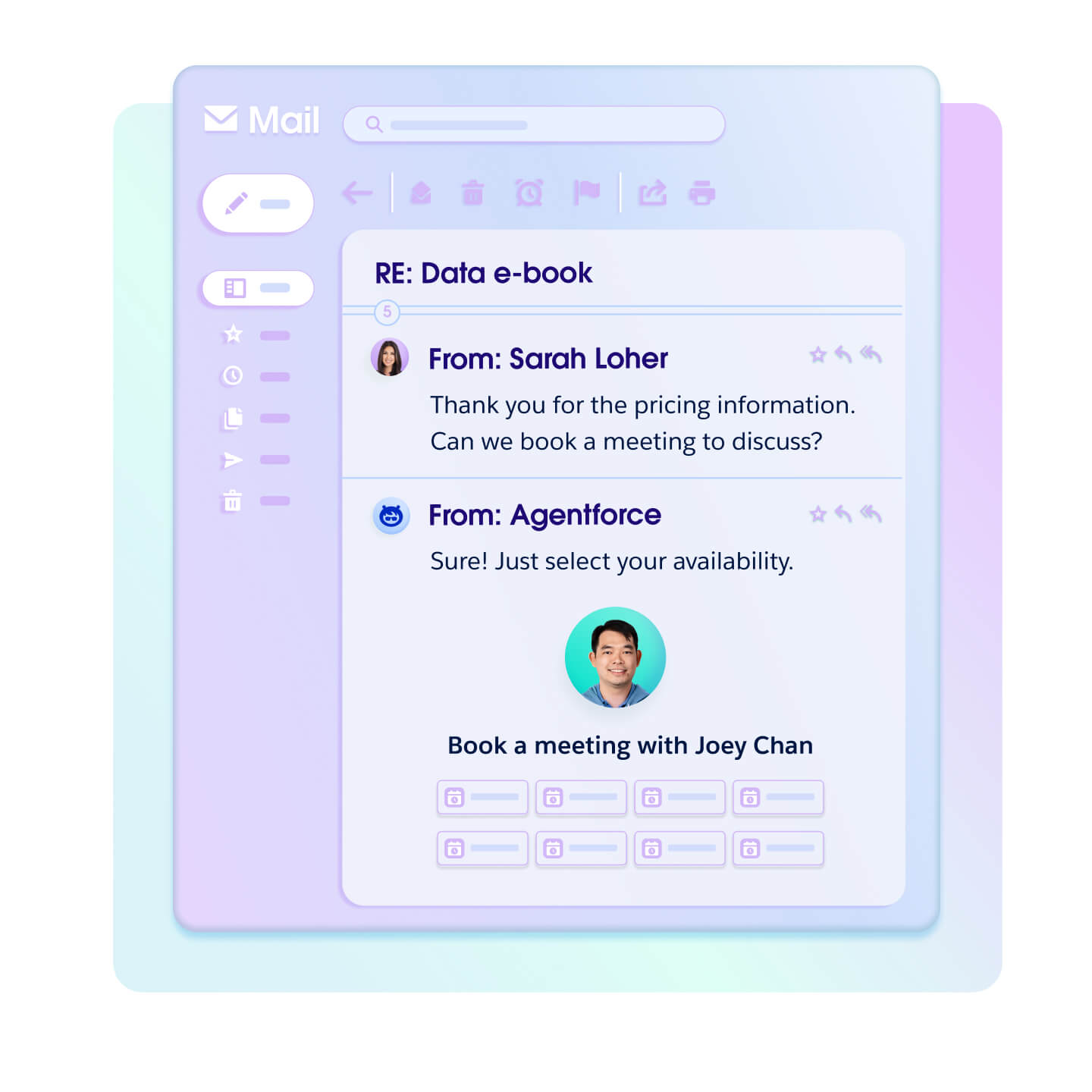
Agentforce bundles AI agents inside Salesforce. The SDR agent writes first-touch emails, follows up and offers meetings. It answers questions from product documentation uploaded in Agent Builder. It works with Sales Cloud objects such as leads, accounts, opportunities and tasks, and according to Salesforce it's designed for companies with high lead volume.
Its strengths are depth in the Salesforce data model and a very large user base: Agentforce Sales has 4.4 out of 5 points on G2 from 25,577 reviews, most of which still relate to the former Sales Cloud product (as of November 2026). One reviewer on AWS Marketplace sums it up: the learning curve is fairly steep, but the effort pays off. The agents described target new leads and the top of the funnel.
Right if your sales team works in Salesforce and needs to qualify many inbound leads quickly.
HubSpot Breeze
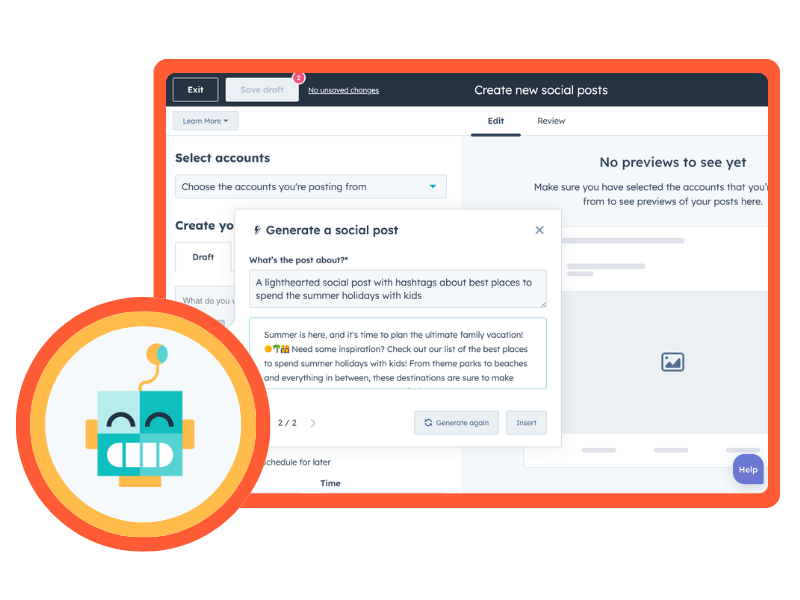
Breeze is HubSpot's built-in AI. Breeze Assistant comes with every Core Seat, plus agents in the Agent Hub. The Prospecting Agent researches matching companies, finds contact details and drafts emails from CRM data. It sends them itself or waits for approval. Besides the CRM, it uses website activity and public information. The agents are billed through HubSpot Credits included each month. According to an analysis of user reports, credit consumption is hard to plan with heavy AI use.
We use HubSpot ourselves. Sales Hub scores 4.4 out of 5 points on G2 from 14,347 reviews (as of October 1, 2026), and Breeze becomes more useful with every hour a team already spends in HubSpot. The Prospecting Agent's focus is on new contacts.
Right if HubSpot is your central system and you want to speed up research and outreach for new contacts.
Pipedrive AI
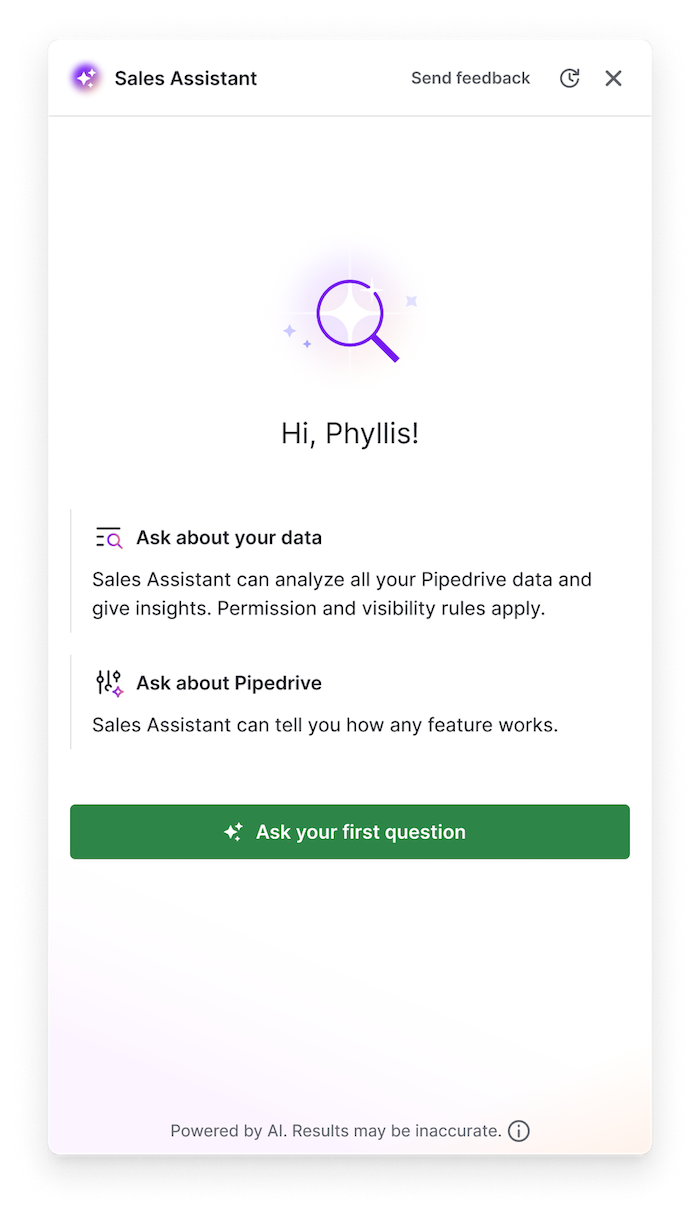
The Sales Assistant sits directly in Pipedrive, runs on OpenAI and accesses deals, activities and contacts in the Pipedrive account. You use it by text or built-in voice input. Other AI features in Pipedrive answer questions, summarize content and generate text for notes and emails. The support page still lists the Sales Assistant as beta, and summaries are limited to 300 characters.
For small teams, ease of use is the strength: Pipedrive scores 4.3 points on G2 from 5,108 reviews and 4.5 on Capterra from 3,064 (as of November 2026). On the other hand, a Capterra reviewer criticizes the pressure to buy expensive AI add-ons.
Right if a small team works in Pipedrive and mainly wants help with writing, summarizing and looking things up.
SAP Joule
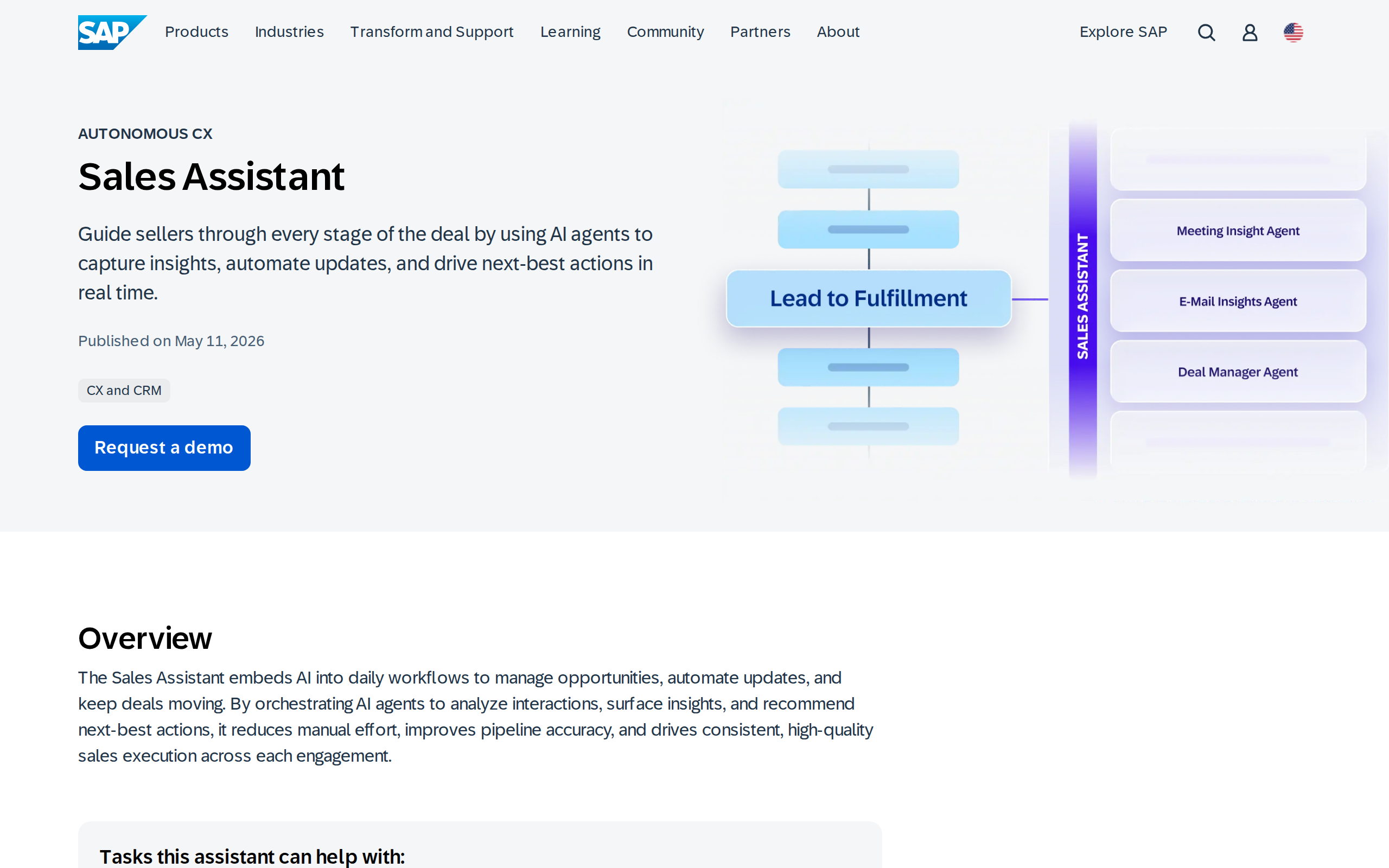
Joule is SAP's assistant. In sales, it updates opportunities based on interaction signals, recommends next steps, captures meeting insights and creates follow-up tasks. Its answers are based on the data and permissions of the logged-in user. That makes quality dependent on data maintenance: inconsistent opportunity stages lead to inconsistent summaries, as one SAP partner writes in its practical guide.
One user on G2 praises how naturally Joule brings AI into everyday SAP tasks. In the SAP Community, one user calls the performance disappointing, though referring to S/4HANA Cloud Private Edition rather than Sales Cloud.
Right if your sales team already works in SAP Sales Cloud and the data there is consistently maintained.
Which assistants support field sales before and after the visit?
Two tools work around the customer visit: Acto clarifies beforehand which customer is due and what to bring up, while snapADDY VisitReport captures the visit report afterwards. Both record the report by voice.
Acto
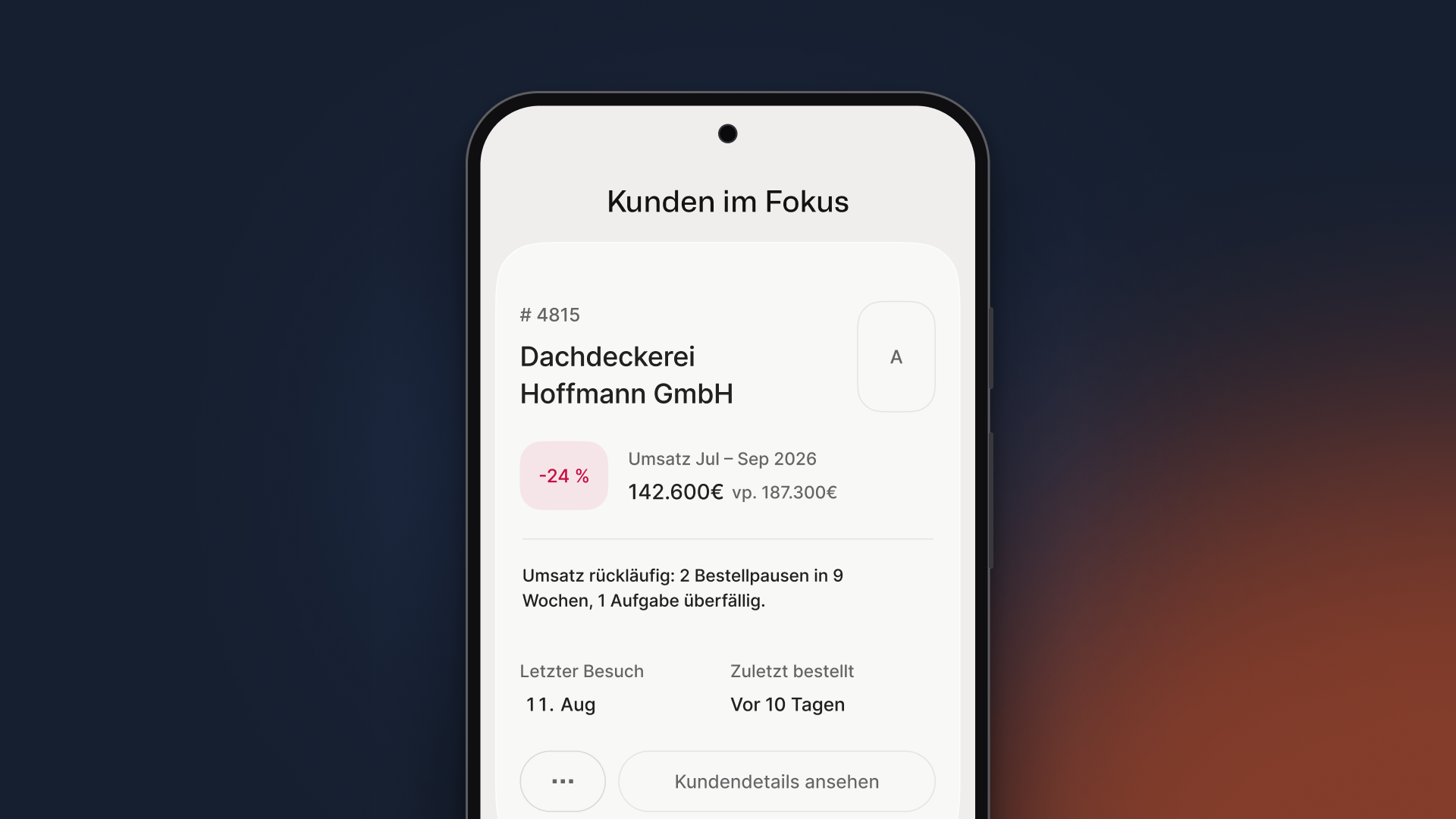
Customer card of a sample customer (demo data): revenue 24% below the previous period, with the reason "2 order gaps in 9 weeks" right below.
Acto is sales AI for wholesale distributors and for manufacturers with their own B2B direct sales. Every night, Acto reads the order history from the ERP and the CRM data, scores every customer using machine learning models and AI agents, and tells inside and field sales each morning which customer to contact, why, and with which offer. After the meeting, the field rep dictates the visit report, and Acto turns it into a CRM note and follow-up task. It runs in Outlook, as a sidebar in Salesforce, Dynamics 365 and SAP C4C, and in the app, via the integration with SAP, Dynamics and Salesforce and other ERP systems through data exchange.
Its strength is buying signals that don't appear in any CRM: an overdue reorder, a product category missing for months, a product that similar customers buy. At our customer Schäfer Shop, revenue rose by 11.2% in an A/B test against a control group. Fabian Wolff, Area Sales Manager at Schäfer Shop, starts every day there with a prioritized list of such signals. The limit is just as clear: Acto isn't built for new customer acquisition, software sales, B2C or project business without repeat orders, and manufacturers that sell mainly through distributors have too little order data of their own. Smaller sales organizations use Acto instead of a CRM; in large organizations it runs as a sidebar in the CRM and doesn't replace it.
Right if you're a distributor or a manufacturer with direct sales, manage roughly 1,500 or more active customer accounts and your revenue comes from repeat orders.
snapADDY VisitReport
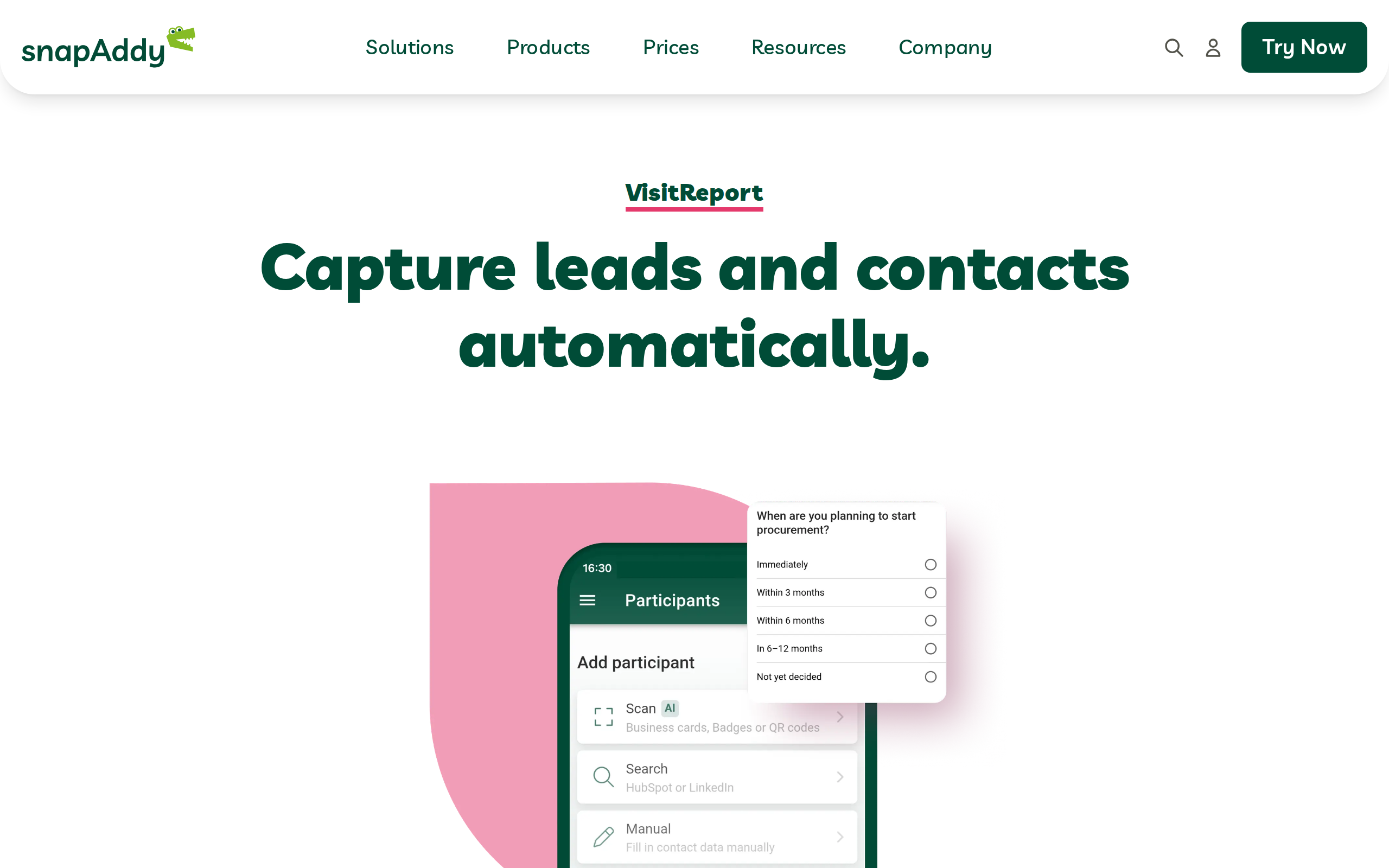
VisitReport is a mobile app for visit reports and lead capture in field sales and at trade shows, supplemented by a desktop dashboard for preparation, analysis and follow-up. Teams create their own questionnaires, and the app works offline. The optional Voice AI knows the questionnaire: whatever the field rep says into the smartphone after the meeting, it maps to the right fields. The reports then go into the CRM.
On OMR Reviews, snapADDY scores 4.8 points from 80 reviews (as of November 2026), though some reviewers were invited. One reviewer reports that manual effort in trade show follow-up dropped significantly. Another finds it hard to tell which snapADDY variant fits their needs.
Right if your field sales or trade show team mainly needs clean, structured visit reports based on fixed questionnaires.
Which assistant documents online meetings?
For online meetings, tl;dv is the assistant on this list: it records, summarizes and writes the results into the CRM. Teams that visit customers on site are better off looking at our field sales apps comparison.
tl;dv
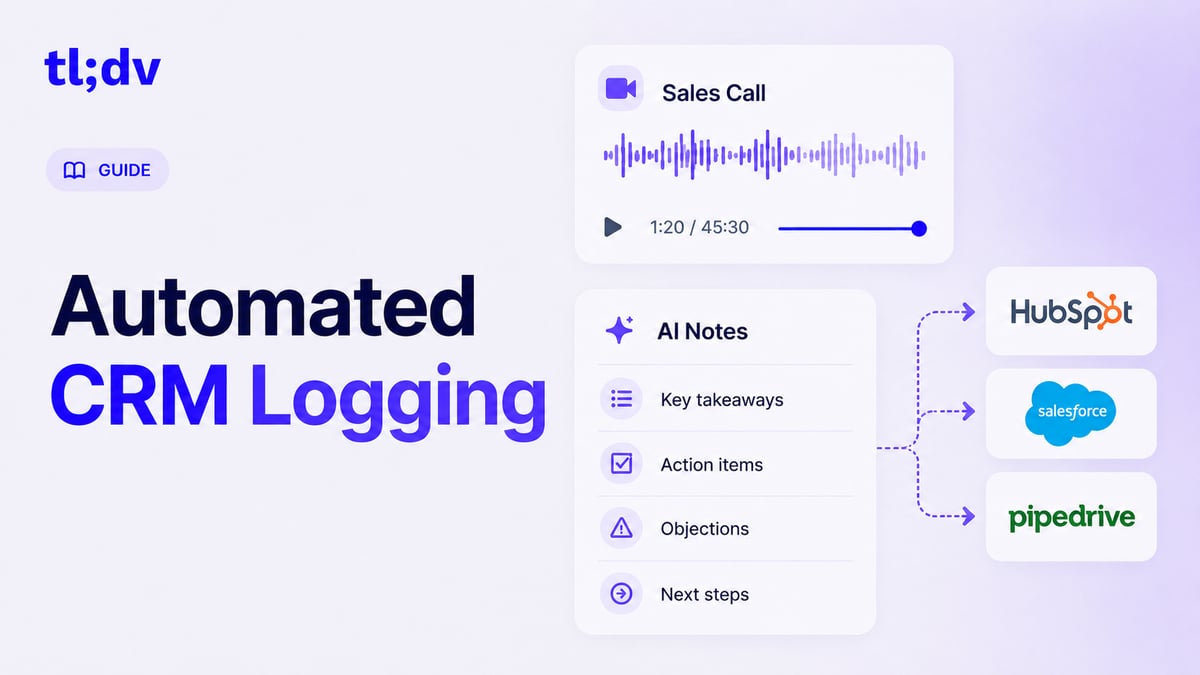
tl;dv records conversations in Zoom, Google Meet and Microsoft Teams and writes transcripts, AI summaries and recordings into HubSpot and Salesforce. In Pipedrive, they land as an activity or note under deals and contacts, and fields can be mapped. CRM integration is available from the Pro plan, as is a mode without a meeting bot. Every recording requires the consent of all participants.
On G2, tl;dv scores 4.7 points from 534 reviews (as of November 2026). Reviewers praise how meetings turn into searchable, structured information. Criticism: transcripts need editing when there are several speakers or background noise, and the free plan keeps data for three months at most. The tool isn't designed for on-site visits.
Right if a large share of your customer meetings take place online and the follow-up should end up in the CRM.
Which assistant helps with new customer acquisition?
For new customer acquisition, this list includes the Apollo AI Assistant. Most roundups for this search term focus on exactly this task.
Apollo AI Assistant
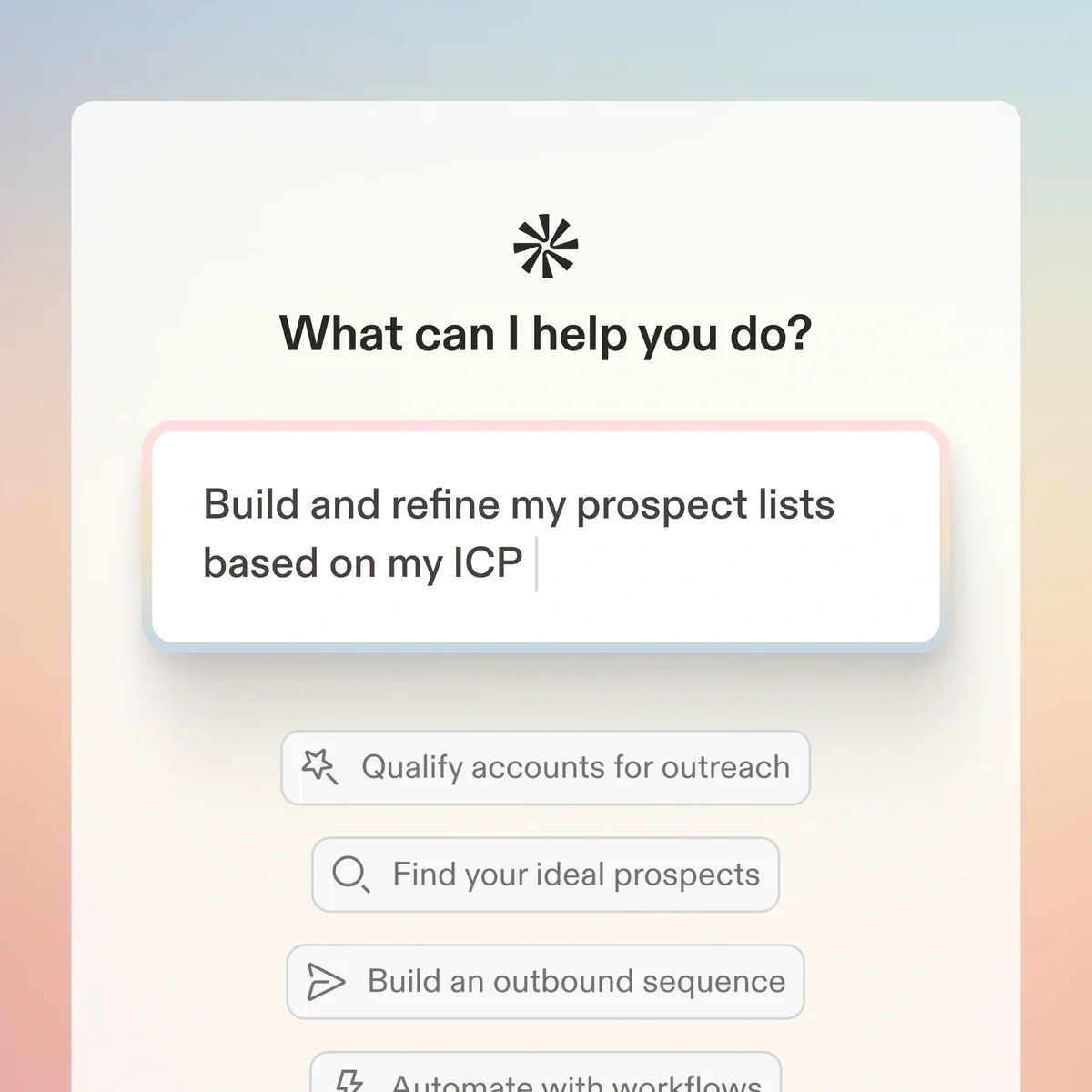
Apollo's AI Assistant handles prospecting, enrichment, sequences, workflows and performance analysis. It works on Apollo's contact database, also via Slack and, since April 2026, in ChatGPT. After a beta starting in October 2025, it has been generally available since March 4, 2026. Apollo states that Assistant users are 36 percent more likely to book a meeting in their first 14 days.
Its strength is speed in building lists and outreach.
Right if you reach out to many new contacts in B2B outbound, for example in software sales.
How do you choose the right AI sales assistant?
First pick the task that costs your team the most time, then the system it already works in, and finally check whether the assistant finds the data it needs there. The table translates this into typical starting points.
| Starting point | Obvious choice |
|---|---|
| Wholesale or direct sales, many existing customers, field and inside sales | Acto, embedded in your CRM or Outlook |
| Field sales or trade show team that mainly needs clean visit reports | snapADDY VisitReport |
| Manufacturing or services with many online meetings | tl;dv, plus your CRM's assistant |
| Sales in Outlook and Teams with Dynamics 365 or Salesforce | Microsoft Copilot for Sales |
| High lead volumes in Salesforce | Salesforce Agentforce |
| Small team in HubSpot or Pipedrive | HubSpot Breeze or Pipedrive AI |
| Sales in SAP Sales Cloud | SAP Joule |
| Software sales or B2B outbound | Apollo AI Assistant |
If you're responsible for field sales management, test every candidate against three questions a rep has every morning:
- Who am I visiting today?
- What do I offer them?
- Where's the fire right now?
An assistant that gives a ready answer to these questions gets used.
If the rep has to piece the answer together from reports, the assistant has already lost.
Combinations are normal. A CRM assistant for emails and pipeline pairs well with a meeting tool for online calls, and an assistant for existing customers can run as a sidebar in the CRM you keep.
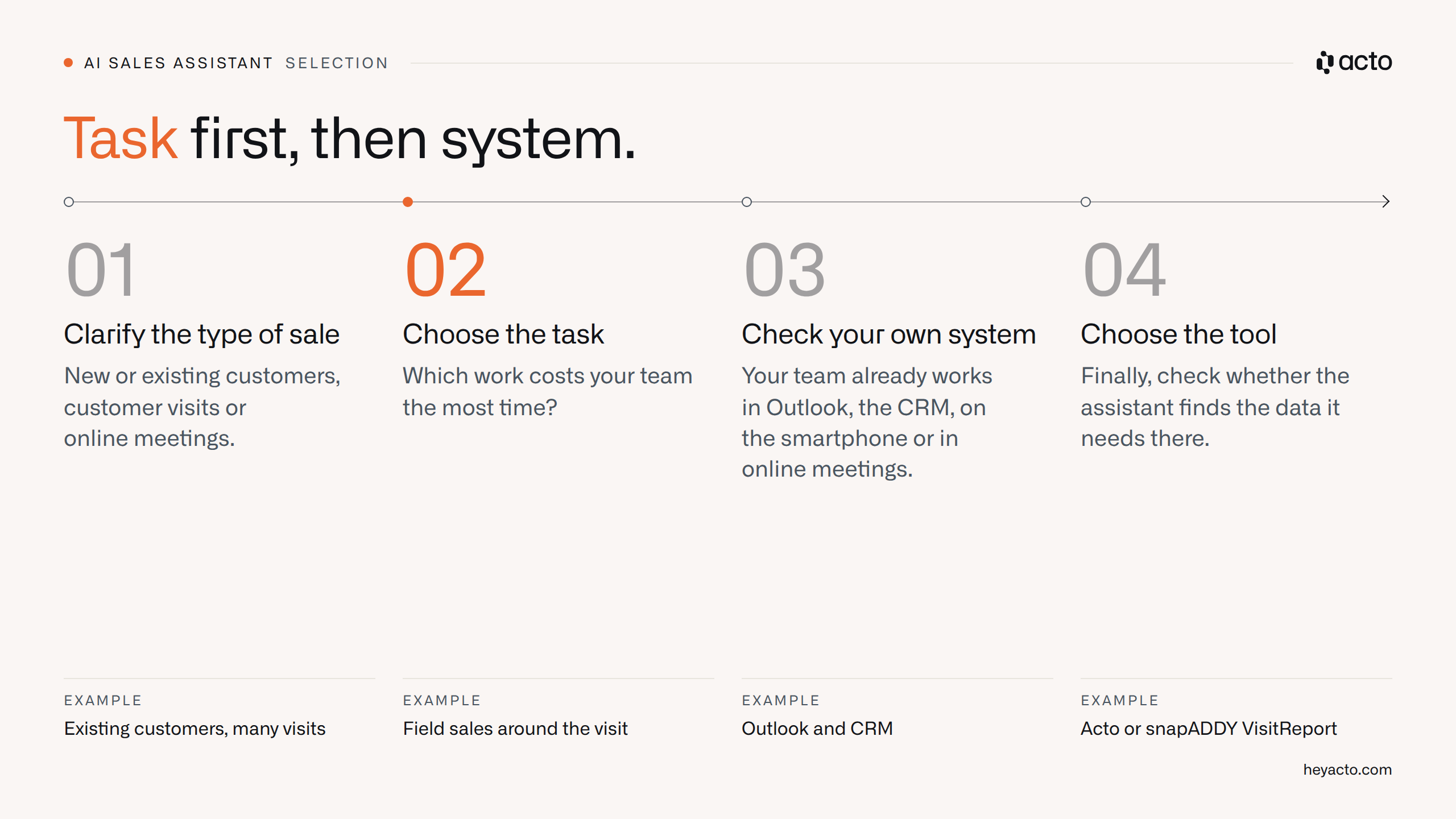
Task first, then system: in this order, you're usually left with two candidates.
Not for you: when is an AI sales assistant pointless?
An AI sales assistant is pointless if there's no task for it to take over, or no data for it to base suggestions on. In these cases, skip the rollout:
- Few customers: As a rule of thumb, a rep truly knows 30 to 50 customers well. If your team doesn't manage many more, prioritization won't tell you much new.
- Empty data: A CRM nobody maintains, or a business without order history, gives the assistant nothing to read.
- Your own forecasting models: If you want to build and manage models yourself, plan a project with an analytics platform.
- Text only: If you mainly need help writing and summarizing, general-purpose AI tools will do. I once collected 17 quick ideas with no new tool and no IT project, from call summaries to follow-up emails.
Every assistant on this list has a limit. Where revenue comes from complex technical consulting, such as a manufacturer designing a system together with the installer, the relationship between two people decides.
"[…] at the end of the day, AI doesn't design a system or work with the installer on a complicated substructure. That's where hard facts have to be put on the table, and the person-to-person relationship matters even more."
– Daniel Hesmer, Comm. Director, Walraven (Revenue Signals, episode with Daniel Hesmer)
Hersteller & Handel, 1:n-Beziehungen im Vertrieb und KI
What does a workday with Acto look like in wholesale distribution?
A workday with Acto starts at night with the ERP export and ends with the dictated visit report. In between, sales gets ready-made recommendations where it already works. Acto tackles the bottleneck from the criteria section, lack of time, at both ends: it delivers ready-made recommendations in the morning and creates the CRM note from the dictated visit report. This pays off especially in wholesale distribution, because revenue comes from existing customers, and the best buying signals sit in the order lines in the ERP.
- At night: Acto reads new order lines, customer and product data via export, SFTP or database access, ideally through an exchange server so the live ERP stays untouched. Our product page explains how AI on ERP data works.
- Detecting patterns: Algorithms and machine learning models measure each customer against its own history and against similar customers. Revenue trends are compared over 1, 3 and 6 months. If a customer normally buys a product every three months and hasn't reordered after four months, a recommendation is created, as it is for products that similar customers buy significantly more often.
- Checking: AI agents check each signal for relevance, for example whether a meeting is already scheduled or a quote was recently rejected. If a restaurant customer hasn't ordered for three weeks and the visit report says "closed for holidays," a reminder comes after the holidays.
- In the morning: Outlook, the CRM or the app shows which customer is due today, why, and what the rep should bring up.
- Before the meeting: Preparation takes about two minutes, on the road also by phone call.
- After the meeting: The field rep dictates the report in the car, and the CRM note and follow-up task are created automatically.
- Learning: Feedback such as "discussed" or "not relevant because …" feeds into the next nightly run.
Usage shows how well this checking holds up in practice: at Schäfer Shop, sales marks 92% of suggested signals as helpful. At Böllhoff, Acto users achieved 8.6% more revenue than non-users in the pilot project.
"Acto handles the data work, and our team focuses on customers. That makes us more efficient and our customers happier, because we're always there at the right time with the right offer."
– Lisa Smith, Head of eSales, Böllhoff (Böllhoff case study)
The first signals usually arrive within 4 to 6 weeks; IT sets up data access once, with 2 to 3 days of effort. The data is hosted in Frankfurt, and the prediction models run only on your company's data. Find out more about sales software for wholesale distribution and AI software for field sales on our product pages.
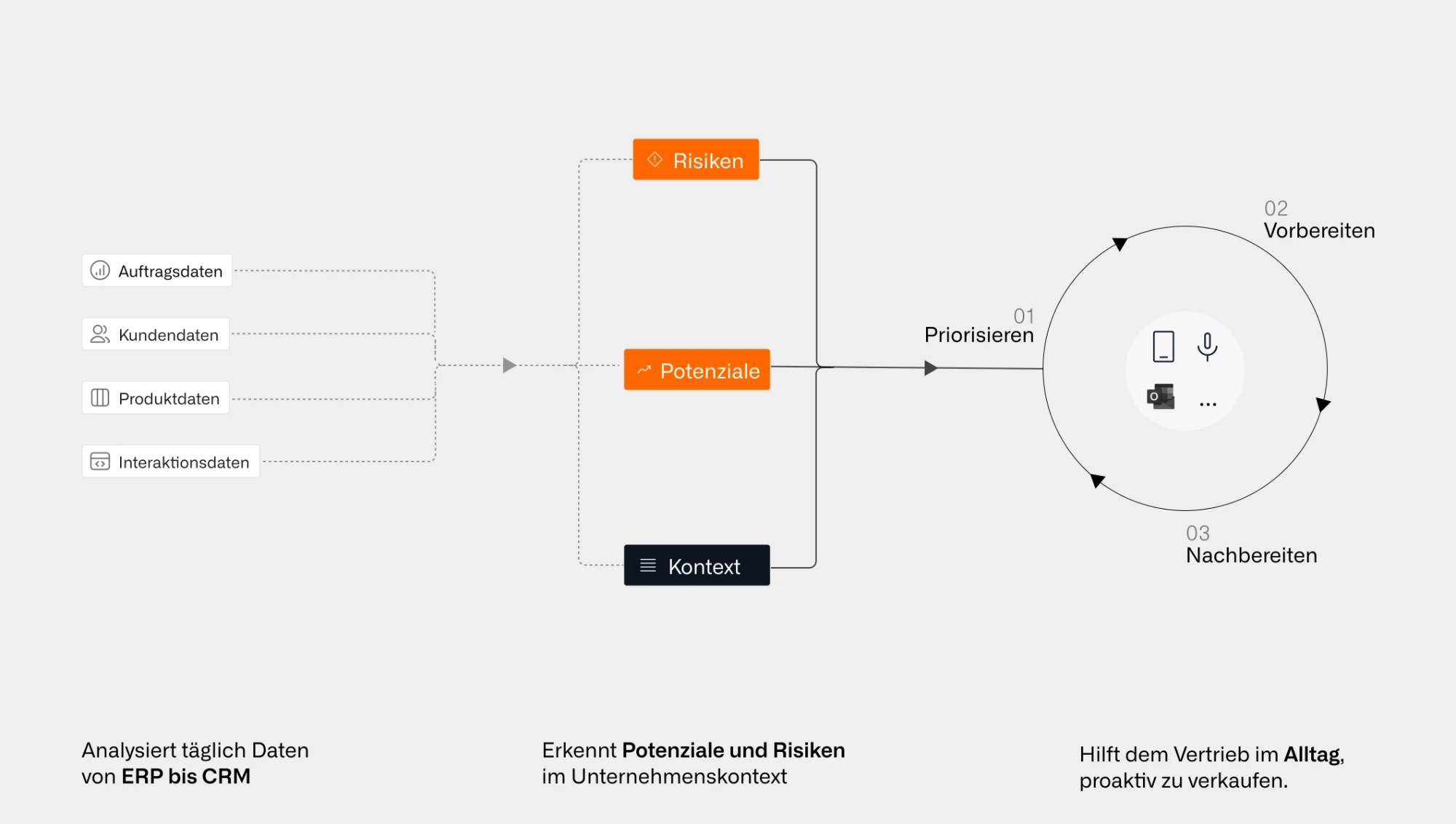
Order, customer, product and interaction data become risks and opportunities that sales uses for prioritizing, preparing and following up.
Your first step this week works with every tool on this list:
- Write down which of the four tasks costs your team the most time.
- Use it to pick a group and shortlist the matching tools.
- Ask the shortlisted vendors to show, using a real data extract, what their assistant would suggest for one of your field reps' meetings next week.
In a call, we'll use an extract of your data to show you which customers your sales team should contact next week.
Frequently asked questions about AI sales assistants
Which AI sales assistant is right for wholesale distribution?
For distributors and manufacturers with their own direct sales, whose revenue comes mainly from repeat orders by existing customers, the right fit is an assistant that reads the order history in the ERP. On this list, that's Acto. If your sales team mainly works on new contacts or in online meetings, the CRM assistants, tl;dv or Apollo are the more obvious choice.
How do we get the works council on board before launching an AI assistant in sales?
Bring the works council on board before you choose a tool. State the purpose clearly, namely taking load off sales, explicitly rule out performance monitoring, and disclose which data the assistant reads and which reports exist. In a conversation with a large corporation, we heard that the word "AI" quickly raises fears of job cuts in the works council. A short live demo with real examples builds more confidence there than any slide.
Where is an AI sales assistant's data stored?
Where an AI sales assistant stores data varies by vendor and isn't always stated on the product page. Ask about the storage location, the data processing agreement and whether your data is used to train models for other customers. With meeting tools, you also need all participants' consent to the recording.
Which data should we clean up before starting?
Only clean up the data the chosen assistant actually reads. For CRM assistants, that means contacts, ownership and opportunity stages. For an assistant focused on existing customers, unique customer numbers and clean territory assignment matter. You don't need a big data project upfront.
How do we measure whether the AI sales assistant is working?
Measure whether an AI sales assistant works with a control group: part of the team uses it, a comparable part doesn't. Define a metric and time frame beforehand, such as revenue per customer in covered territories or the number of customer contacts per week. If you only decide what to measure after launch, you'll always find a number that fits.
What do I do if my most experienced field rep won't use the assistant?
An experienced field rep uses an assistant when it tells them something they don't already know. Show them the recommendations for their own customers and let them flag the ones that are wrong. With Acto, their feedback makes the system better, and they experience the assistant as help rather than oversight.