Best Field Sales Apps 2026: Comparison for Wholesale & B2B Sales
Summary
- Most field sales apps optimise the route. The more important question comes first: who should your reps visit this week?
- This comparison follows the field sales day: prioritisation, route planning, meeting prep and follow-up. For each phase, we show the right tools with their strengths and weaknesses.
- In short: portatour and Badger Maps are strong on routes, Acto on prioritisation, preparation and follow-up in wholesale. Together they are currently the strongest combination.
Why most field sales software solves the wrong problem
A sales director at an electrical wholesaler summed it up in a conversation with us (translated from German):
"A classic field sales organisation drives around the region unsteered. I'm not saying without a plan, but unsteered."
Not lazy, not careless. Just unsteered.
The market answers with dozens of field sales apps. Software directories such as Capterra list a long line of options. Yet the most common buying decision is the wrong one, because it starts with the symptom instead of the problem.
The pressure to act is growing. Gartner expects that by 2027, 95 percent of seller research workflows will begin with AI, up from less than 20 percent in 2024. Teams will add tools either way. The question is whether those tools solve the right problem.
Most teams buy the tool they already know, not the tool that fixes their actual problem.
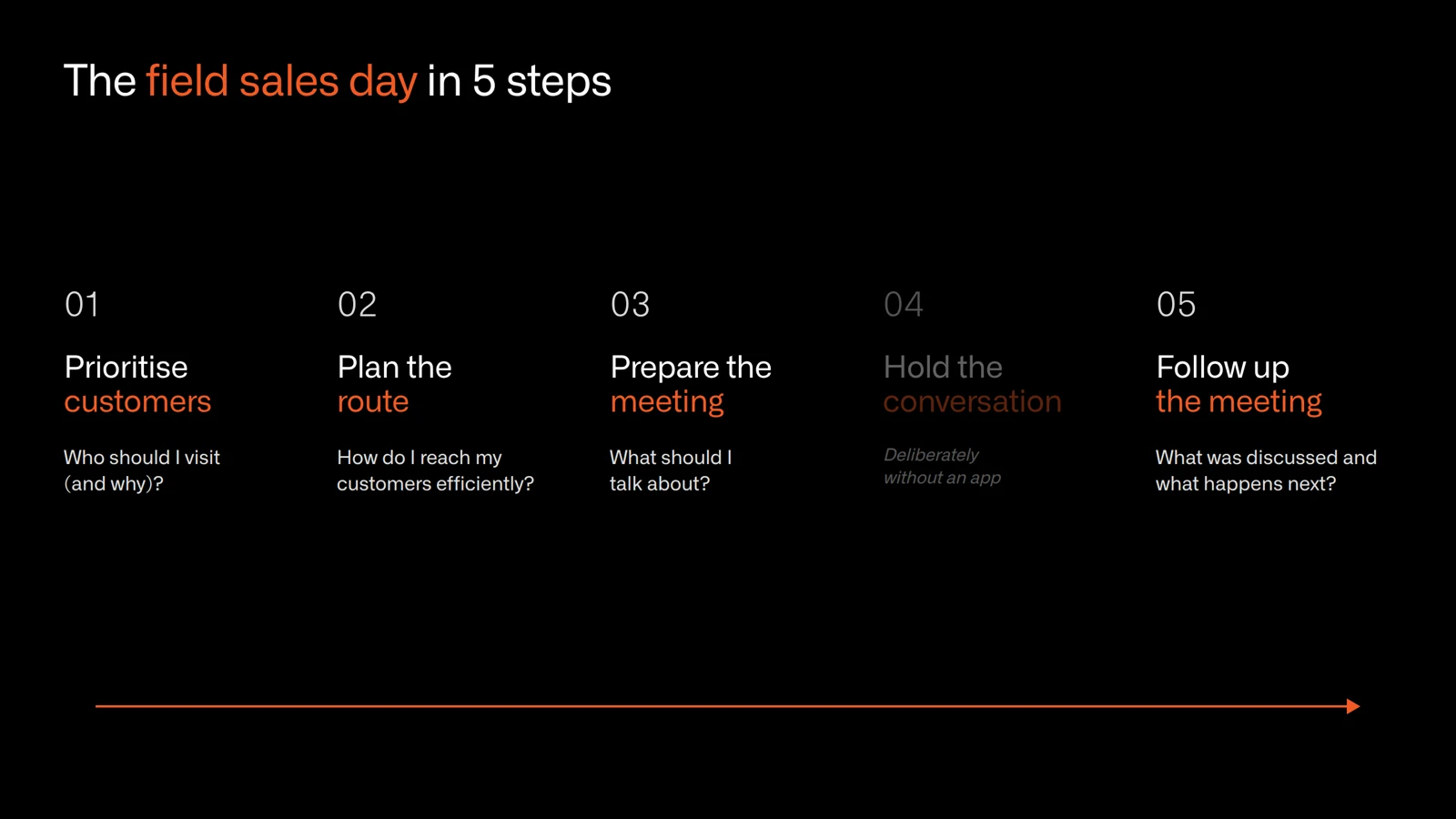
This comparison follows the five phases of a field sales day, with the strengths and weaknesses of each tool per phase.
How we evaluated the tools
We looked at the tools from the perspective of B2B field sales in wholesale, distribution and manufacturing, where reps look after hundreds of existing accounts. For each phase one question counts: does the tool help with choosing the right customers, planning the route, preparing for the meeting or writing the report afterwards? Our sources are vendor information (as of 10/2026), public reviews and conversations with customers; anything a vendor does not document is marked "not documented" in the tables. And to be transparent: Acto is our own product.
The tools at a glance
| Tool | Best for | Prioritisation | Route planning | Meeting prep | Follow-up | Voice input | Starting price |
|---|---|---|---|---|---|---|---|
| Acto | Wholesale, manufacturers with direct sales | AI on ERP/CRM order data, very strong | Nearby customers, hand-off to Google Maps | Opportunities, risks, account context | Visit report by voice, follow-up tasks | Yes | On request |
| portatour | Reps with many customer stops | ABC priority + call interval | Very strong | Customer details, call history | Visit documentation | Not documented | Tiered pricing, see vendor |
| Badger Maps | Map-based territory selling | AI visit recommendations | Yes | AI meeting briefs from CRM data | Check-ins, notes with photos | Yes | $58 per user/month (annual) |
| SPOTIO | Field teams of 5+ reps | Next-best-action recommendations | Yes | AI visit prep | Activity tracking, follow-up drafts | Yes | On request |
| Salesforce Maps | Teams already on Salesforce | Filters such as score, last contact, proximity | Yes | Salesforce records on the map | Not documented | Not documented | $75 per user/month (annual) |
| Map My Customers | Field teams with an existing CRM | Target accounts, next steps | Yes | Not documented | Voice debriefs, follow-up drafts | Yes | $99 per user/month (annual, min. 5 users) |
| Pipedrive | Small teams, simple CRM | Not documented | Not documented | Lead and deal data on mobile | Notes on mobile | Yes (voice-to-text) | $14 per seat/month |
As of 10/2026, based on vendor information. Prices excluding VAT.
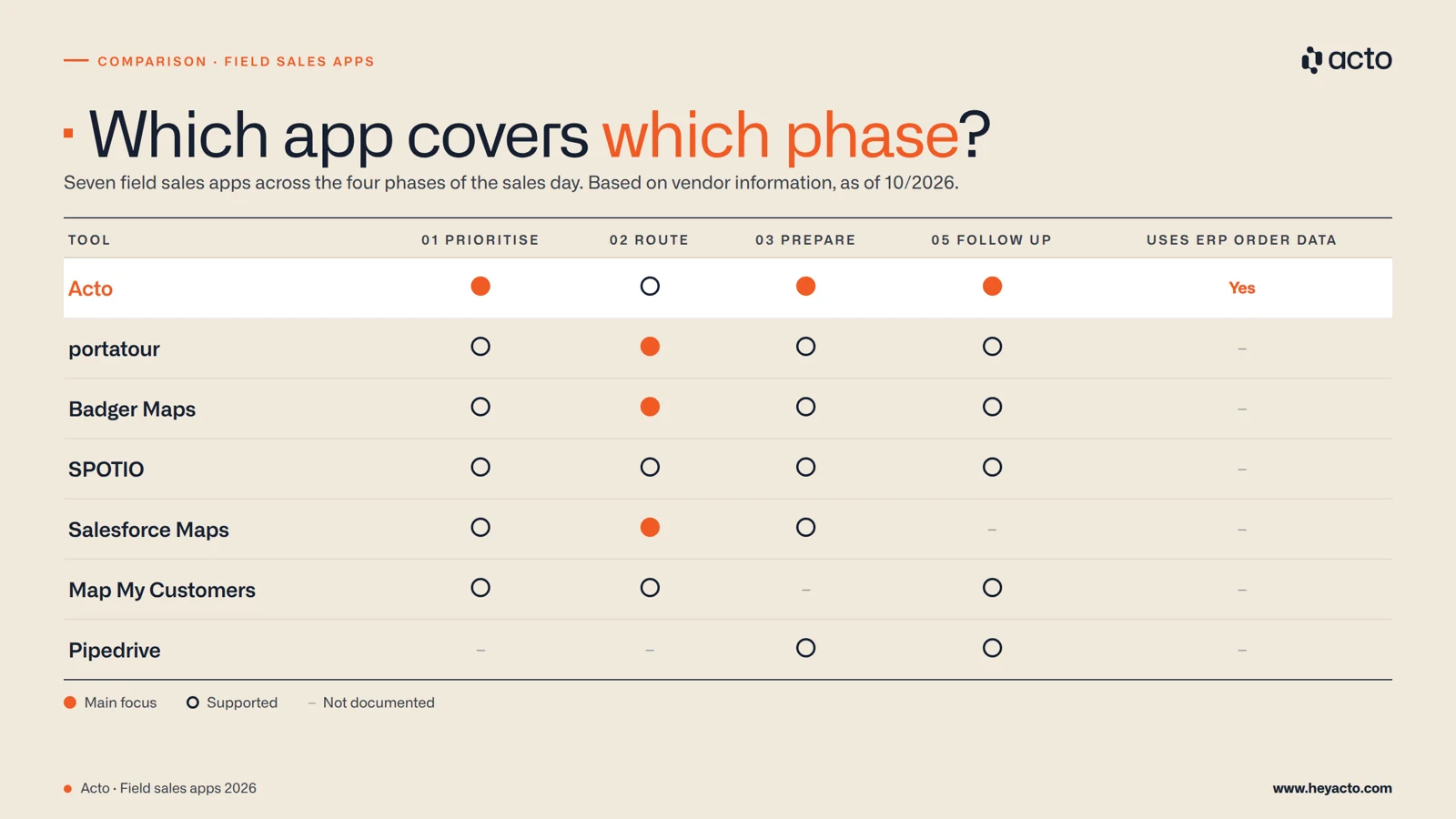
01 - Prioritisation: WHO should I visit this week?
This is the most underrated phase in field sales, and at the same time the one where most teams are least prepared.
The dominant model: cadence. A-customers every two weeks, B-customers monthly, C-customers quarterly. That looks like structure, but it is a frequency rule. It has little to do with prioritisation.
An A-customer who has just placed a large order does not need a visit this week. A B-customer whose order volumes have dropped by 30 percent over three months, because a competitor is now supplying, needs one right away. A cadence cannot tell the two apart.
Research supports looking more closely at who gets an in-person visit. A 2026 study by David Ergun and Christian Schmitz of Ruhr University Bochum, published in the Journal of Service Research, analysed CRM data from 3,565 customers of a European B2B manufacturer. Compared with pure face-to-face selling, the right mix of on-site and remote calls increased sales performance by up to 27 percent in some contexts, while a purely remote approach reduced it by up to 32 percent in others. The decision about which customer needs a visit, and when, has a direct effect on revenue.
Planning a route without first deciding WHO to visit is like opening Google Maps without entering a destination. You will drive somewhere, maybe even efficiently. But nobody knows whether it is the right place.
The tools compared
We are obviously not neutral on this point, but here is how the tools differ:
Acto
.png)
Acto is the only tool in this comparison that answers the WHO question based on live ERP and CRM data. The AI analyses order patterns, detects churn signals and cross-selling opportunities, and turns them into concrete visit recommendations. Where other tools jump straight to route optimisation, Acto analyses the often 300 to 1,000 accounts of each rep every day and shows who currently holds the most profit potential.
The analysis covers, among other things:
- Upselling opportunities
- Cross-selling opportunities that are easily missed in large wholesale assortments
- Churn risk at product level, which would otherwise disappear inside an overall "healthy" account
- Stalled quotes that were only partly converted into orders
- Upcoming reorders the rep can drive proactively
- ...and more
Results from controlled A/B tests:
Böllhoff achieved +8.6 percent revenue, Schäfer Shop recorded +11.2 percent revenue growth.
portatour
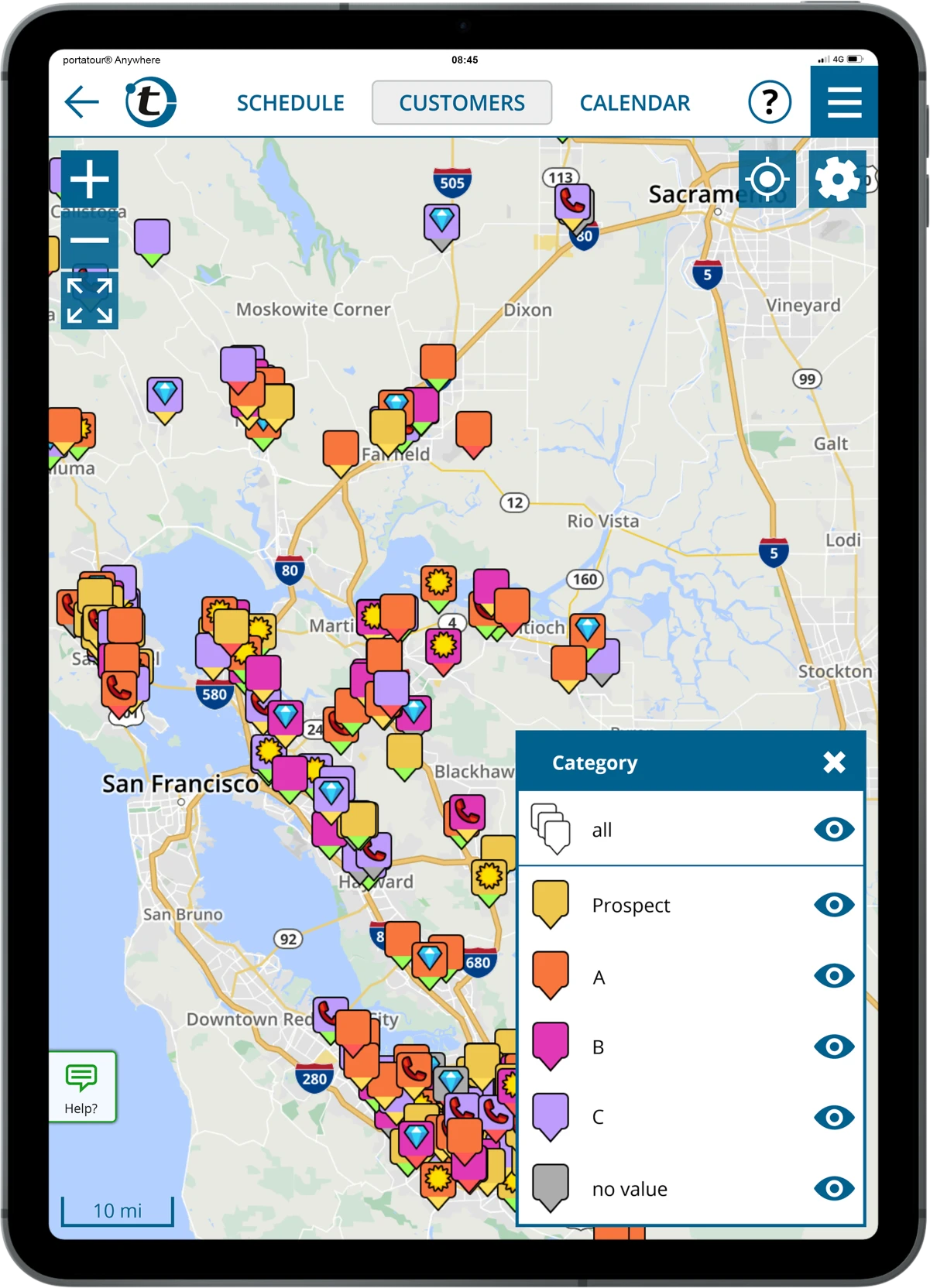
portatour schedules customers by their ABC priority and call interval. Whoever is due gets visited, and A-customers are visited more often than B-customers. On Capterra, portatour has a rating of 4.7 out of 5 (48 reviews, as of 10/2026).
Salesforce Maps
Salesforce Maps lets reps filter accounts on a map, for example by Einstein score, potential revenue, time since the last contact or distance. A strong option for teams that already run on Salesforce, as long as the relevant data is maintained there.
| Tool | Prioritisation method | Live ERP signals | Churn detection |
|---|---|---|---|
| Acto | AI, ERP/CRM patterns, segmentation | Yes | Yes |
| portatour | ABC + call interval | Not documented | Not documented |
| Salesforce Maps | Filters on Salesforce data | Not documented | Not documented |
| Badger Maps | AI visit recommendations | Not documented | Not documented |
02 - Route planning: from customer list to finished route
Good route planning adds visits every week. portatour states one additional visit per day as its own figure.
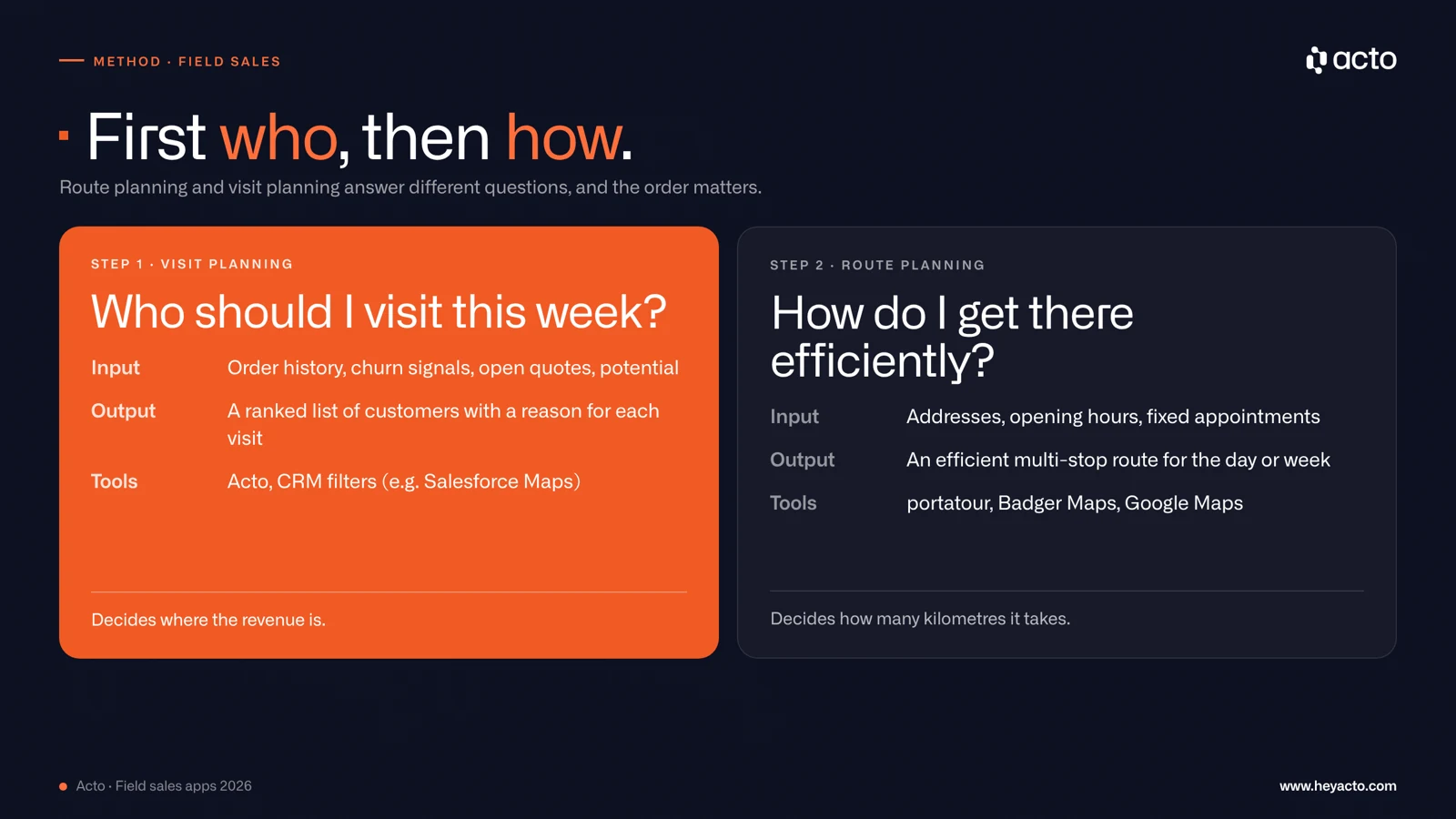
The tools compared
portatour
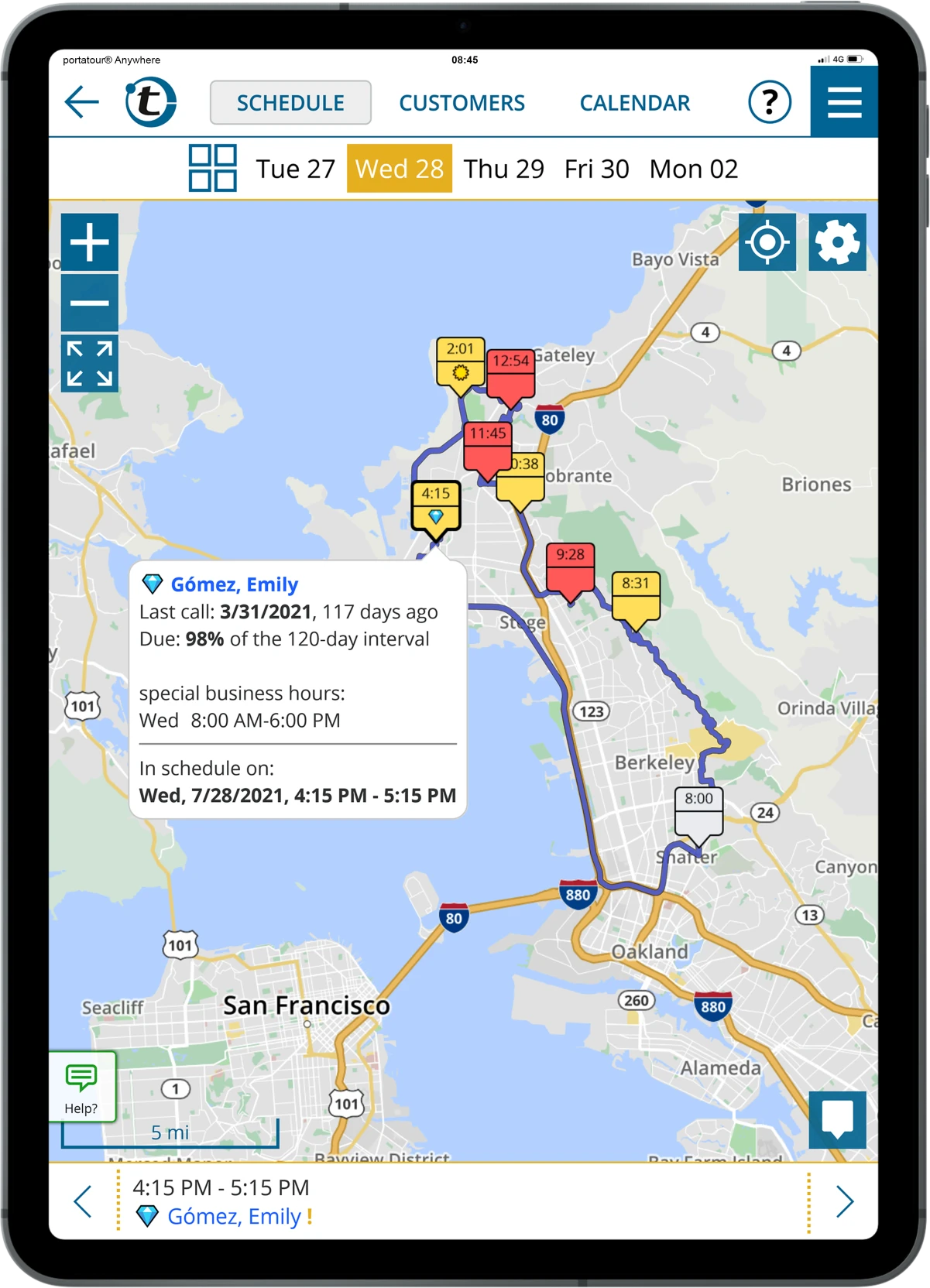
portatour is the specialist in this phase. It builds multi-day routes that take call intervals, opening hours, fixed appointments and overnight stays into account. According to portatour (vendor figure), one additional visit per day is possible, which adds up to around 20 extra visits per month.
A useful distinction: route planning finds the best way between known points. Territory and tour planning also decides which customers go into the route and when. portatour does both.
Badger Maps
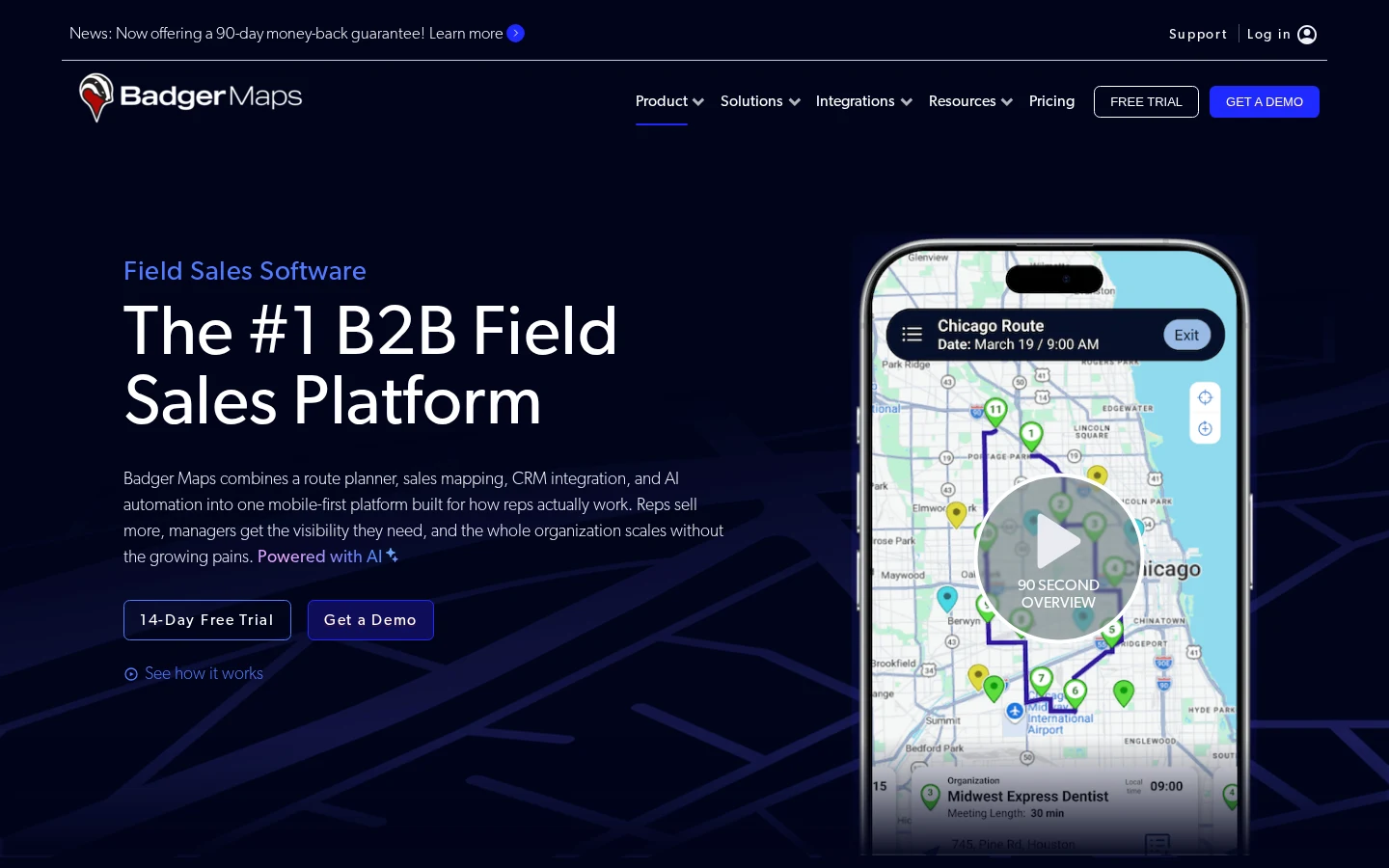
Badger Maps combines a route planner with sales mapping and CRM integration in a mobile app. Reps see their accounts on a map, build optimised routes and find prospects near their current location. Popular with territory-based teams in North America.
On G2, Badger Maps has a rating of 4.7 out of 5 (345 reviews, as of 10/2026). One reviewer, a small-business user, writes: "The route optimization feature automatically maps out the most efficient way to travel. It saves me hours of driving each week."
Google Maps
Google Maps is on this list because many reps use it every day. It knows nothing about call intervals, CRM data, documentation or priorities. It navigates, but it does not plan a route of customer visits. More on this topic: route planning in field sales.
03 - Meeting preparation: walk in informed
Many reps spend a lot of time preparing for each meeting: reconstructing purchase history, searching the CRM, picking relevant products, checking open items. With five to seven meetings a day, this adds up to a large share of the working day.
The study "Hybrid Selling 2021" by the Sales Management Department at Ruhr University Bochum (in German) found that in 2019, field reps spent an average of 13 hours a week travelling. Only around 35 percent of that time was used productively, for example for phone calls while driving. The rest was pure travel time, and that is exactly where time for good preparation goes missing.
The tools compared
Acto
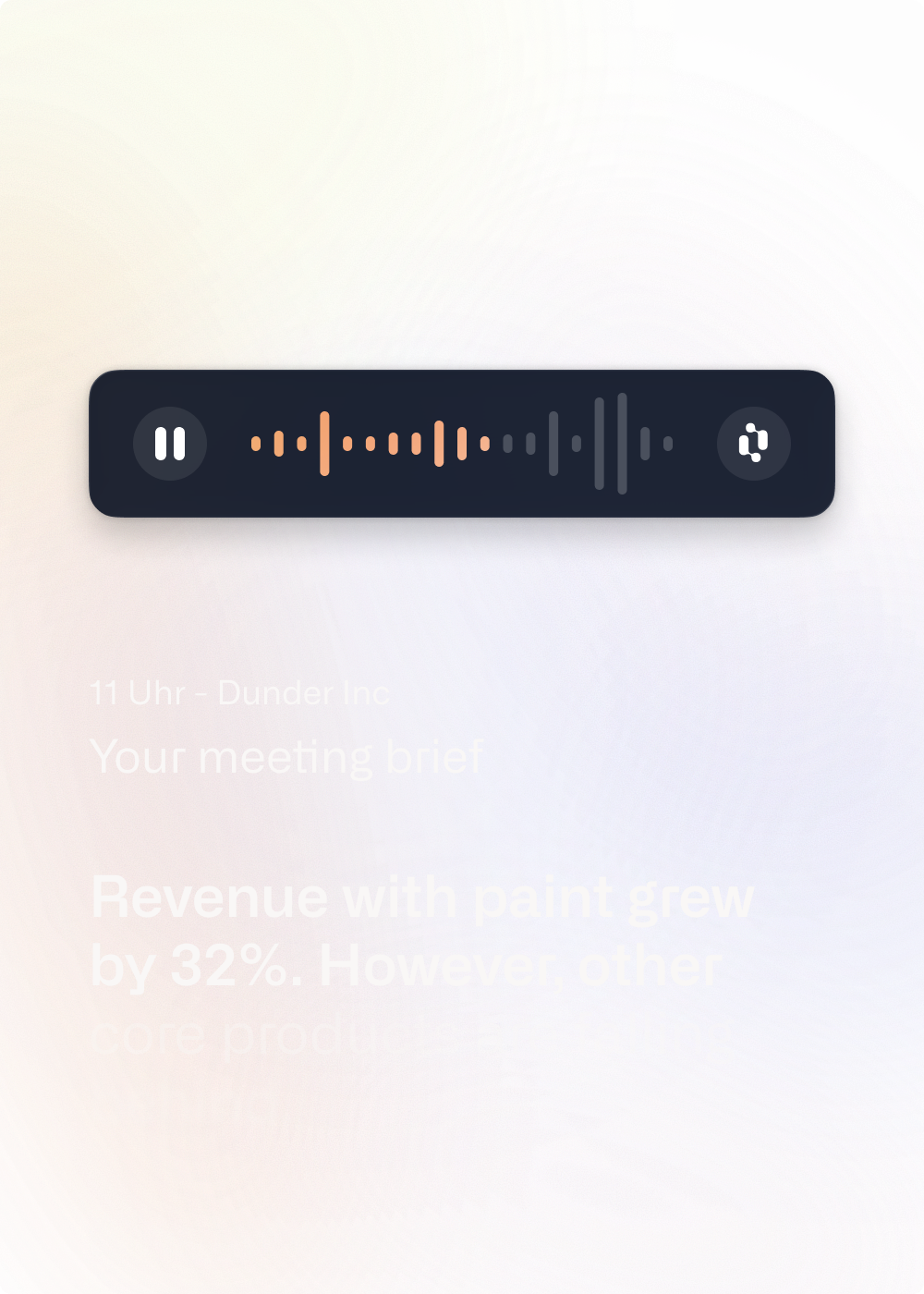
Acto pulls data from ERP, CRM, PIM and other sources and prepares it so that a rep is ready for a meeting in about two minutes: full account context, risk and potential signals, cross-selling recommendations. The briefing is available in the Acto app and, if you like, directly in Outlook.
At Plate, this saves 1 to 1.5 hours per day because manual analysis is no longer needed. At Schäfer Shop, it is up to 8 hours per rep and week. Read more: AI in field sales.
Badger Maps and SPOTIO
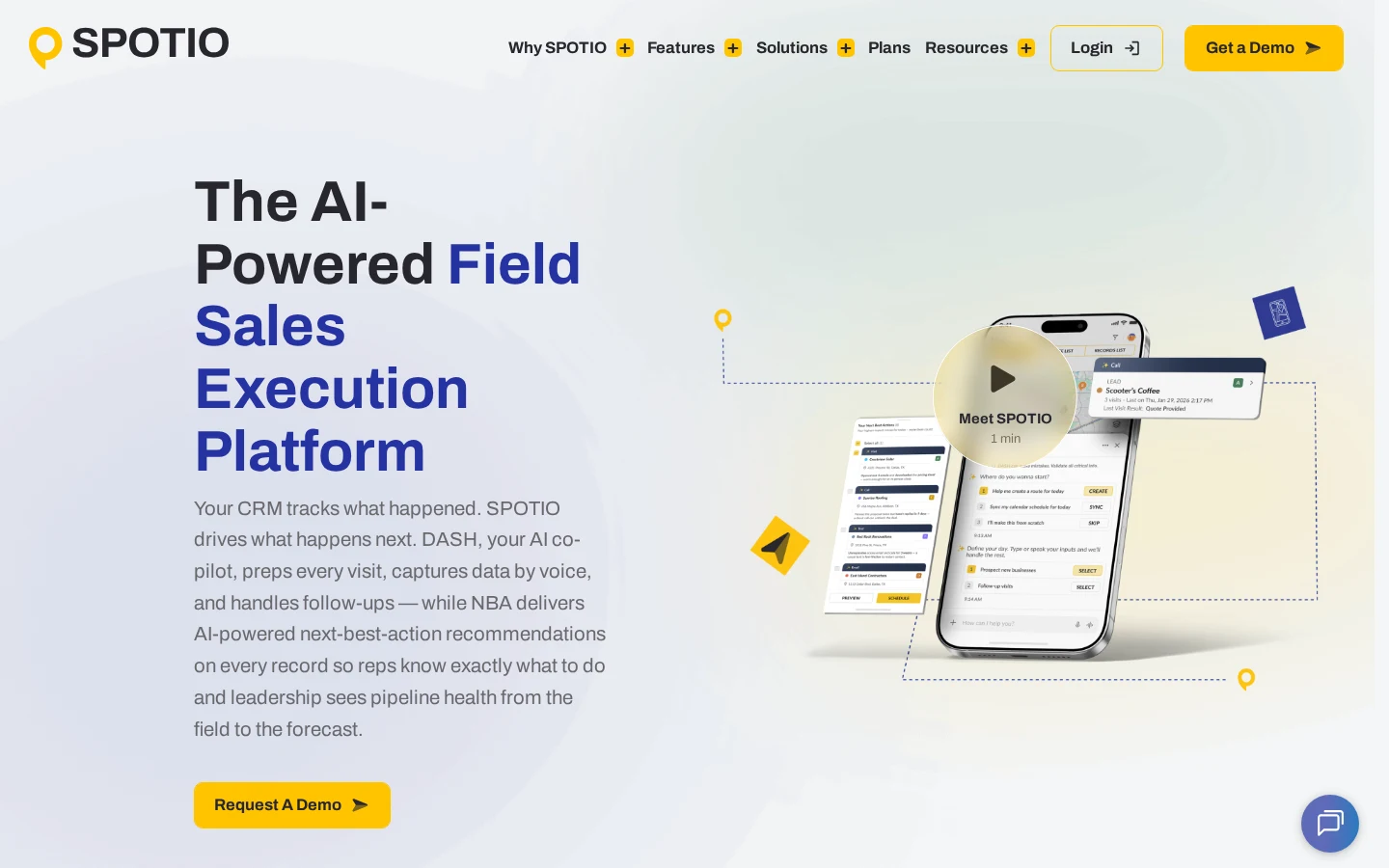
Both tools now offer AI-generated meeting preparation. Badger Maps builds meeting briefs from CRM data and other connected sources, and SPOTIO prepares each visit with its AI co-pilot. The quality of the briefing depends on what is in the CRM. Order data from the ERP is not documented as a source. SPOTIO has a rating of 4.5 out of 5 on G2 (400 reviews, as of 10/2026).
Pipedrive
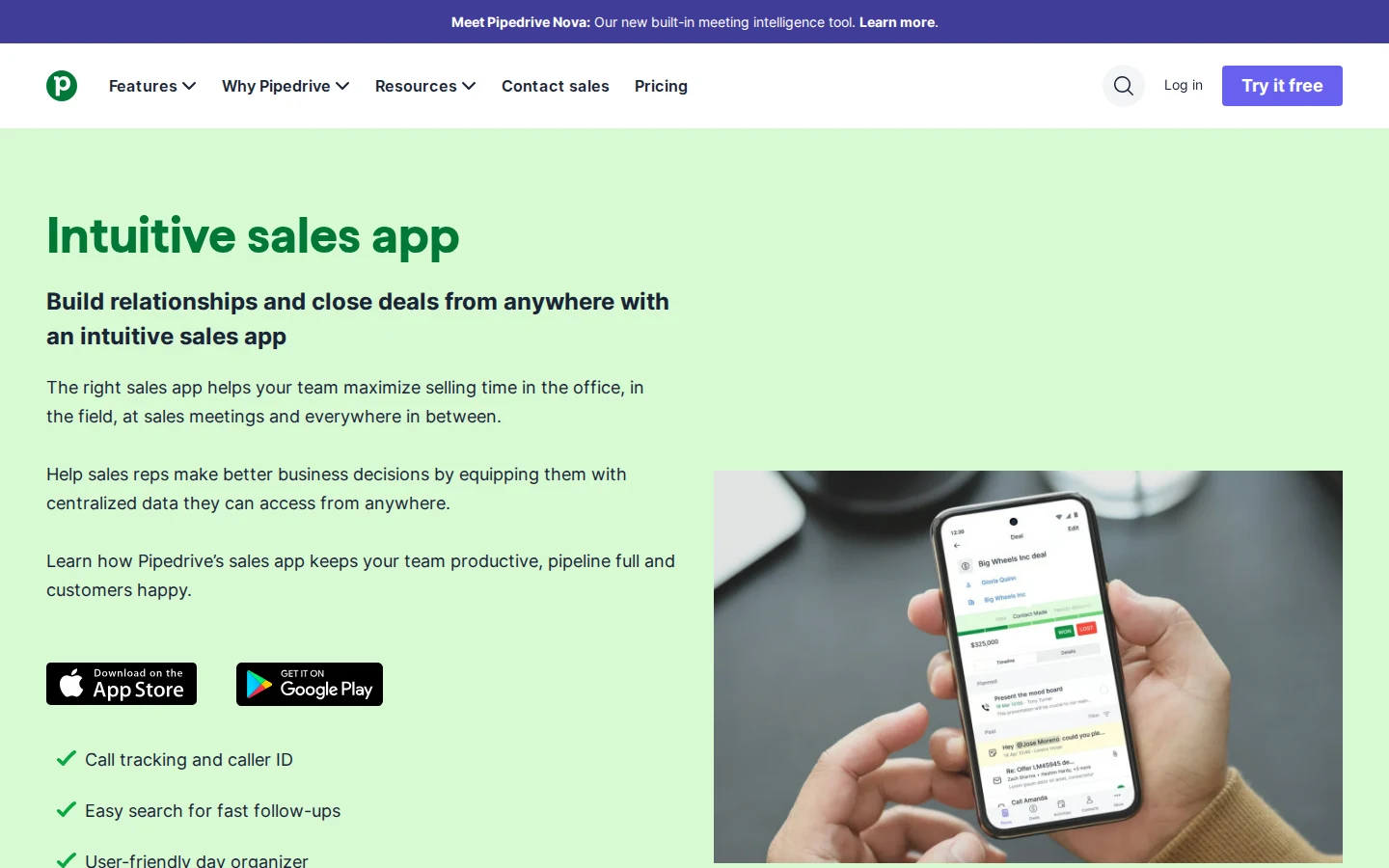
The Pipedrive mobile app puts lead, deal and contact data in your pocket. Useful for small teams that want a simple CRM, though it offers no analysis of purchasing behaviour.
04 - The conversation: deliberately without an app
We do not cover an app for the conversation itself, and that is on purpose. In the meeting, attention belongs to the customer, not to a screen. That is also why hardly any tools are built for this phase. What makes the conversation better happens before and after it.
05 - Follow-up: where productivity quietly disappears
Visit reports written in the evening on a laptop are either incomplete, because the details have faded, or they do not get written at all, because the day was long.
It is rarely a question of willingness.
The timing is the problem: hours after the meeting, tired, at a desk. Voice-based follow-up solves this.
The consequence of late reports: CRM data degrades, follow-up tasks get lost, and the next visit to the same customer starts from zero again. A fixed structure helps here, as our sales visit report template shows.
The tools compared
Acto
Acto supports a voice recap right after the meeting: you dictate what was discussed, Acto creates the CRM note, identifies follow-up tasks and drafts follow-up emails. This happens on the way to the next meeting, not in the evening. What goes into the report feeds into the next prioritisation and preparation, so nothing gets lost.
Map My Customers
The AI Field Agent from Map My Customers takes voice debriefs after each visit, drafts follow-up emails and suggests next steps. It syncs with an existing CRM. On G2, Map My Customers has a rating of 4.5 out of 5 (159 reviews, as of 10/2026); one branch manager sums it up as "very easy to use with a small learning curve".
Badger Maps, SPOTIO and Pipedrive
All three support voice input: Badger Maps with talk-to-text notes and voice-to-CRM, SPOTIO with voice data capture, and Pipedrive with voice-to-text notes in the mobile app. The difference lies in what happens next: whether the tool only stores a note or also derives tasks and feeds the information back into the next visit.
| Tool | Voice input | CRM integration | When the report is written |
|---|---|---|---|
| Acto | Yes | Automatic | Right after the meeting |
| Map My Customers | Yes | Two-way CRM sync | Right after the meeting |
| Pipedrive | Yes (voice-to-text) | Built-in CRM | On the go |
| Classic CRM | No (typing required) | Manual | In the evening on a laptop, often too late |
Other categories: what else a field day needs
Service technicians need different functions than sales reps: field service tools such as Praxedo focus on scheduling, dispatch and work orders with photos and signatures. For expenses, tools like Pleo combine company cards with receipt capture by photo. Microsoft Teams connects field and inside sales when a rep needs a delivery confirmation at the customer's site. More on this: field sales automation.
Which app for whom, and when none of them helps
Recommendation matrix
| Use case | Recommendation |
|---|---|
| Field sales in wholesale and manufacturers with direct sales, 50+ accounts per rep | Acto |
| Many customer stops, route planning in focus | portatour, Badger Maps |
| Teams working entirely in Salesforce | Salesforce Maps |
| Larger field teams with activity tracking | SPOTIO, Map My Customers |
| Small teams, simple CRM | Pipedrive |
| Service and technician teams with dispatch | Field service software such as Praxedo |
| No CRM or ERP in place | Build the data foundation first, then add an app |
Acto: the field sales app built for wholesale
Acto was built for wholesalers and manufacturers. Its sales intelligence helps reps with hundreds of accounts and thousands of products keep track of what matters.
Using predictive analytics, it detects upselling opportunities and churn risks and delivers them straight into the field sales day, without complex dashboards.
Teams that use Acto for prioritisation, preparation and follow-up and add portatour or Badger Maps for the route currently have the strongest combination for field sales in wholesale and manufacturing.
Want to see how this works in practice?
Book a free consultation with our team.
FAQ: field sales apps
What does a field sales app cost?
Prices range from simple mobile CRMs at around $14 per seat and month to specialised field sales platforms at $58 to $99 per user and month, and enterprise solutions that are only available on request (see the table above). More important than the list price is the value of an additional visit. Calculate with your own numbers: cost per visit = daily cost (share of salary + vehicle) ÷ visits per day. With a daily cost of €400 and 6 visits, that is around €65 per visit. If a tool enables one extra visit per day, that is around €1,300 of added value per month over 20 working days, before any effect of better prioritisation.
Which field sales apps work offline?
Offline capability matters, especially in rural areas. portatour and the Pipedrive mobile app offer offline modes. Acto needs a network connection for its app features.
What is the difference between route planning and visit planning?
Route planning answers HOW: the most efficient way between known points. Visit planning answers WHO: which customers you should visit at all, and in which order of potential. You need both, in that order. Starting with route planning without visit planning means optimising a route to possibly the wrong destinations.
Can I connect my CRM or ERP to a field sales app?
In most cases, yes. Acto connects to common ERP and CRM systems such as SAP, Microsoft Dynamics and Salesforce and runs its analysis on that data. portatour, Badger Maps, SPOTIO and Map My Customers sync with common CRMs. Check before buying whether your specific system is supported, especially in SAP environments.
How do I get my field sales team to actually use a new app?
Tools that give reps nothing back in their daily work do not get used, however good the change management is. An app gets adopted when it gives the user something right away: a briefing, a recommendation, time saved. Acto lowers the barrier because the briefing also appears in Outlook and reports are created by voice. A tool that takes more than it gives will simply not be used.