Summary
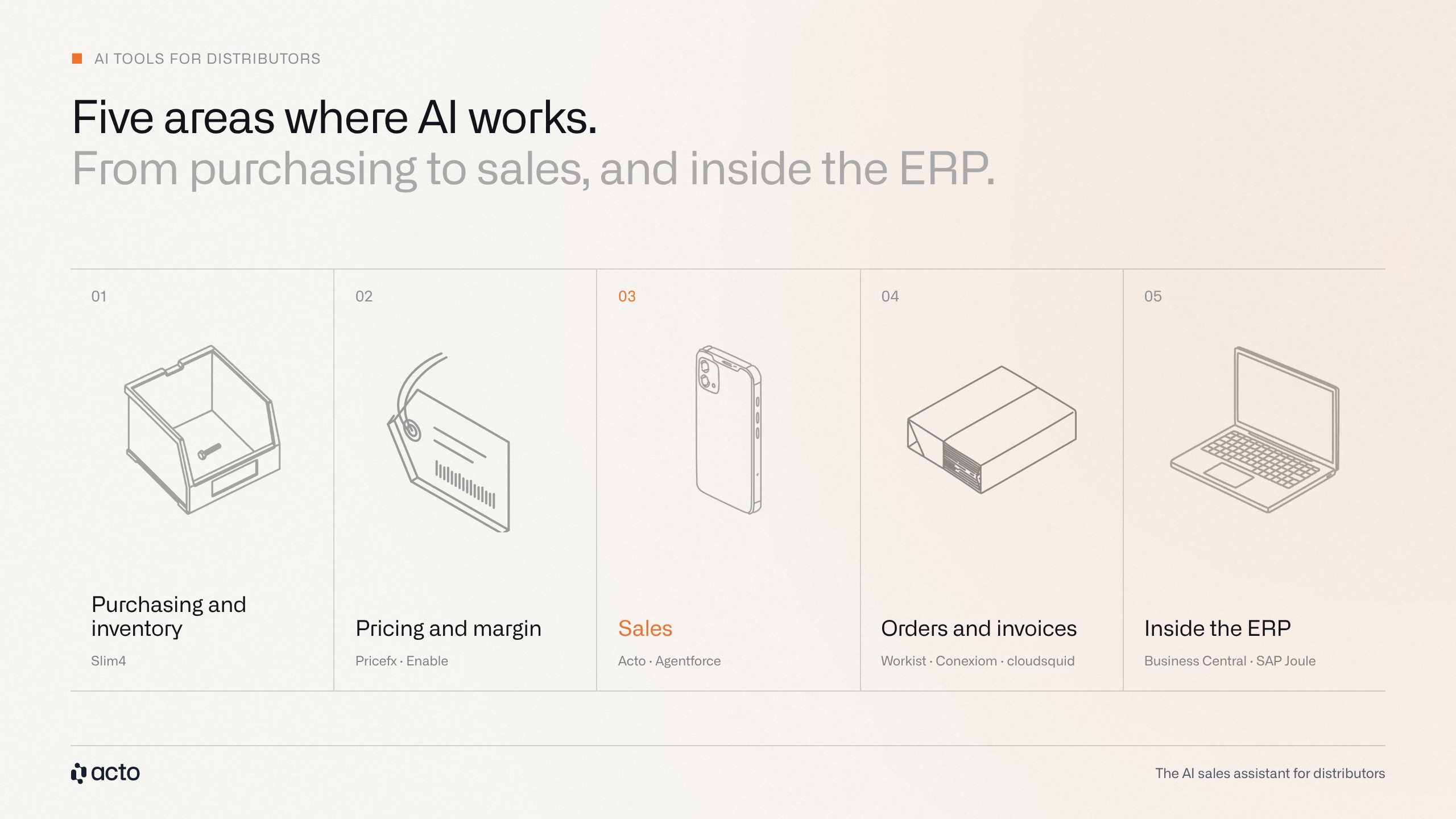
- AI tools for wholesale distribution work in five areas: sales, back-office order processing, pricing and margin, purchasing and inventory, and directly inside the ERP. They solve different problems and complement each other.
- For field sales teams with many existing accounts, what matters is whether the AI reads the order history in the ERP or only what is in the CRM. Acto customers saw 5.4 to 11.2 percent more revenue among users in pilot projects.
- Each tool comes with a typical use and questions to check before buying, plus five questions to help you choose.
- If you run Business Central or SAP S/4HANA Cloud, test the AI agents in your own ERP first.
- Transparency note: Acto is one of the vendors in this comparison and is listed without a ranking.
Monday, 7:40 a.m. The inside sales inbox holds 60 orders, one of them a photo of a handwritten material list, another a 40-line PDF with the customer's own part numbers. Purchasing is out of a fast mover while the warehouse holds three months of stock of something else. And a field rep is driving to a long-standing customer without knowing that this customer has not ordered fasteners in eight weeks.
These are three different problems, and each now has its own AI tools. Search for "AI tools for wholesale distributors" and you find them all in one list, and it is easy to end up comparing things that have nothing to do with each other. This comparison therefore sorts ten tools by the area they work in: sales, back-office order processing, pricing and margin, purchasing and inventory, and AI inside the ERP. For each tool, you will find what it does, what a typical use looks like, what to check before you buy and how users rate it.
In short: which AI tool for which area?
- Field sales and existing accounts: Acto. Reads the order history in the ERP to spot accounts that are slipping, reorders that are overdue and products a customer is likely to need, and prepares reps for every meeting.
- Orders, invoices and statements arriving by email: cloudsquid for orders and finance, Workist and Conexiom for order entry.
- Pricing and rebates: Pricefx for price optimization, Enable for rebate programs.
- Inventory and replenishment: Slim4 by Slimstock.
- AI without a new tool: the agents in Microsoft Dynamics 365 Business Central and SAP, if you already run that ERP.
What are AI tools for wholesale distributors?
AI tools for wholesale distributors are software that reads or processes data from the ERP, CRM, inboxes or price lists and turns it into orders, account signals or decision proposals. They fall into two groups. Sell-side AI helps distributors earn more revenue and margin from existing customers. Back-office AI takes repetitive manual work off inside sales, accounting and purchasing.
- AI sales assistant: analyzes each customer's order history and gives sales reps reasons to act, such as an overdue reorder or a complementary product the customer has never bought.
- AI order entry: reads orders from email, PDF or phone, matches them against customer and product master data and creates the sales order in the ERP.
- AI price optimization: sets prices and discounts per customer and item so that margin and win rate fit together.
- AI demand forecasting: predicts demand per item and warehouse and proposes order quantities.
- AI agents in the ERP: features the ERP vendor builds into its own system, for example for emailed orders or incoming invoices.
The AI tools at a glance
| Tool | Area | Best for | Key features | Public user reviews | Ease of use | Support |
|---|---|---|---|---|---|---|
| Acto | Sales | Wholesalers and manufacturers with field sales and many existing accounts | Account signals from ERP data, meeting prep, visit reports by voice | 4.6 of 5 · 10 reviews · OMR Reviews | 93 % | 95 % |
| Agentforce (Salesforce) | Sales | Teams that work entirely in Salesforce | AI agents for prospecting, pipeline updates, account research, quotes | 4.4 of 5 · 27,603 reviews · G2 (Sales Cloud overall) | – | – |
| cloudsquid | Back office | Distributors receiving many orders, invoices and statements by email and PDF | Agents work inbox items through to the ERP, only exceptions go to the team | 4.8 of 5 · 2 reviews · G2 | – | – |
| Workist | Back office | European manufacturers and distributors with orders by email, PDF and phone | Order Agent, Inbox Agent, Phone Agent, master data matching | 4.8 of 5 · 21 reviews · OMR Reviews | 94 % | 95 % |
| Conexiom | Back office | High-volume order desks | Orders, RFQs and invoices from documents into the ERP, rules per customer | 4.6 of 5 · 66 reviews · G2 | – | – |
| Pricefx | Pricing and margin | Distributors with many SKUs, customer agreements and a pricing team | AI price optimization, quote approvals, discounts and rebates | 4.4 of 5 · 145 reviews · G2 | – | – |
| Enable | Pricing and margin | Distributors with large supplier and customer rebate programs | Rebate calculation, accruals, claims, AI analysis of agreements | 4.4 of 5 · 122 reviews · G2 | – | – |
| Slim4 (Slimstock) | Purchasing and inventory | Distributors with broad assortments and stock | Demand forecasting, inventory optimization, replenishment, scenarios | 4.7 of 5 · 28 reviews · Capterra | 4.4 of 5 | 4.7 of 5 |
| Business Central (Microsoft) | Inside the ERP | Distributors running Business Central | Sales Order Agent for emailed orders, Payables Agent, Copilot | 4.1 of 5 · 210 reviews · Capterra (ERP overall) | 3.8 of 5 | 3.8 of 5 |
| SAP Joule | Inside the ERP | Distributors on SAP S/4HANA Cloud | Orders from PDF purchase orders, quoting and order assistants, pricing assistant | 4.4 of 5 · 364 reviews · Capterra (S/4HANA Cloud overall) | 3.8 of 5 | 4.0 of 5 |
Ratings as of 26 November 2026, from the platform where each tool has its most relevant listing. The scores come from three platforms with different methods, so they are only directly comparable within one platform. OMR Reviews shows ease of use and support as the share of positive reviews in percent, Capterra as a score out of 5, and G2 does not show these sub-scores publicly. For Agentforce, Business Central and SAP Joule, the rating covers the whole product, not just its AI features. With only a few reviews, scores swing a lot. The column shows how users rate each product on one platform. It is not a comparison of the AI features against each other.
How we compared the tools
Our sources are vendor information (as of 11/2026), reviews on OMR Reviews, G2 and Capterra, and our experience from conversations and projects with distributors. Anything a vendor does not document, we do not claim. Figures on customers and results are vendor statements and labeled as such. We derive each tool's limits from its own documentation and from user reviews. The order follows the areas and is not a ranking. Acto is our own product, which is why it comes first, so you can skip it easily.
AI in sales
In wholesale distribution, most revenue comes from customers who already buy. A field rep often covers several hundred accounts; at Hitado, each sales employee covers 300 to more than 1,000 buying customers. Nobody can keep track of who is ordering less often or which part of the range is missing at that scale. This is where AI in sales comes in. What matters is where it gets its data: from the order history in the ERP or from what has been typed into the CRM.
1. Acto: AI sales assistant for field sales and existing accounts
Acto is an AI sales assistant for distributors and manufacturers with field sales teams. Every night it reads order data from the ERP and account data from the CRM, assesses every customer and gives reps signals with reasons and talking points each morning. It also prepares meetings and turns a voice note after the visit into the CRM report. Which customers to visit is still the rep's decision.
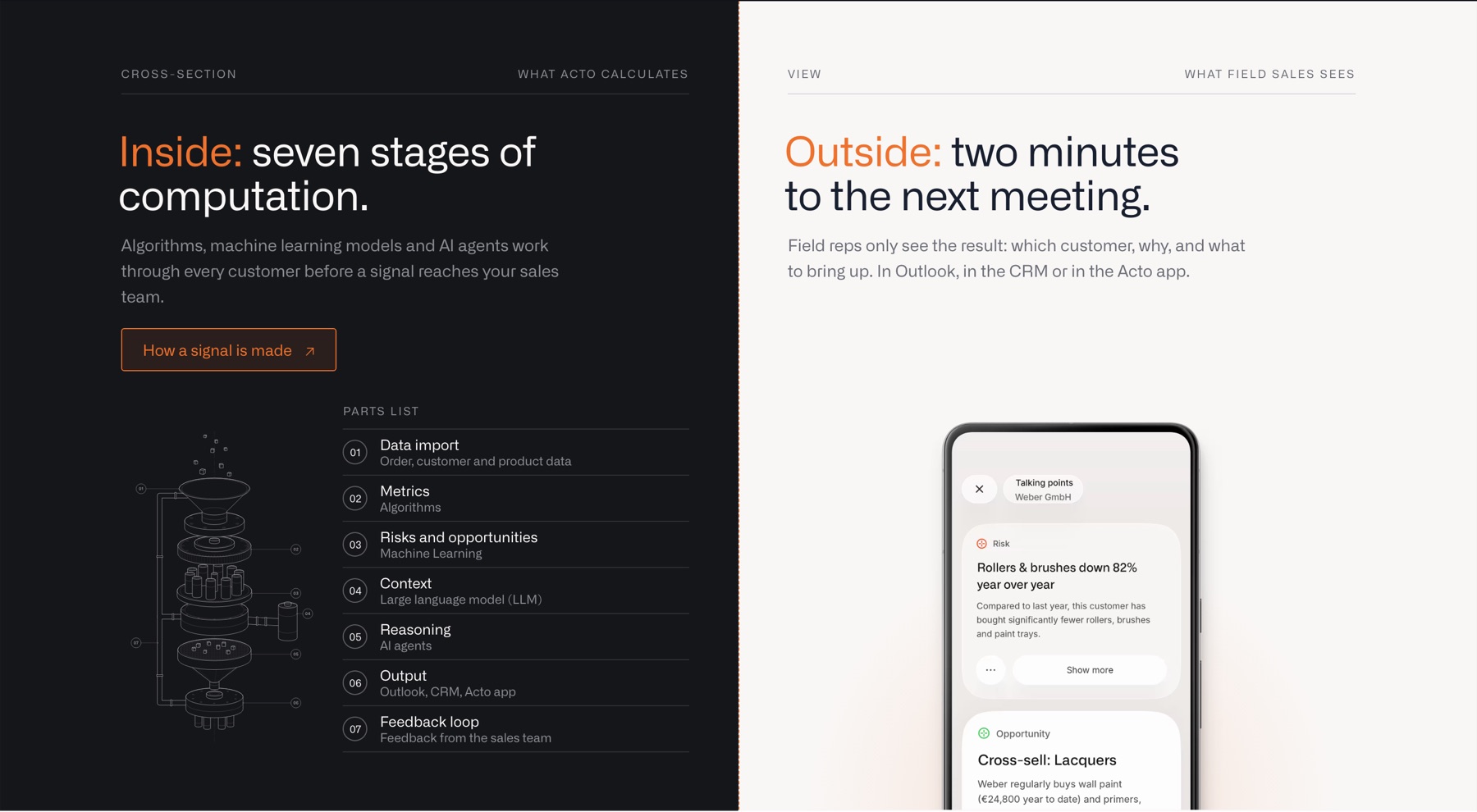
What Acto detects
- Churn and risk: declining revenue and order counts, products or categories a customer buys less or stops buying, missed reorders per customer and per product, churn risk from an AI model.
- Revenue potential: cross-selling suggestions based on what similar customers buy, product bundles, reorders that are due, new customers with high potential, inactive customers likely to come back, with a product suggestion.
- Margin: declining margin per customer and customers with low margin compared to similar customers.
- Account management: open quotes, contracts expiring without a follow-up order, contact frequency dropping off.
How Acto works
Every signal is built on two levels: the customer's own history and a comparison with groups of similar customers, formed by industry, size, purchase volume, order frequency and product mix. A customer who orders every six weeks and has bought nothing for ten weeks stands out, and so does a customer who, compared to similar businesses, never buys a whole product group from you. Models are trained per client only on that client's own business data, without personal data and without mixing data between clients.
Typical use
A field rep at an industrial distributor gets a list in the morning: customer A is three weeks past its usual reorder of seals, and customer B buys screws but never the matching tools that similar businesses add. On the way to customer B, Acto reads the talking points aloud in the car. After the meeting, the rep records two sentences, and Acto creates the report and follow-up task in the CRM.
Customer results
- Schäfer Shop (office supplies, SAP): 11.2 percent more revenue in the pilot, 92 percent of signals marked "helpful" by sales, up to 8 hours saved per employee per week.
- Plate (office supplies): around 10 percent more revenue in the pilot team, 1 to 1.5 hours less analysis per day, around 35 percent less time between two orders. Customers contacted after an Acto signal bought 2.1 more products on average.
- Böllhoff (fastening technology): 8.6 percent more revenue for Acto users compared with non-users.
- Hitado (medical technology, Sage and Cobra): 5.4 percent more revenue among Acto users in the pilot, onboarding of new staff cut from about a year to one to two months.
"Acto does the data work, our team focuses on customers," says Lisa Smith, Head of eSales at Böllhoff.
What to check before buying
- Does your ERP hold recurring orders per customer over a longer period?
- Where does your field team work today: Outlook, CRM, phone? That is where the signals should arrive.
- Who in sales gives feedback on which signals are helpful? That determines how quickly the signals improve.
Strengths
- Uses the order history in the ERP, not just what reps typed into the CRM. Reads any ERP, such as SAP, Business Central, Sage or in-house systems. It writes back only to the CRM.
- Reaches reps where they work: on the phone, in Outlook, in the CRM or read aloud in the car.
- Live in 4 to 6 weeks with 2 to 3 days of IT effort, without an ERP project.
Limitations
- Needs recurring orders per customer. Not a fit for project business, B2C or manufacturers without direct sales.
- Not a CRM, no order entry, no price optimization.
Rating: 4.6 out of 5 on OMR Reviews (10 reviews), 93 % for ease of use, 95 % for support. More on the Acto field sales app and the AI field sales software.
2. Agentforce: Salesforce's AI agents
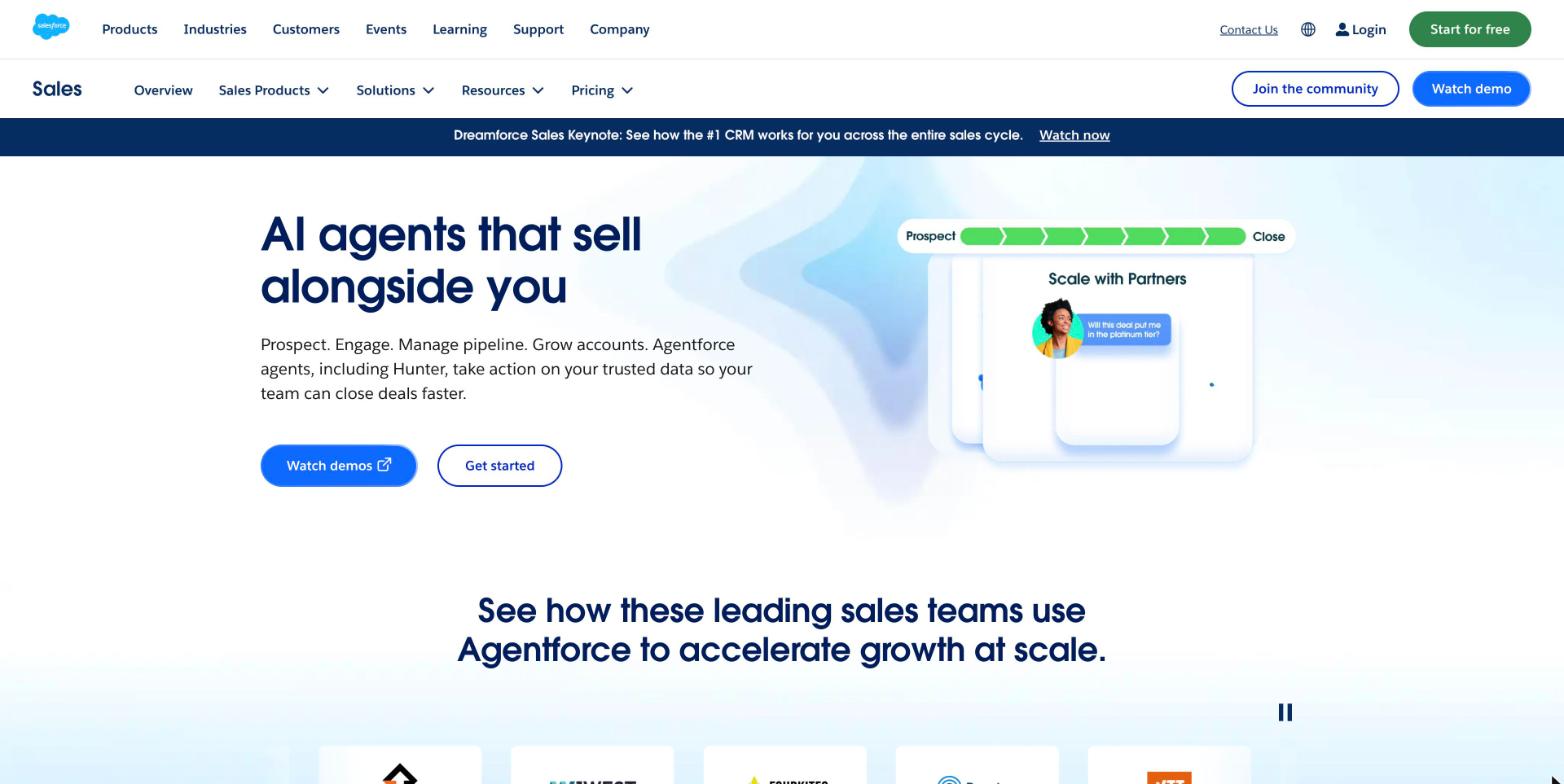
Agentforce is the AI layer in Salesforce. For sales, there are agents for prospecting, pipeline management, account research, quoting and sales coaching.
Source: salesforce.com
Key features
- SDR agent: researches prospects, drafts outreach and books meetings.
- Updates fields such as stage and next steps from calls, meetings and emails.
- Account and meeting briefs, quotes from the product catalog, role-play for practice.
Typical use
A sales team that wins new customers through leads and opportunities in Salesforce lets the SDR agent contact prospects and book meetings. After each call, the agent records the next steps on the opportunity.
What to check before buying
- Is the order history and product data from the ERP already in Salesforce or Data 360, or does an integration have to be built first?
- How much of your revenue comes from new customers, and how much from existing accounts?
- What do the agents cost at your expected usage, on top of the license?
Strengths
- Built into the CRM, with no extra system, under the Salesforce security model.
- Broad coverage for prospecting and pipeline management.
Limitations
- Built for pipelines and new business. In distribution, revenue comes from existing accounts, through order cadence and assortment.
- Works with what is in Salesforce and Data 360.
- According to Salesforce, cost depends on usage and integration depth and comes on top of the Salesforce license.
Rating: 4.4 out of 5 on G2 for Salesforce Sales Cloud overall (27,603 reviews). There is no separate rating for the agents alone.
AI in the back office: orders, invoices, inboxes
The back office is about tasks someone keys in or reconciles by hand today: orders, credit requests, supplier invoices, statements. Good tools do more than extract fields. They check against master data and rules and only pass the team the cases that really need a person.
3. cloudsquid: AI agents for back-office inboxes
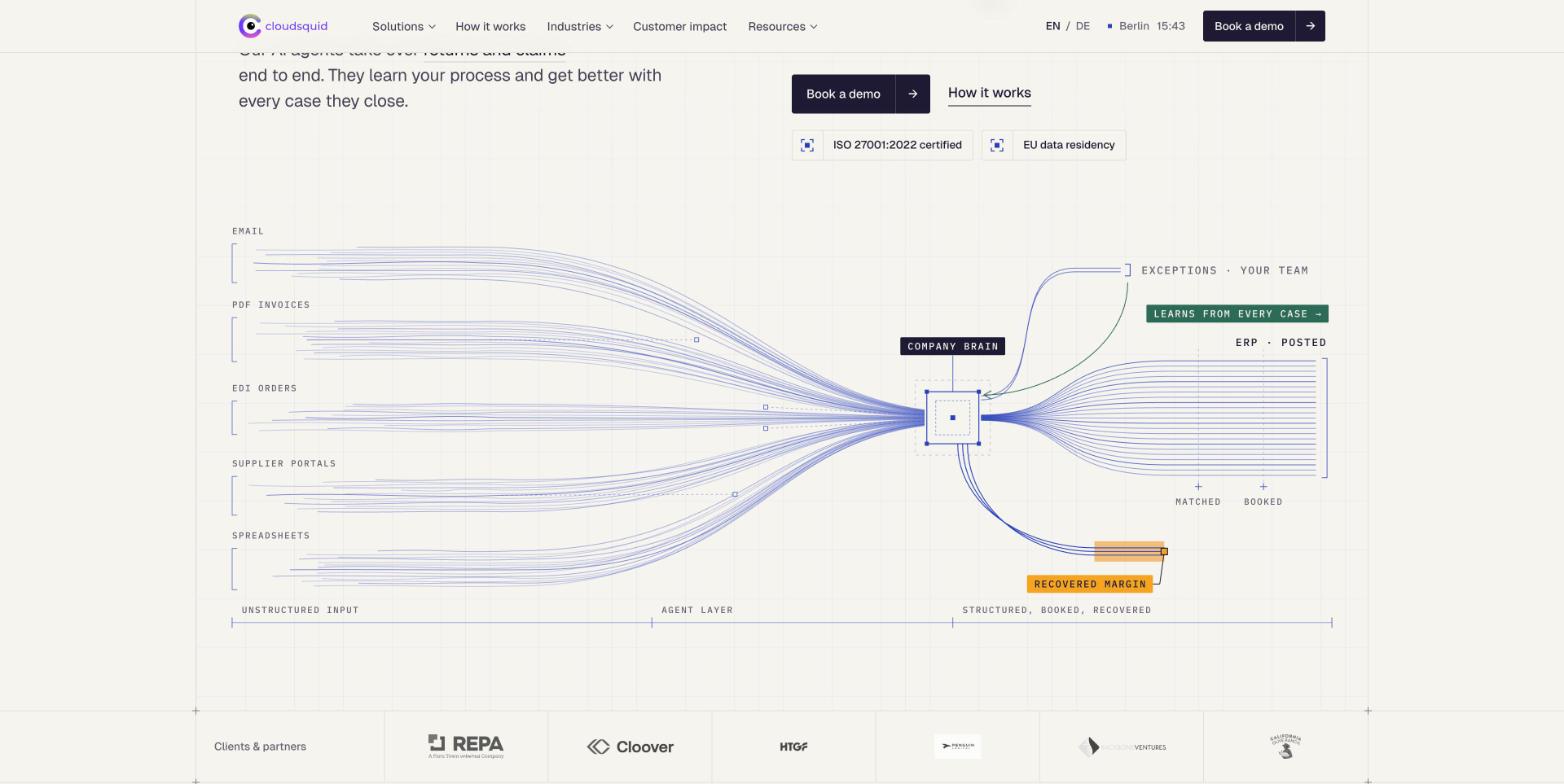
cloudsquid puts AI agents on the inboxes where orders, credit requests, supplier invoices and statements arrive. The agents work each item through to the ERP, and the team only sees exceptions, with evidence attached.
Source: cloudsquid.io
Key features
- Checks orders from email and PDF against customer and product master data and creates them.
- Invoice checks, vendor and bank statement reconciliation, posting.
- Connects to SAP, NetSuite, Dynamics 365, Workday and Infor.
Typical use
A supplier sends its statement, and the agent reconciles it line by line against posted invoices. Accounting only gets the differences, each with the matching documents. According to the vendor, a construction wholesaler surfaced 730,000 US dollars in discrepancies this way with 90 percent less manual effort, and a consumer goods distributor cut manual order entry time by 70 percent.
What to check before buying
- Which inboxes should be covered: only orders, or also invoices, credit requests and statements?
- Is your ERP directly supported?
Strengths
- Covers orders and finance, not just order entry.
- ISO 27001 certified, data residency in the EU.
- Results go to the team for review before anything is posted.
Limitations
- Not a CRM, no pricing and no recommendations for sales.
- Only a few public reviews so far.
Rating: 4.8 out of 5 on G2 (2 reviews). cloudsquid has published its own comparison of the best AI tools for wholesale distributors, with a focus on the back office.
4. Workist: AI agents for orders and customer inquiries
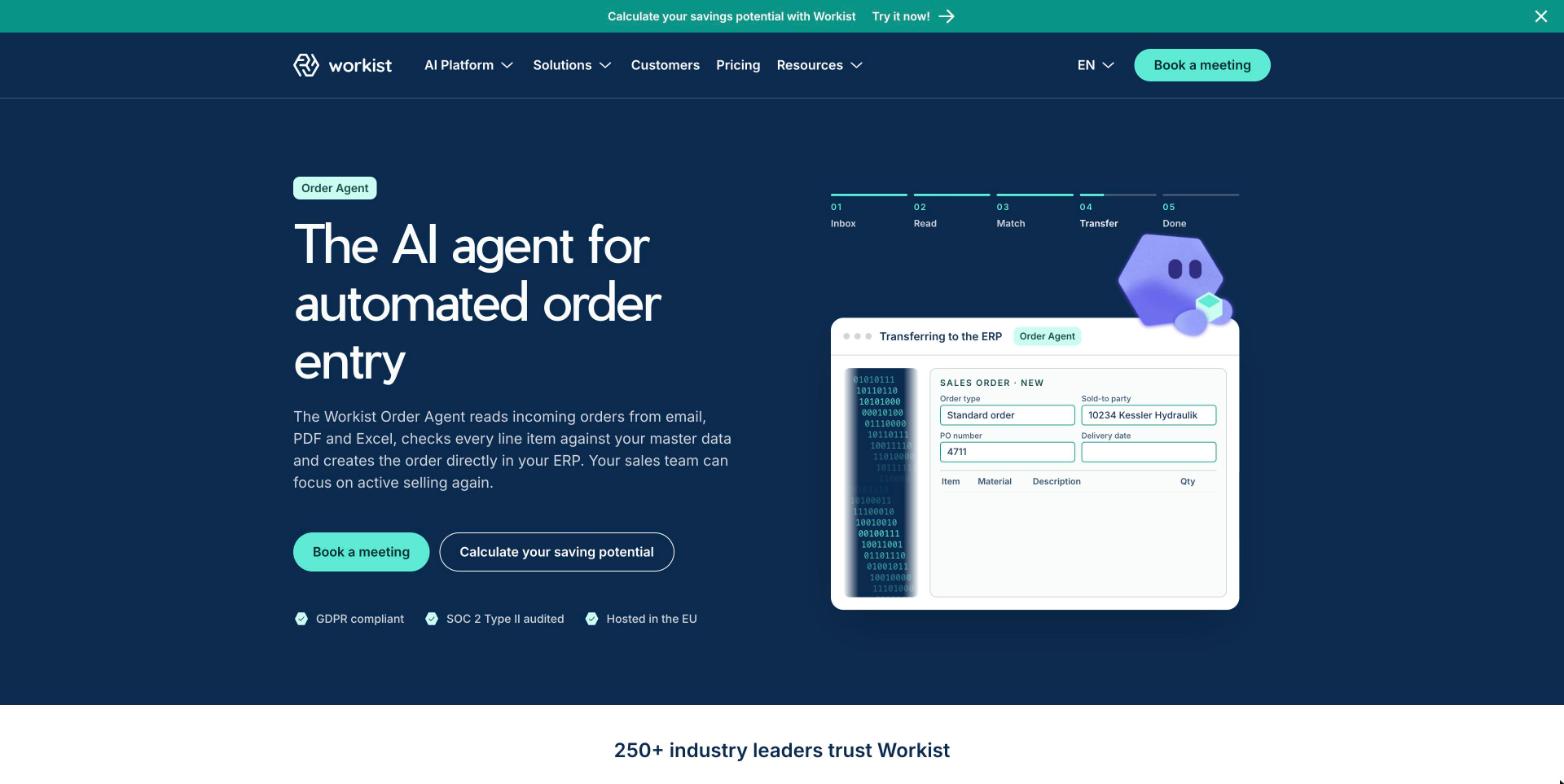
Workist, based in Berlin, automates order entry and customer inquiries in inside sales. The vendor names more than 250 customers, including Liebherr, Dometic and Gira, and more than 15 million transactions handled by its agents.
Source: workist.com
Key features
- Order Agent reads orders from email, PDF and Excel, without templates, and matches items and addresses against master data.
- Inbox Agent answers questions on status, price and availability, Phone Agent takes orders by phone.
- Connects to more than 40 ERP systems via connector, API or EDI.
Typical use
A manufacturer receives hundreds of PDF orders a day in different formats. The Order Agent creates them as sales orders in the ERP, and inside sales only checks lines that could not be matched clearly. According to the vendor, processing time per order at EVG fell from 4.5 minutes to 16 seconds, and Brennenstuhl went live in four weeks.
What to check before buying
- Have the vendor create a real order from one of your customers, with that customer's part numbers, in your own ERP.
- How are wrongly learned matches corrected, and who does it?
Strengths
- Hosted in the EU, GDPR compliant, SOC 2 Type II audited.
- Users on OMR Reviews praise how easy it is to use and how fast support responds.
Limitations
- Focused on orders and inquiries, not invoices or reconciliation.
- Users report long processing times for large documents and that wrongly learned input can only be corrected with the vendor's help.
Rating: 4.8 out of 5 on OMR Reviews (21 reviews), 94 % for ease of use, 95 % for support.
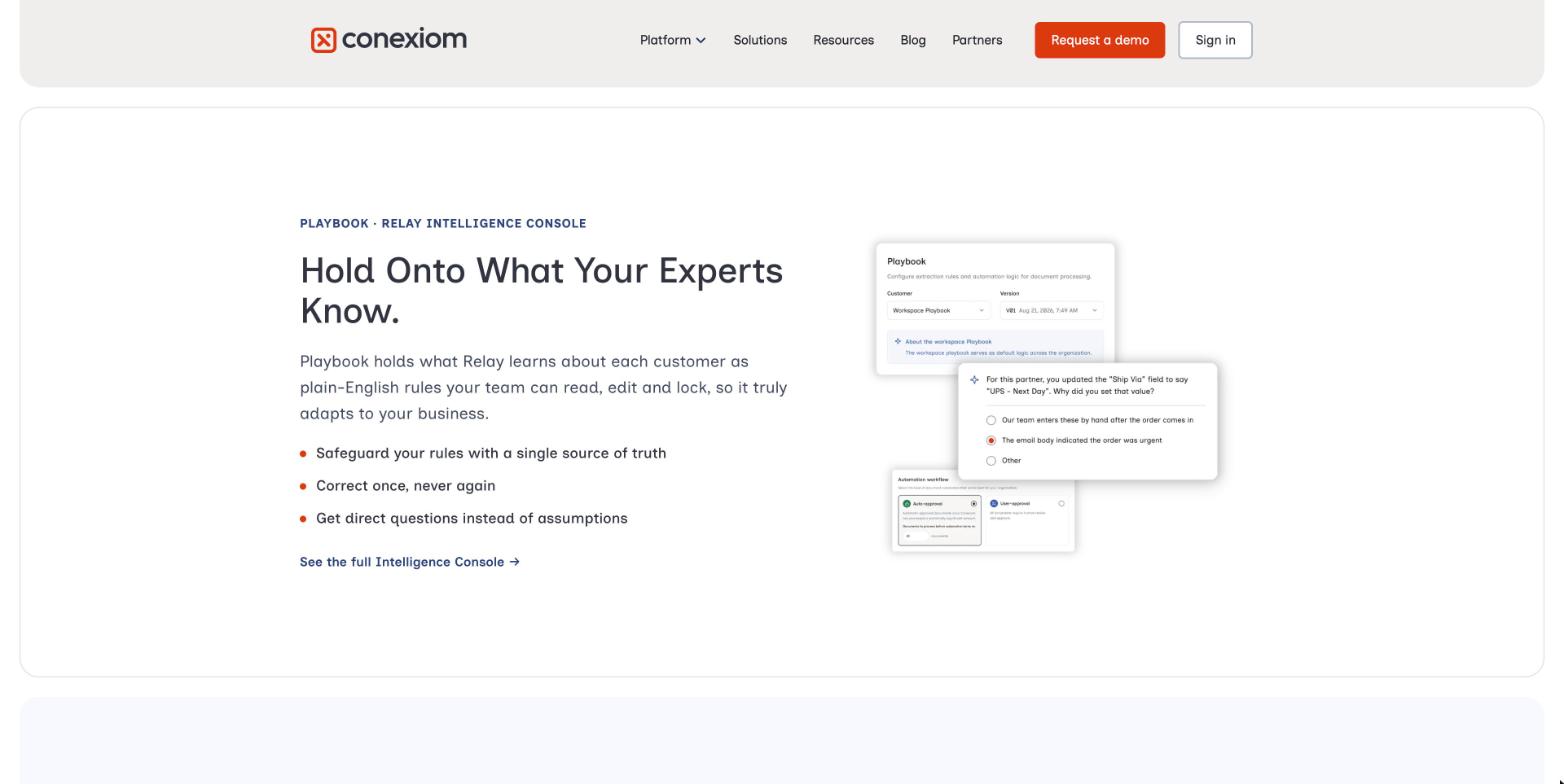
5. Conexiom: order automation for high volumes
Conexiom has been automating the entry of orders, RFQs and invoices for more than 15 years. Customers it names include Sonepar, Rexel Canada, Fastenal, Graybar and Johnstone Supply.
Source: conexiom.com
Key features
- Relay reads orders, RFQs, vendor acknowledgements and invoices in almost any format and validates them against the customer's rules.
- Playbook stores what the system has learned about each customer as plain-English rules the team can edit.
- Native integrations with more than 40 ERPs, including SAP, Dynamics 365, Infor, Epicor, NetSuite and Sage.
Typical use
An electrical distributor receives orders from many customers by email, each in its own format. Conexiom turns them into sales orders without changes to the ERP. According to the vendor, Sonepar automates 200,000 order lines this way and saves more than 1,000 hours a month.
What to check before buying
- How varied are your customers' documents? Setup time depends on it.
- How easy is exception handling for your inside sales team?
Strengths
- Built for very high order volumes, with a 30-day average implementation according to the vendor.
- Transparent, because every exception comes with a reason.
Limitations
- Users on G2 report that setup takes long when customer documents vary a lot, and call the exception manager clunky.
- No features for sales.
Rating: 4.6 out of 5 on G2 (66 reviews).
AI for pricing and margin
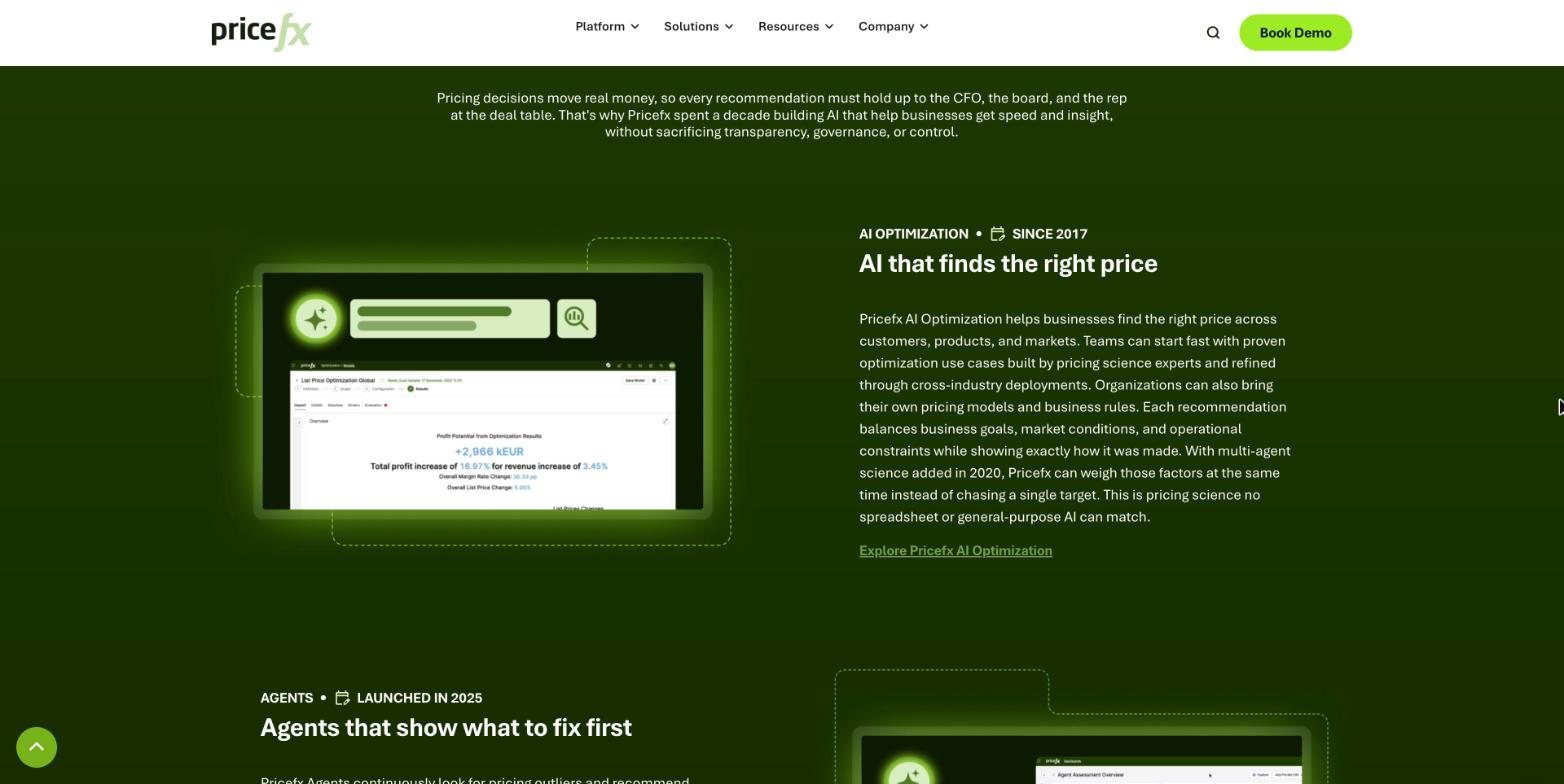
6. Pricefx: AI price optimization
Pricefx is a pricing platform with AI optimization, used in industrial distribution, automotive distribution and building products.
Source: pricefx.com
Key features
- AI price optimization by segment, simulation and price waterfall.
- Quotes with discount limits and approvals.
- Customer agreements, discounts and rebate accruals.
Typical use
The pricing team segments customers and items, simulates new prices and approves them. Sales reps see in the quote how far they can discount without approval.
What to check before buying
- Do you have a pricing team to run the platform?
- How fast does the system run with your largest price list?
Strengths
- Covers the full pricing process, from analysis to quote.
- According to the vendor, an average margin increase of 8.4 percent in the first twelve months.
Limitations
- Pays off mainly with a dedicated pricing team. Users on G2 report an implementation time of around six months.
- Users report slow performance with large price lists and an interface that takes time to learn.
Rating: 4.4 out of 5 on G2 (145 reviews).
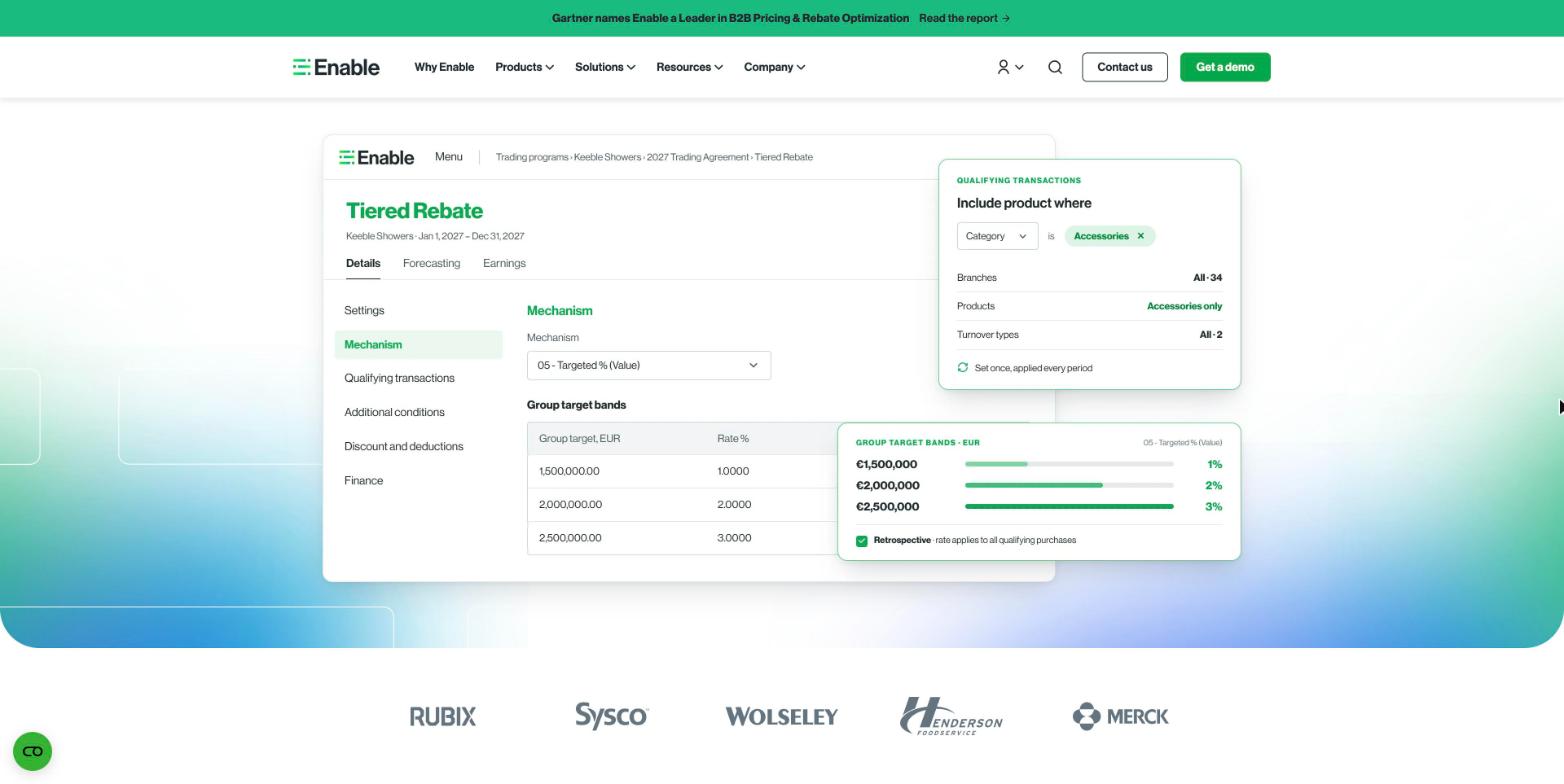
7. Enable: rebate management
Enable manages supplier and customer rebates, special pricing agreements and ship-and-debits. Its Flintfox product adds pricing that connects to SAP and other ERPs.
Source: enable.com
Key features
- Create, calculate, accrue and claim rebate agreements.
- Flags discrepancies between contracts, price files and transactions.
- AI analysis of how agreements perform.
Typical use
A distributor has tiered rebates with dozens of suppliers. Enable tracks how close it is to the next tier and alerts purchasing before a tier is narrowly missed.
What to check before buying
- How many rebate agreements do you manage today, and how much money is lost through missed claims?
- Do you have the resources for an implementation lasting several months?
Strengths
- Makes rebates visible that would otherwise only show up with the supplier statement.
- Available in several languages, including German.
Limitations
- Only worth it with many complex rebate programs.
- Users on G2 report an implementation time of around seven months.
Rating: 4.4 out of 5 on G2 (122 reviews).
AI for purchasing and inventory
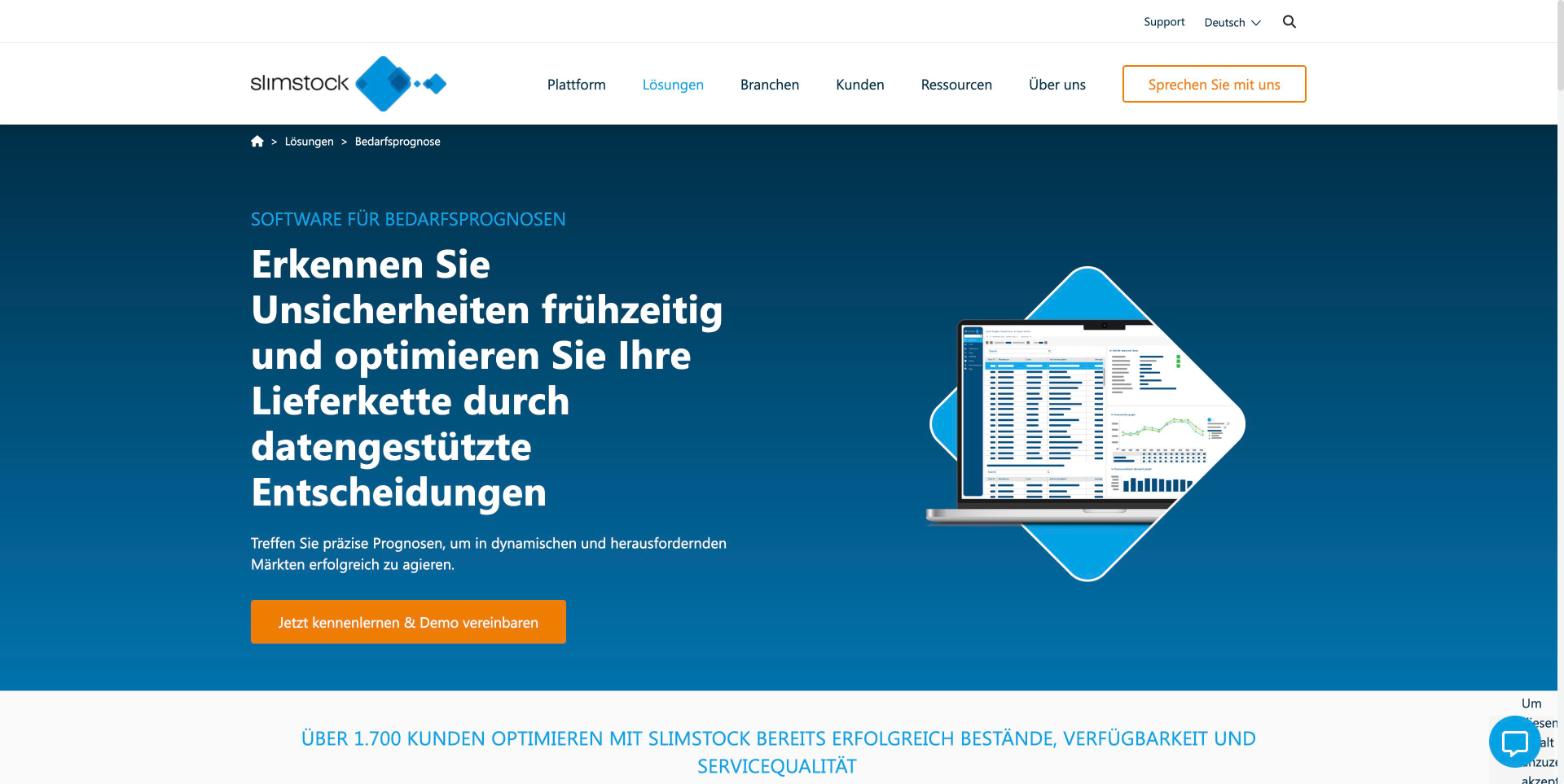
8. Slim4 by Slimstock: demand forecasting and inventory optimization
Slimstock plans demand and inventory with Slim4. Customers in Germany include Brilliant, Rink and GastroHero.
Source: slimstock.com
Key features
- Demand forecasting per item and warehouse.
- Inventory optimization and automatic replenishment proposals.
- Scenario analysis and S&OP.
Typical use
The buyer starts the day with order proposals per item and warehouse instead of recalculating reorder points in Excel. Seasonal items and promotions feed into the forecast.
What to check before buying
- How deep is the integration with your ERP, for example for sending order proposals back into the system?
- How will you measure forecast accuracy before and after go-live?
Strengths
- Fewer stockouts and less capital tied up in stock, with much less manual work in replenishment according to users.
- Support and consultants are praised on Capterra.
Limitations
- Users want deeper ERP integration and find forecast accuracy hard to measure in the tool.
- Built for purchasing and replenishment, not for sales or order entry.
Rating: 4.7 out of 5 on Capterra (28 reviews), 4.4 for ease of use, 4.7 for customer service.
AI inside the ERP
9. Microsoft Dynamics 365 Business Central: Sales Order Agent and Copilot
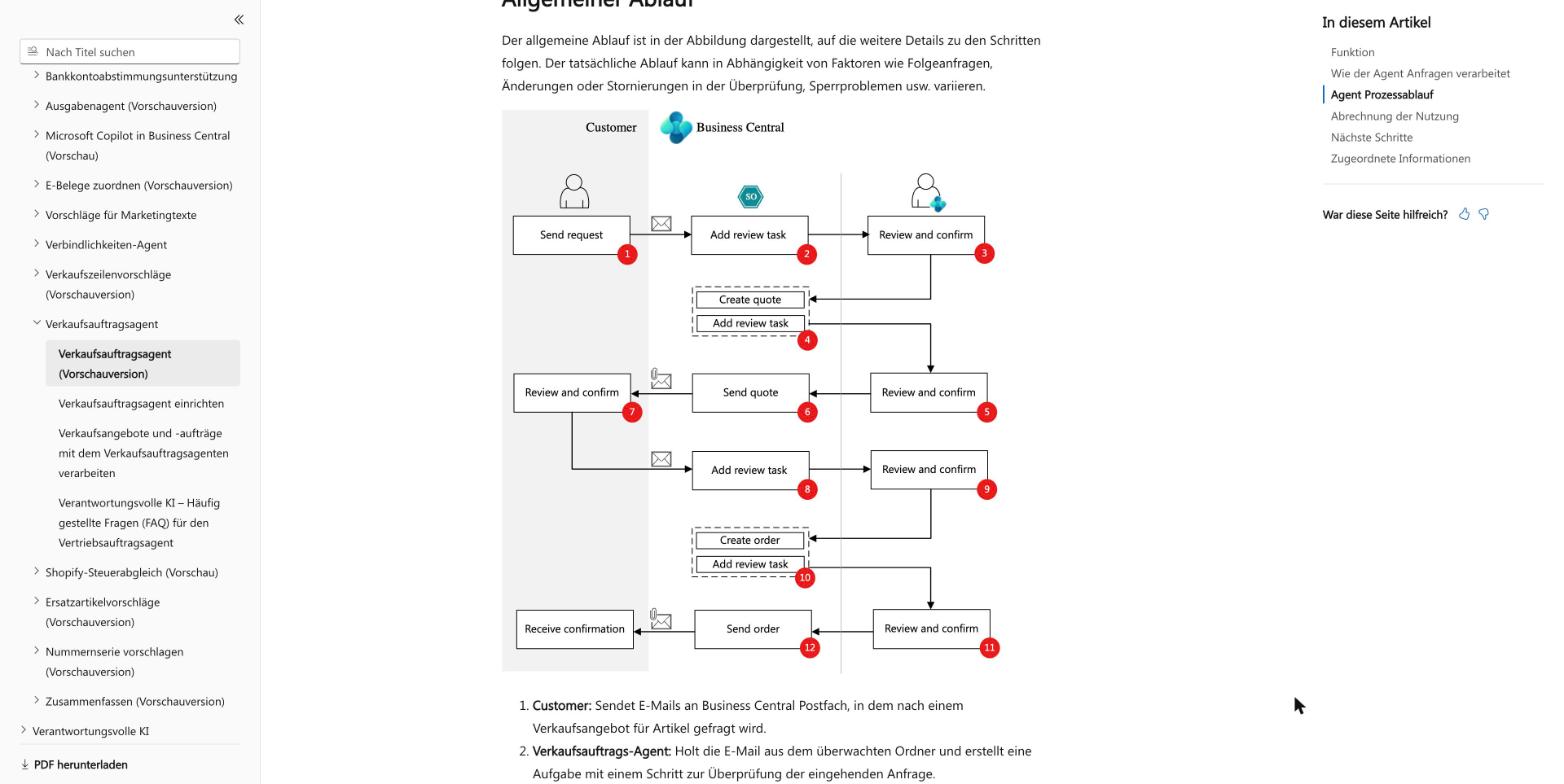
If you run Business Central, the AI is already in the system. The Sales Order Agent takes orders by email, and the Payables Agent prepares incoming invoices.
Source: Microsoft Learn
Key features
- Sales Order Agent: reads the mailbox, finds the customer, checks availability, creates a quote and, after confirmation, the order.
- Payables Agent: reads invoices from PDF attachments and drafts unposted documents.
- Copilot for line suggestions and bank reconciliation.
Typical use
A regular customer sends a short order by email. The agent recognizes the sender address, checks availability and prepares the quote and reply. An employee approves the email.
What to check before buying
- Do your typical orders fit within the documented limits, such as up to 15 item lines per document?
- Are your language and Business Central version supported?
Strengths
- No extra tool and no interface to build.
- Every outgoing email is reviewed by a person before it is sent.
Limitations
- Microsoft documents limits: customers are matched only by email address, up to 15 item lines per document, no prices or discounts by email.
- Only for Business Central users, and not all languages are validated.
Rating: 4.1 out of 5 on Capterra for Business Central overall (210 reviews), 3.8 for ease of use, 3.8 for customer service.
10. SAP Joule: AI assistants in SAP S/4HANA Cloud
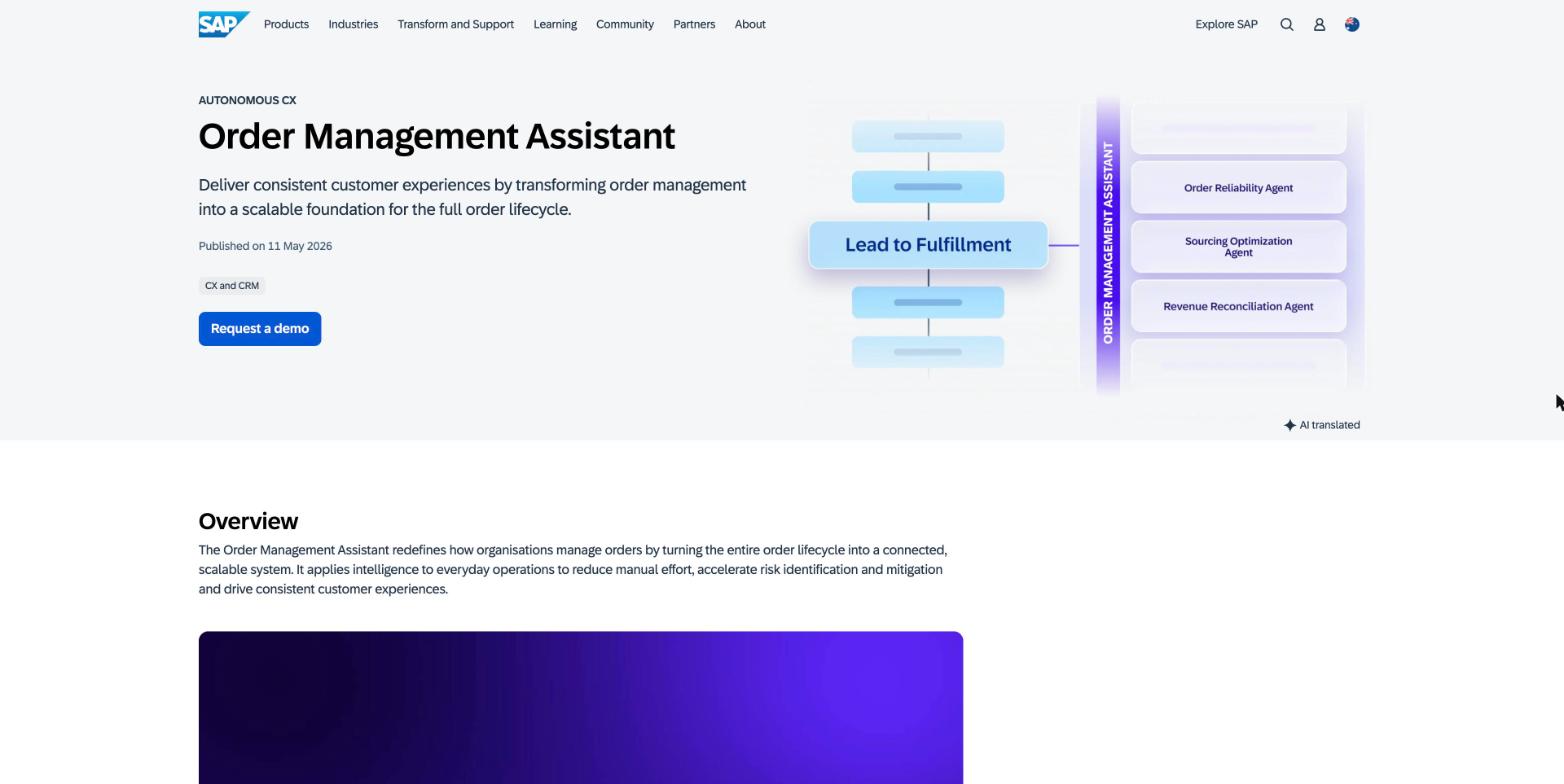
Joule is SAP's AI assistant. For sales and order processing, there are assistants for orders, quotes and pricing.
Source: sap.com
Key features
- Proposes sales orders from PDF or image-based purchase orders, generally available since early 2026.
- Assistants for quoting, order management and pricing.
- Suggestions for returns based on similar past cases.
Typical use
An order arrives as a PDF, and Joule proposes a sales order in S/4HANA from it. The clerk reviews and confirms instead of typing every line.
What to check before buying
- Do you run SAP S/4HANA Cloud, or an older or on-premise version?
- Which Joule features are included in your license?
Strengths
- Works directly on SAP data, with no interface to build.
Limitations
- Most features require SAP S/4HANA Cloud. Many distributors still run older SAP versions or other ERPs.
- SAP does not state licensing terms on the product page.
Rating: 4.4 out of 5 on Capterra for SAP S/4HANA Cloud overall (364 reviews), 3.8 for ease of use, 4.0 for customer service.
Which AI tool fits? Five questions to choose
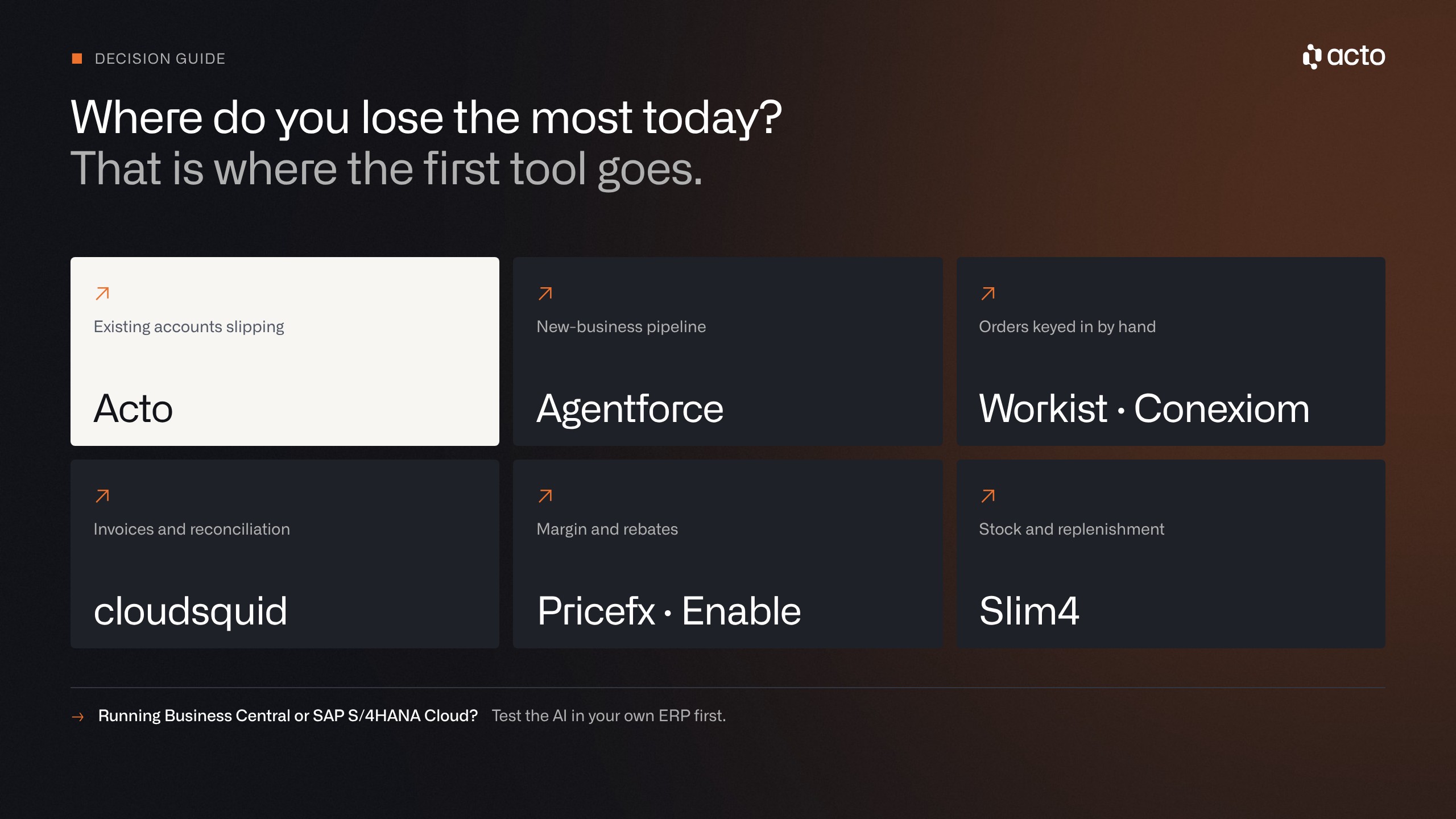
1. Do you want more revenue from existing customers? If revenue from existing accounts slips away unnoticed and reps cover too many customers to keep track, an AI sales assistant like Acto fits. If you win new customers through a pipeline in Salesforce, look at Agentforce.
2. Do you want to cut manual work in order processing? For orders from email, PDF and phone, consider Workist and Conexiom. If invoices, credit requests and statements should be covered too, cloudsquid fits.
3. Do you want better prices and margins? Pricefx for pricing and quotes, Enable for supplier and customer rebates. Acto also flags customers whose margin is declining or below that of similar customers.
4. Do you want to optimize inventory and purchasing? Slim4 for forecasting and replenishment.
5. Do you want to use AI directly inside your ERP? If you run Business Central or SAP S/4HANA Cloud, test the included agents first and add specialist tools where they reach their limits.
Whatever the area, three checks are worth doing with every vendor: have them show the tool with your own data, agree in writing what the AI may do on its own and what a person approves, and ask for customers with a similar ERP and size.
| Your situation | Matching tool |
|---|---|
| Field reps cover many existing accounts, revenue slips away unnoticed | Acto |
| Prospecting and pipeline fully in Salesforce | Agentforce |
| Inbox full of orders, invoices and statements | cloudsquid |
| Order entry from email, PDF and phone | Workist, Conexiom |
| Margin pressure across many SKUs and customer prices | Pricefx |
| Many supplier and customer rebates | Enable |
| Too much capital in stock, stockouts at the same time | Slim4 |
| Business Central or SAP S/4HANA Cloud in place | test the AI in your own ERP first |
What we see in AI projects at distributors
From conversations with distributors and from our own rollouts, we know where AI projects in sales succeed and where they get stuck.
- Customers leave quietly. Depending on how accounts are covered, distributors lose 4 to 17 percent of their customers per year (Acto churn benchmark). Hardly anyone cancels. Most first move individual product categories to a competitor and at some point stop ordering altogether.
- The data usually sits in the ERP, not the CRM. Almost every distributor has a complete order history, because every invoice runs through the ERP. The CRM, by contrast, is often patchy. A project that waits for a clean CRM rarely starts.
- Three objections come up almost every time: data privacy and the cloud, parallel IT projects such as an ERP migration, and the worry that field reps will not use the tool. The first two can be solved with strict client separation and a lean nightly data export, without an ERP project. The third decides whether the project succeeds.
- Adoption comes from reasons. A field rep acts on a signal when the reason is visible: "no order for ten weeks, usually every six". A list of scores without reasons is ignored after two weeks. At Schäfer Shop, sales marks 92 percent of signals as helpful.
- The signal has to arrive where people work. Hardly anyone in the field opens another dashboard. Outlook, the phone and the car between two meetings work.
- Results show up in comparison. A reliable pilot compares a group that uses the tool with one that does not. Böllhoff compared Acto users with non-users this way.
For field sales specifically, we compare eight tools in our article on field sales apps.
FAQ: AI tools for wholesale distributors
What AI tools are there for wholesale distributors?
AI tools for wholesale distribution cover five areas: sales (Acto, Agentforce), back-office order processing (cloudsquid, Workist, Conexiom), pricing and margin (Pricefx, Enable), purchasing and inventory (Slim4), and AI inside the ERP (Business Central, SAP Joule). Which one fits depends on where most manual work happens or most revenue is lost in your company.
What is an AI sales assistant for wholesale distributors?
An AI sales assistant analyzes each customer's order history from the ERP and gives sales reps signals with reasons: which customer is slipping, which reorder is overdue and which product a customer is likely to need. It prepares meetings and takes over routine work such as visit reports. The decision which customers to visit stays with the rep.
Which sales AI is best for mid-sized distributors?
For mid-sized distributors with field sales and many existing accounts, an AI sales assistant like Acto fits best: it analyzes the order history in the ERP and prepares reps for their meetings. If you work entirely in Salesforce, consider the Agentforce agents. The deciding question is whether the tool reads order data from the ERP or only what is in the CRM.
Do AI tools work with SAP, Business Central, Sage or NetSuite?
Most tools in this comparison connect to the common ERPs. Workist and Conexiom each name more than 40 connected ERP systems. Acto reads order data from any ERP, such as SAP, Business Central, Sage or in-house systems, usually via a nightly data export. The AI agents from Microsoft and SAP only work in their own systems.
Can't I just start with ChatGPT or Copilot?
For writing, summaries and first analyses, yes. For recurring tasks like order entry or account signals, general assistants lack a live connection to your ERP and master data and the checks against your rules. The specialized tools in this comparison bring exactly that.
How long does it take to implement an AI tool in distribution?
It varies a lot by area. For order entry, Conexiom states a 30-day average and Workist four weeks at Brennenstuhl; Acto takes 4 to 6 weeks with 2 to 3 days of IT effort. For Pricefx and Enable, users on G2 report six to seven months. AI inside your own ERP is quickest to switch on, if your ERP version supports it.
What results can distributors expect from AI?
In order entry, vendors report 70 to 96 percent less processing time per order. In sales, Acto customers saw between 5.4 percent (Hitado) and 11.2 percent (Schäfer Shop) more revenue among users in pilot projects. In pricing, Pricefx states an average margin increase of 8.4 percent in the first year. All figures are statements by the vendors or their customers.
Do we lose control when AI enters orders or gives signals?
Not with the tools in this comparison. The back-office tools pass unclear cases to the team, and Business Central has a person approve every outgoing email. Acto writes nothing to the ERP; it gives signals and creates reports only in the CRM. Before you buy, agree in writing what the AI may do on its own.
What does AI for wholesale distribution cost?
Most vendors price on request, often based on users, document volume or revenue. Calculate in hours and margin: how many hours does your inside sales team spend keying in orders today, and how much revenue do you lose from existing accounts without noticing? Those numbers are the benchmark for the price.
Conclusion: find the bottleneck first, then the tool
The ten tools solve different problems. cloudsquid, Workist and Conexiom take manual order entry off inside sales, Pricefx and Enable protect margin and rebates, Slim4 keeps inventory under control, and the ERP agents from Microsoft and SAP are the obvious starting point if you already run those systems. In sales, the data source decides: Agentforce works from the CRM, Acto from the order history in the ERP, for distributors whose revenue comes from existing accounts.
In a conversation, we use your own ERP data to show you which customers are slipping right now and where the potential is.