Sales Visit Report: Free Template (Excel/Word) and Why Few Teams Use It Properly

Summary
- Free download: sales visit report template for Excel and Word with the 8 fields that matter, including the three most teams skip (mood, casual remarks, signals).
- The real problem: reports written hours later in the evening lose the details that turn into orders months later. Dictating right after the meeting fixes the timing.
- Template vs. system: a template captures information, but only a system that brings it back at the right time turns a casual remark into revenue.
Imagine you are visiting a restaurant owner. Between two sips of coffee, he mentions: "You know, I'm opening a second restaurant next year." You nod, say "great", and drive on to your next appointment.
Two months later: forgotten.
Ten months later, he opens the restaurant. Your competitor, who happened to drop by at the right time, equips the new location. You find out on your next visit, when everything is already installed.
This is not an isolated case. It happens every day, in every field sales team, in every industry. Sales reps are doing their job. The problem is that nobody writes it down.
You can download the template right here. But if you only take the template and skip the rest, the real problem is still unsolved.
What is a sales visit report?
A sales visit report (also called a call report or customer visit report) is the written summary of a customer meeting: what was discussed, what was agreed and which next steps follow. Sounds simple, but it is framed the wrong way surprisingly often.
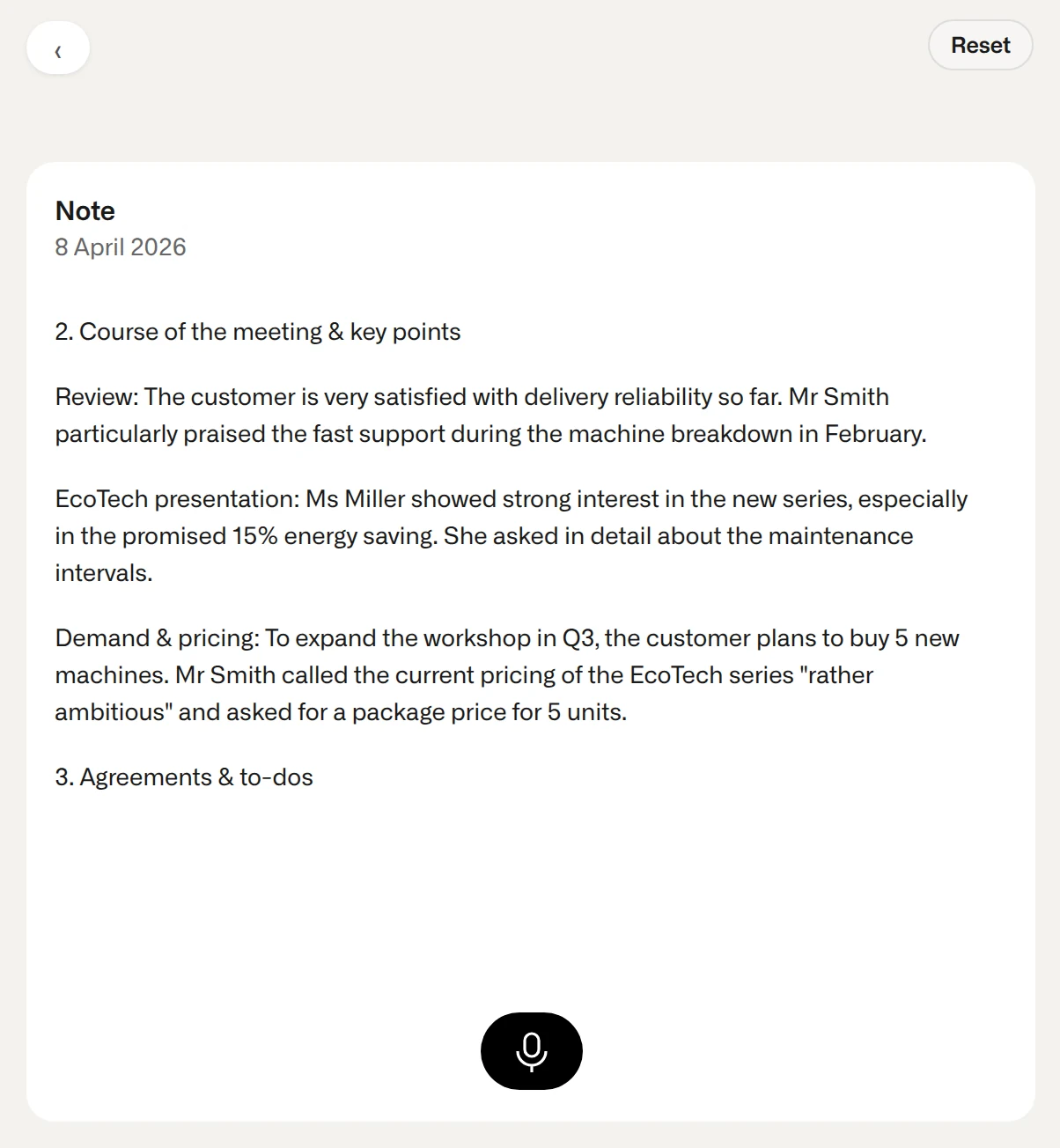
The key difference: a visit report is neither meeting minutes nor a daily activity report. Minutes record what was said. A visit report records what it means, what follows from it, and what will still be relevant in six months.
HubSpot (in German) addresses a common misunderstanding: visit reports are often seen as a manager's control instrument, and HubSpot argues against that view. In reality, they are the rep's memory. Anyone who has looked after a customer for years notices this at the latest when a colleague takes over the account and has to start from zero.
This framing decides how the report is actually used: if you write it for your boss, you write the minimum. If you write it for yourself and your future self, you note down the things that will really count later.
What should a sales visit report include? The 8 essential fields
Everyone knows the first five fields. The last three make the difference between a report that gets archived and one that brings in revenue.
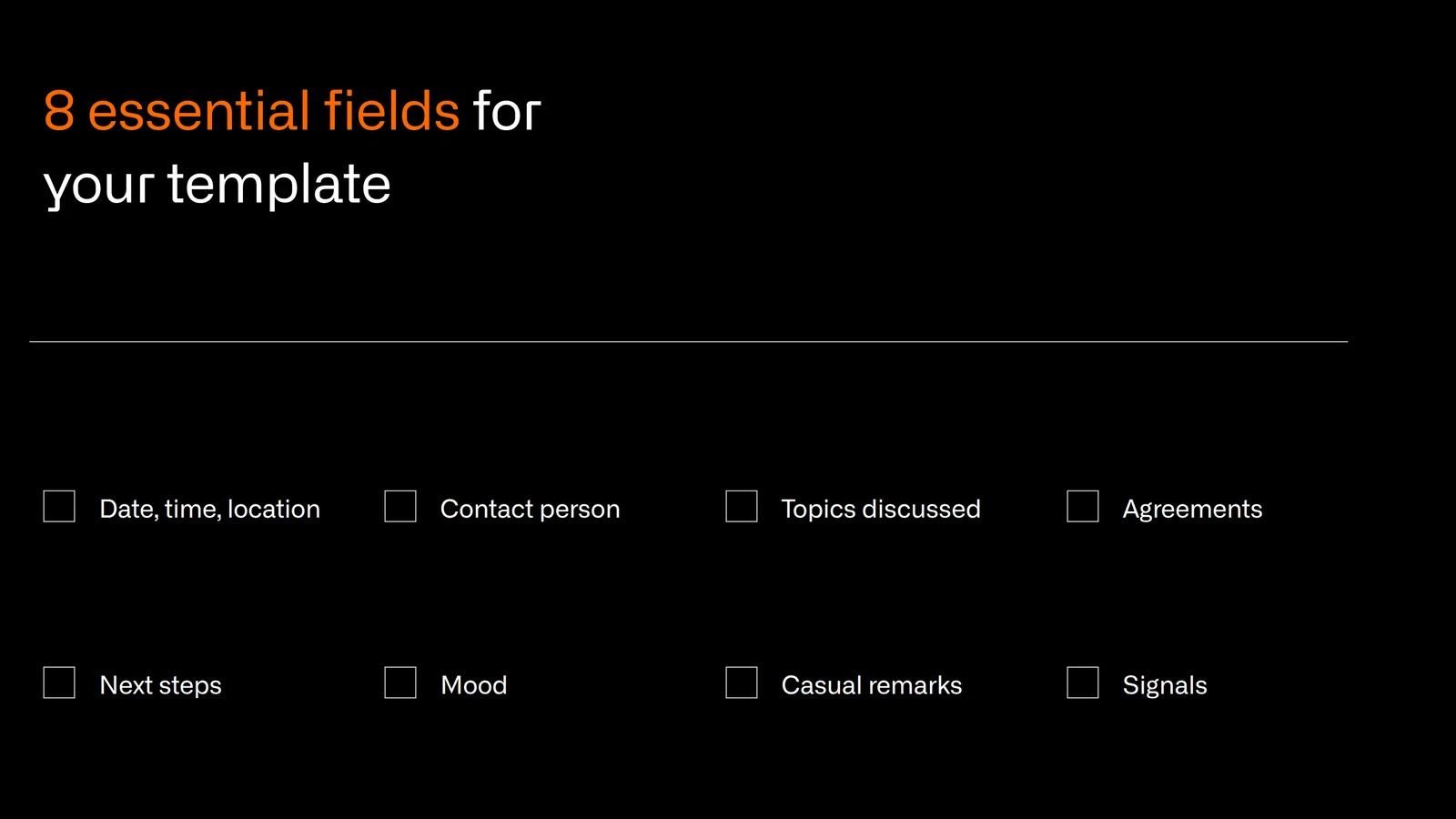
1. Date, time and location of the visit
Sounds trivial, but it is the basis for any later analysis: when was I last there? How often per quarter? Without this basic data, you cannot steer visit frequency. Which metrics help with that is covered in our article on field sales KPIs.
2. Contact person and role
Name, role, decision-making authority. Essential when people change jobs at the customer, so the next rep does not have to start from zero.
3. Topics discussed and meeting content
What was on the agenda, and what came up spontaneously? Keywords are enough, no novel. Three sentences that capture the essentials.
4. Agreements and commitments
What exactly was agreed? By whom, and by when? This is the only part of the report that is binding for the customer as well.
5. Next steps and follow-up tasks
No visit report ends without a concrete next step. No next step means: either the visit clearly closed a matter (then note that), or an open point is about to get lost.
6. Mood and atmosphere (ignored by most teams)
Was the customer relaxed or stressed? Sceptical or open? This sounds soft, but it is crucial for preparing the next visit. If you know the customer "didn't really have their head in it" last time, you will prepare the follow-up conversation very differently.
7. Personal information and casual remarks (this is where the gold is)
A child's birthday mentioned in passing. A refurbishment planned. A new restaurant in a year. Trouble with the current main supplier. These details seem worthless today, but in 6 to 18 months they can trigger revenue directly. More on this below in the restaurant example.
8. Signals for churn, cross-selling or escalation
Does the customer buy products elsewhere that they could buy from you? Do they have an unsolved problem? Are they showing signs of switching? These are the fields that make the decisive difference on the next visit. More on this: cross-selling in B2B, white space analysis and preventing customer churn.
Free sales visit report template to download (Excel + Word)
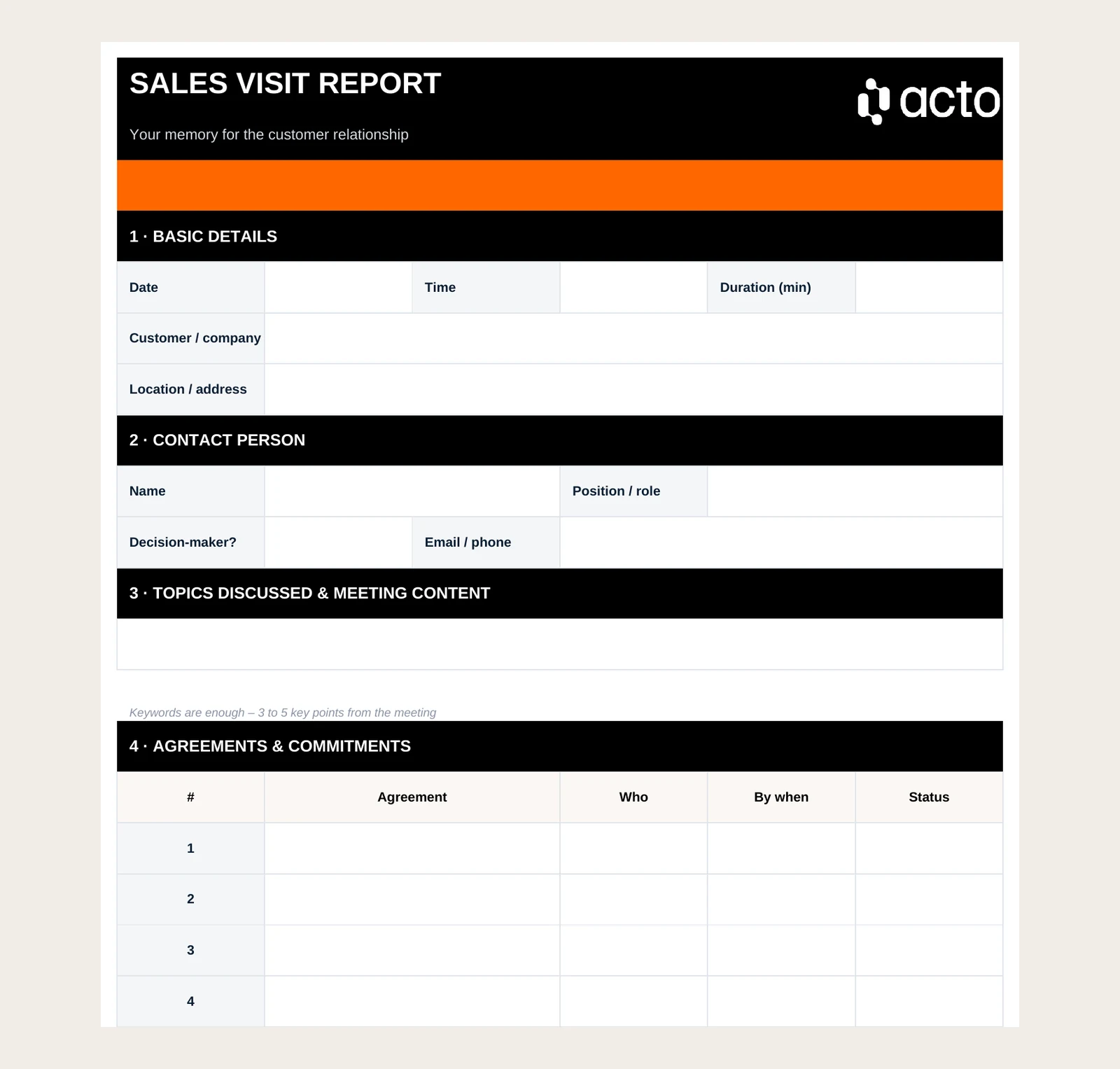
The template covers all 8 fields from the previous section. Ready to use, customisable, no registration required. The Excel version includes drop-down lists for decision-maker status, mood, signal type and priority, plus a short guide on how to use it.
Download: Sales visit report template (Excel)
The template is deliberately lean: one page, no unnecessary fields. You can remove fields that do not fit your industry, or add your company logo at the top right.
Download: Sales visit report template (Word)
A note that matters more than the template itself: a template is only as good as the discipline with which it is used. And that is exactly where the real problem lies.
Why visit reports are massively underrated
Here is the unpopular truth: when most sales reps hear "visit report", they think of admin. A form that has to be filled in. Something the boss wants to see.
That is the wrong category.
A visit report is the long-term memory of a customer relationship. Its value lies less in the facts you document today and more in the details that turn into a concrete order in 6, 12 or 18 months.
André Keeve, founder of Handelsvertreter Heroes, a community for independent sales agents in Germany, puts it this way (translated from German):
"Documented market knowledge, visit reports, decision-makers, potential, history. If these things are not clearly documented, something decisive happens: your business is not transferable. It ends the moment you stop."
That hits the point better than any management theory. Visit reports are institutional memory: the difference between a customer relationship that exists in your head and one that belongs to the company.
Specific categories that sound trivial today and are worth money later:
Planned investments: a new warehouse, machinery being replaced, a branch being refurbished. Each of these pieces of information has a time window. Whoever is there in time gets the business. Whoever comes too late hears about it from a competitor at the trade fair.
Intent to switch and supplier problems: "Things aren't going so well with our current supplier." That is an invitation, but only if you write it down and come back to it on the next visit.
Personal milestones: if you know at the next meeting that the buyer had a birthday last month, the atmosphere of the conversation changes. Small things build trust.
The restaurant example: you visit a restaurant owner. He mentions in passing that he plans a second restaurant next year. You note it in field 7. Ten months later, a month before the planned opening, you get a reminder: visit now, equip now, before the fit-out is done. How such a system works is shown in the section on using visit reports further below.
The real problem: no field rep fills this in voluntarily
Let's be honest.
A German sales consultancy, effektweit (in German), sums up the reality (translated from German):
"Visit reports – there is hardly an instrument sales teams hate more."
That says more about the working day of field reps than about the reps themselves.
Field reps spend a large part of their week on the road and go from one customer meeting to the next. After the last appointment they are tired. The visit report is supposed to be done "quickly in the evening". What happens in practice: not at all, or in three words that help nobody.
The numbers behind it are sobering:
- In Salesforce's State of Sales report (5,500 sales professionals surveyed in 2024), reps say they spend 70 percent of their time on non-selling tasks.
- According to the study "Hybrid Selling" by the Sales Management Department at Ruhr University Bochum (in German), field reps spent an average of 13 hours a week travelling in 2019, and only around 35 percent of that time was used productively.
- HubSpot (in German) observes that reps often write their visit reports only two or three weeks after the customer contact.
Our clear position: this is a tool problem.
Asking field reps to type visit reports on a laptop after a long day, tired, is a badly designed system. Training does not help. Better templates do not help. Tighter controlling makes it worse, because the visit report is then finally seen as a control instrument and the team starts to minimise it strategically.
| Category | Classic (in the evening on a laptop) | Dictated (right after the meeting) |
|---|---|---|
| Time until documented | 2 to 24 hours | 3 to 5 minutes |
| Quality of soft information (fields 6–8) | Mostly forgotten | Still fresh |
| Fields 6–8 filled in regularly | Rarely | Much more often |
| Catch-up work in the evening | High | None |
Typical values from practice, not the result of a study.
How to finish a visit report in under 3 minutes: dictation and voice AI
The moment right after the meeting is the most valuable one for documentation. The details are fresh, you can still sense the mood, and the casual remarks are still in your memory.
The problem: at exactly this moment you are sitting in the car and want to drive, not type.
The solution is so obvious that it is surprising how rarely it is used consistently: speak instead of type.
The workflow that actually works:
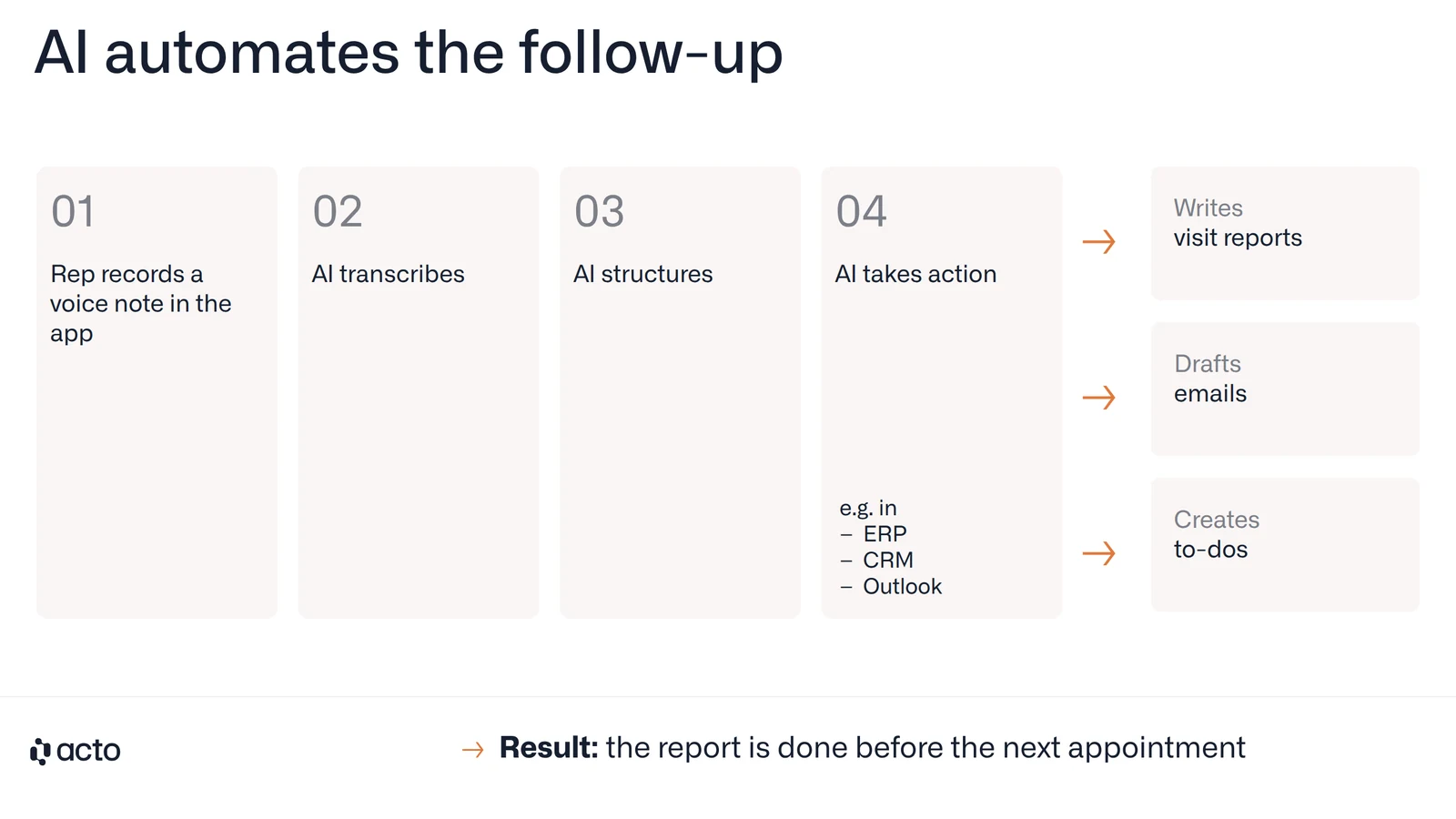
- Before you drive off, open the app and start a voice note while you are still in the customer's car park.
- Talk through the 8 fields for one or two minutes: who you met, what was discussed, what was agreed, the next step, the mood, anything mentioned in passing, and any signals.
- Check the result and confirm. Done.
That takes less than 3 minutes. With a voice AI solution, it automatically becomes a structured CRM note. The 8 fields are filled in, follow-up tasks are created, reminders are set. No manual typing, no evening work.
In an interview with etailment (in German), Acto co-founder Pascal Salmen described it like this (translated from German): "After the appointment, the rep dictates notes directly into his tools and saves himself tedious time at the laptop in the evening."
With Acto, preparation and follow-up fit around the visit: the briefing for the meeting is ready in about two minutes, in the Acto app or directly in Outlook, and the visit report is recorded by voice right after the meeting. Neither adds work after the end of the working day. Read more about the Acto field sales app and about voice to CRM.
Important: a standard dictation function on your smartphone is already an improvement, but it has one weakness. The transcribed text still has to be copied into the CRM manually and sorted into the right fields. Voice AI that understands what was said and transfers it in a structured way closes this gap. In practice, that makes a big difference to whether reports actually get written.
Using visit reports: how a note turns into revenue months later
Here is the second problem, which is often completely overlooked: even when visit reports are written, often nobody looks at them again.
The information about the second restaurant is in the CRM. In field 7. Under the entry from 14 March. Who will look it up in ten months? Nobody. That is the honest answer.
This is the point where a template stops helping. What you need is a system that turns the note into a concrete recommendation at the right time.
The restaurant example, thought through: in March you note: "Plans second restaurant, opening around January next year." In a system that thinks ahead, you get a reminder in December: "Restaurant X plans to open a new location next month. Visit now and equip early, before a competitor does." You do not have to remember anything. The system remembers for you.
Ilka Greco, Inside Sales Lead at Hitado, describes what systematic follow-up means in practice: "All inside sales reps at Hitado use Acto daily as the central foundation for customer management. Each day, they receive 10 prioritized signals highlighting the most relevant customers to contact. This enables targeted and efficient customer engagement—and we have significantly reduced churn."
Follow-up is one part of that whole.
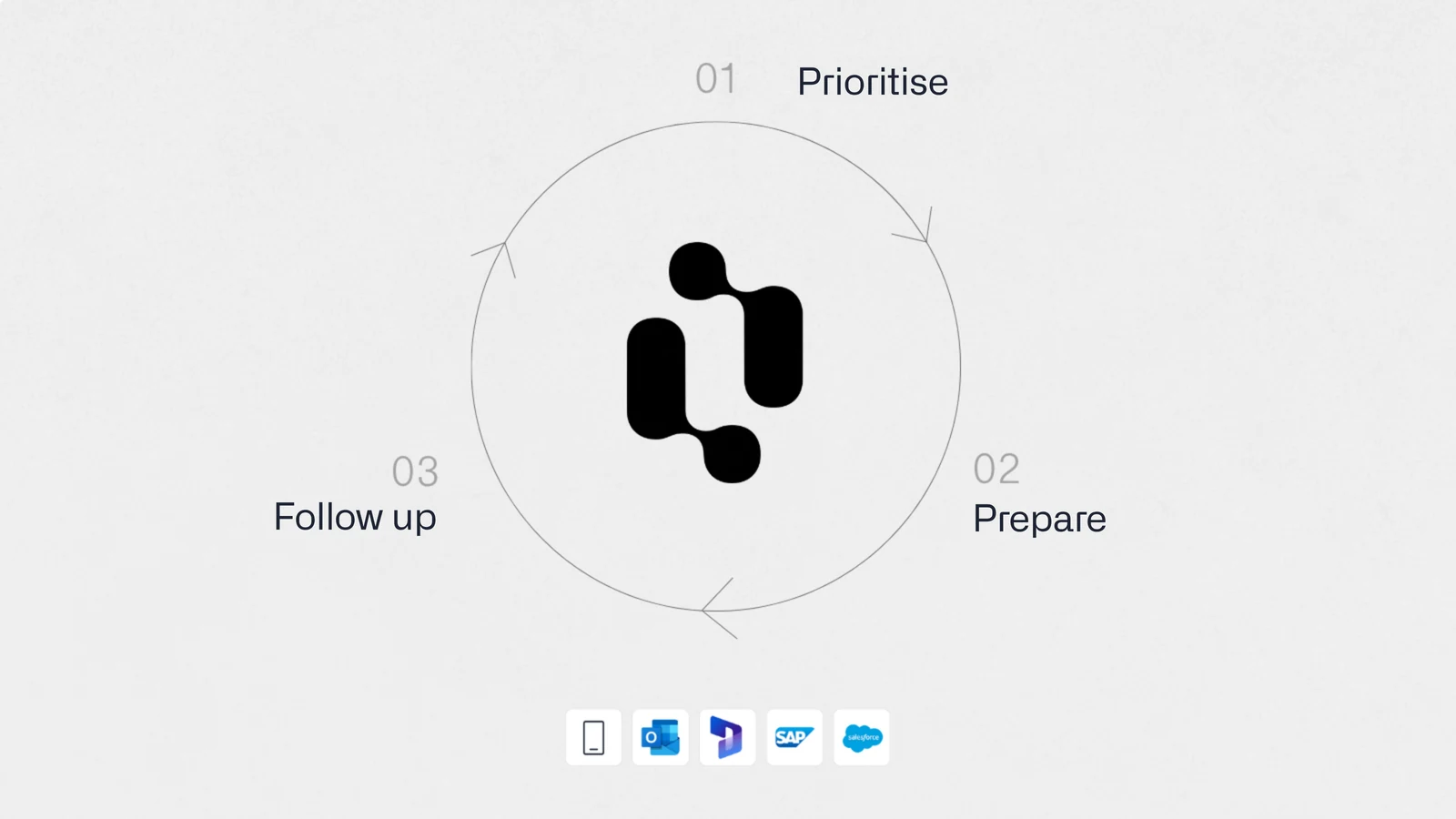
Another effect teams often underestimate: when documented customer knowledge is accessible in a structured way, new reps can build customer relationships in weeks instead of months. At Hitado, new employees used to need about a year to understand their customer base. With Acto, they grasp customer relationships and potential within one to two months of active work.
That is the difference between a template and a system. The template captures the information. The system makes sure the information reaches the right person at the right time. More on this: account management in B2B.
Common visit report mistakes and how to avoid them
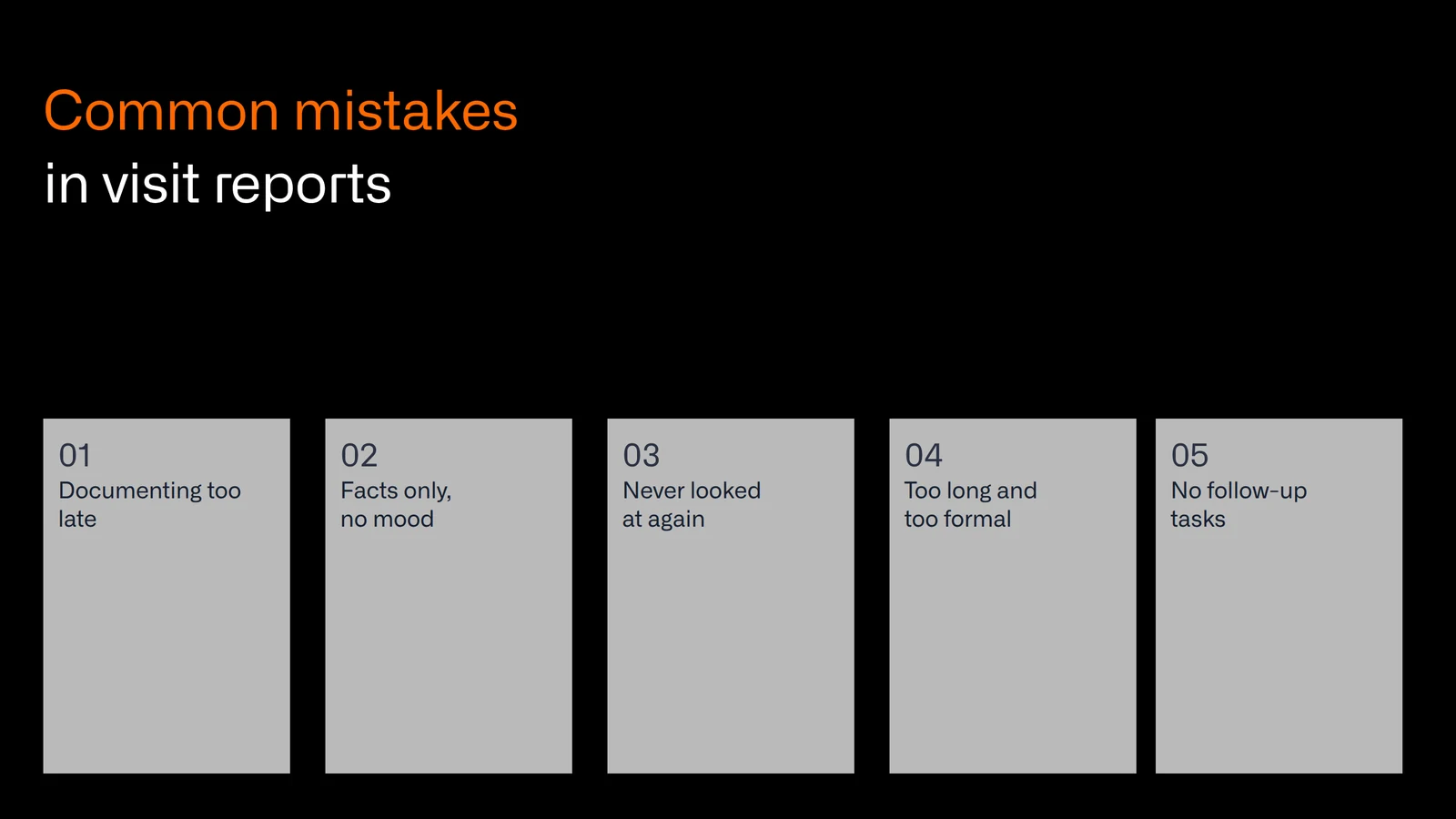
1. Documenting too late
HubSpot observes (in German, translated):
"Sales reps often write their visit reports only two or three weeks after a customer contact." By then, details have been forgotten. Solution: dictate right after the meeting, while you are still in the car, before you drive off.
HubSpot's English guide to sales call reports makes the same point: reports "should be completed immediately after each sales call to ensure accuracy and timely follow-up."
2. Facts only, no mood
What was discussed is important. How the conversation went is just as important for the next visit. Field 6 (atmosphere) belongs in every report.
3. Writing the report and never looking at it again
A visit report without a follow-up system is effort without return. The information exists, but it is never activated. This is the most common structural mistake in teams that "have" visit reports but do nothing with them.
4. Too long and too formal
A visit report is 3 to 5 sentences plus a follow-up task. No essays. If writing takes ten minutes, next time it will not get written at all.
5. No follow-up task defined
Every visit report ends with a concrete next step. "No next step" is not an option: either the matter is clearly closed (then note that), or there is an open point that will get lost without documentation.
Acto: visit reports that finally do what they are meant to do
To sum up: visit reports are one of the most valuable tools in field sales. And they systematically go unused, because the effort comes at the wrong time, and because even well-documented information is rarely looked at again.
The template in this article is a good start. But it does not solve the structural problem.
Acto is an AI assistant built specifically for B2B field sales in wholesale, distribution and manufacturing. It addresses both sides of the problem:
Capture: after the meeting, you record a short voice note in the Acto app before you drive off. Acto understands what you said, structures the note automatically and transfers it to the CRM, and it learns your company's terminology. No laptop, no manual typing, no evening work.
Reuse: what goes into the report feeds into Acto's next prioritisation and meeting preparation. The second restaurant. The planned warehouse expansion. The dissatisfaction with a supplier. The information comes back when it matters, as part of the briefing or as a reason to visit. How this fits into the wider sales process is covered in AI in field sales and field sales automation.
Want to see what this looks like for your team?
Book a demo with our team!
FAQ: sales visit reports
What is a sales visit report?
A sales visit report is the structured summary of a customer meeting:
- what was discussed,
- what was agreed,
- and which next steps follow.
Unlike meeting minutes, it also documents context, mood and strategically relevant details for future visits. Its purpose is to be the institutional memory of a customer relationship rather than a control tool.
What should a sales visit report include?
The 8 most important fields are: date and location, contact person, topics discussed, agreements, next steps, mood and atmosphere, personal information and casual remarks, and signals for churn or cross-selling. Fields 6 to 8 in particular are often left out, yet in the long run they are the most valuable.
How do I write a visit report quickly?
Dictate it right after the meeting, while you are still in the car, before you drive off. A spoken summary of 2 to 3 minutes is enough. With voice AI, it automatically becomes a structured CRM note without manual typing.
How can I document visit reports in the CRM?
The easiest way is dictation with automatic transfer to the CRM. Solutions like Acto take the voice note, structure the text and transfer the note directly to the CRM, including follow-up tasks. Manual typing is the most common reason why reports do not get written at all. An overview of tools for this is in our comparison of field sales apps.
How often should visit reports be written?
After every customer meeting, ideally right after it, before you drive on. Reports written days later lose the most important details: mood, casual remarks and the context that came up in the conversation.
Is the template free?
Yes. The Excel and Word templates above are free to download, require no registration and can be adapted to your company and industry.