Summary
- Whether a CRM gets used in the field comes down to four moments: planning the week, preparing for the meeting, being on the road and reporting afterwards.
- Salesforce, Dynamics 365, HubSpot, Pipedrive, ADITO and CAS genesisWorld have good mobile apps, most with offline mode and voice input. Badger Maps adds route planning to a CRM.
- A CRM shows what someone has entered. What the customer orders sits in the ERP. For distributors, that is the most important information before a meeting.
- Acto is a CRM alternative for distributors and direct sales: prep in about two minutes, reports by voice, a phone call while driving, signals from the order history.
- Transparency note: Acto is our own product.
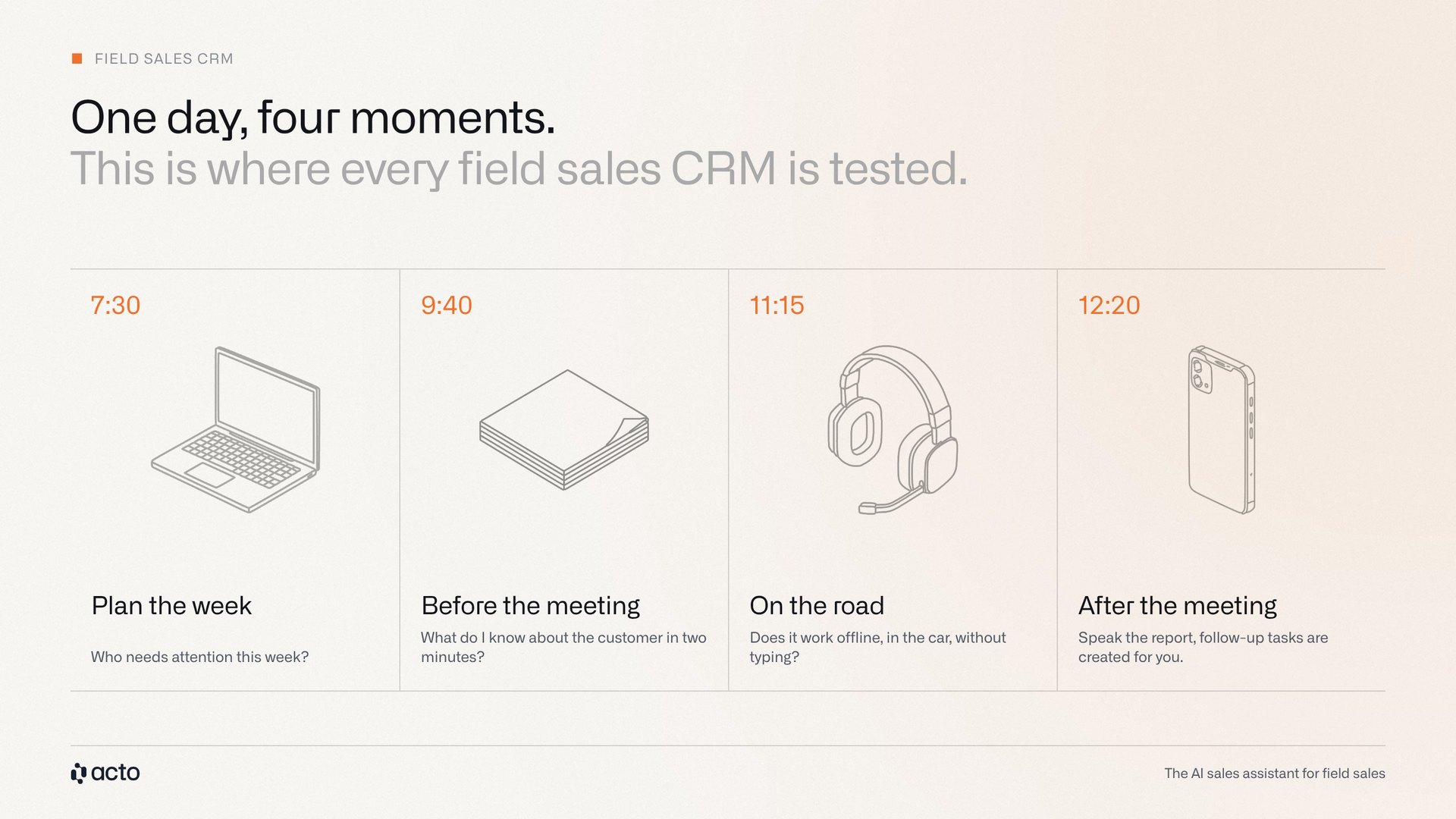
Tuesday, 7:30 a.m. A field rep plans the week: 230 accounts in the territory, time for maybe 28 visits. At 9:40 he stands in front of his first customer and wants to know, in two minutes, what has changed since his last visit. At 11:15 he is sitting in the parking lot. At 12:20 the meeting is over, and the report has to go into the CRM before the next customer is waiting.
These four moments decide whether a CRM gets used in the field. In our study "Sales in Wholesale 2026", field reps use the CRM barely or not at all in 49 percent of the conversations we analyzed, and use it well in 8 percent (182 conversations, not representative). This comparison therefore looks at seven CRMs from the field rep's point of view: what does the system show before the meeting, how much does the rep have to type afterwards, and does it help on the road?
Transparency note: Acto is our own product. Acto is not a CRM, so it comes at the end as an alternative.
In short: which CRM fits field sales?
- Large company on Salesforce or Microsoft: Salesforce Sales Cloud or Dynamics 365 Sales, both with offline mode and voice input on the phone. Maps and route planning cost extra with Salesforce.
- Small team, quick start: Pipedrive or HubSpot. Both are easy to use, but built for new-business pipelines.
- Mid-sized companies in the DACH region: ADITO with visit cycles and route planning, or CAS genesisWorld with an offline app.
- Routes and maps first: Badger Maps, on top of an existing CRM.
- Distributors and direct sales with many existing accounts: Acto as a CRM alternative. Acto reads the order history from the ERP, prepares meetings and takes the report by voice, including in a phone call while driving.
What is a field sales CRM?
A field sales CRM is a CRM designed for work on the road: a mobile app that also works without a signal, customers on a map, visit planning and visit reports that are quick to capture. Underneath, it is still a classic CRM with contacts, activities and opportunities. How well it works in the field comes down to two questions: how much does the rep have to enter, and what does he get back for it?
The systems at a glance
| System | Type | Before the meeting | After the meeting | On the road | Order data from the ERP | Public user reviews |
|---|---|---|---|---|---|---|
| Salesforce Sales Cloud | CRM | Account record in the app | Post-meeting voice note, summary and next steps | Offline access in the app, maps and routes with Salesforce Maps (add-on) | only via integration | 4.2 of 5 · 349 reviews · OMR Reviews |
| Dynamics 365 Sales | CRM | Meeting prep with Sales agent in Outlook mobile | Notes and field updates by voice, with confirmation | Offline mode, set up by the admin | only via integration | 3.9 of 5 · 138 reviews · OMR Reviews |
| HubSpot Sales Hub | CRM | Record in the app, AI summary with Breeze | Notes and tasks in the app, voice via the Breeze app | offline only for recently viewed records | only via integration | 4.3 of 5 · 520 reviews · OMR Reviews |
| Pipedrive | CRM | Deal and contact view in the app | Voice notes and voice-to-text, calls logged automatically | Offline mode, nearby customers on a map | only via integration | 4.2 of 5 · 188 reviews · OMR Reviews |
| ADITO | CRM | Customer data on phone and tablet | Visit report with an AI writing assistant | Visit cycles, route planning, radius search | via interface | 4.4 of 5 · 21 reviews · OMR Reviews |
| CAS genesisWorld | CRM | Current customer data in the app, also on site | Report in the app | App works offline, according to users | via interface | 4.5 of 5 · 43 reviews · OMR Reviews |
| Badger Maps | Route planner with CRM sync | AI meeting brief | Check-in form, voice notes | Routes with up to 120 stops, suggestions near the route | no, reads the CRM | 4.7 of 5 · 368 reviews · G2 |
| Acto | CRM alternative | Prep in about two minutes in the app, Outlook or CRM | Report by voice, tasks created from it, entry in the CRM | Phone call with Acto while driving, also without mobile data, nearby customers via Google Maps | yes, the basis of every signal | 4.6 of 5 · 10 reviews · OMR Reviews |
Ratings as of 27 November 2026. All values come from OMR Reviews, a German software review platform, except Badger Maps, which is not listed there (value from G2). The column shows how users rate each product overall, not only its field sales features. With only a few reviews, scores swing a lot.
How we compared: four moments in a field rep's day
Our sources are vendor information and help pages (as of 11/2026), user reviews on OMR Reviews and G2, and our experience from projects with distributors. Anything a vendor does not document, we do not claim. The order is not a ranking.
- 7:30, planning the week: Does the system show which customers need attention this week, and does it help with the route?
- 9:40, before the meeting: What does the rep know about the customer after two minutes? Only the last report, or also what the customer ordered recently?
- 11:15, on the road: Does the app work without a signal, and can the rep ask a quick question without calling inside sales?
- 12:20, after the meeting: How much typing is needed? Can the report be spoken, and are follow-up tasks created automatically?
A fifth point runs through all four: what does the field team have to maintain for the system to work? The more mandatory fields, the wider the gap between what is in the CRM and what happens at the customer.
The CRMs compared
1. Salesforce Sales Cloud: broad feature set, maps as an add-on
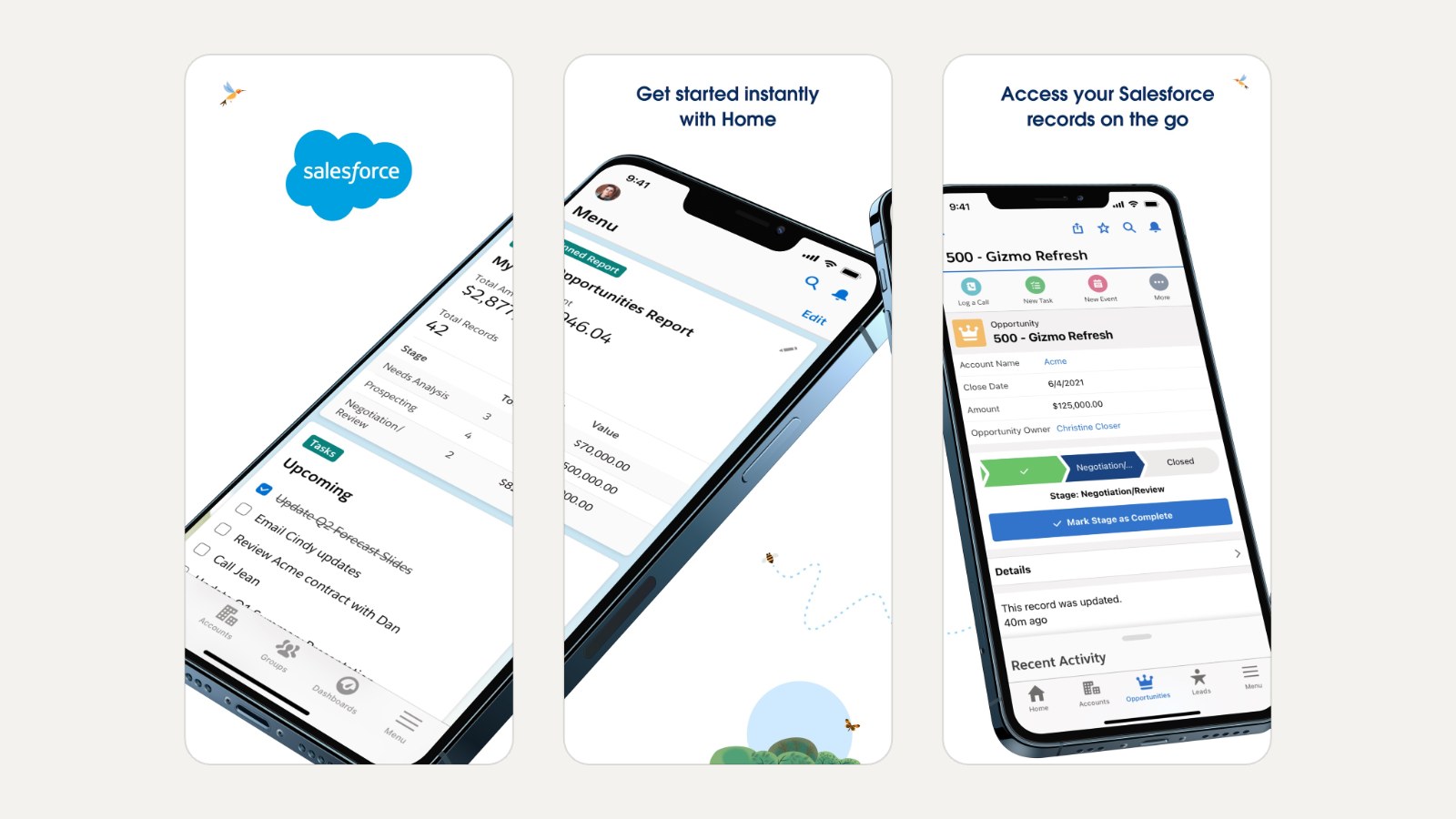
Salesforce is the most widely used CRM for large sales organizations. For field sales there is the mobile app with offline access, AI features with Agentforce and, new in 2026, post-meeting voice notes: the rep speaks a debrief into the phone, and Salesforce turns it into a summary and next steps. Maps, routes and check-ins come with Salesforce Maps, a separate product with its own price.
Source: App Store
Typical use: A manufacturer with a large sales team manages new business and projects in Salesforce. Reps plan routes in Salesforce Maps and log reports in the app.
For field sales: Almost anything is possible, but much of it needs setup by an admin or partner. According to Salesforce, voice notes do not work offline at launch and require a newer device.
Limitations: Built for pipelines and opportunities. Order cadence and product categories per customer only reach the CRM if an ERP integration writes them there. Ease of use on OMR Reviews is 76 percent.
Rating: 4.2 out of 5 on OMR Reviews (349 reviews), 76 % for ease of use, 77 % for support.
2. Microsoft Dynamics 365 Sales: strong with Outlook and Teams
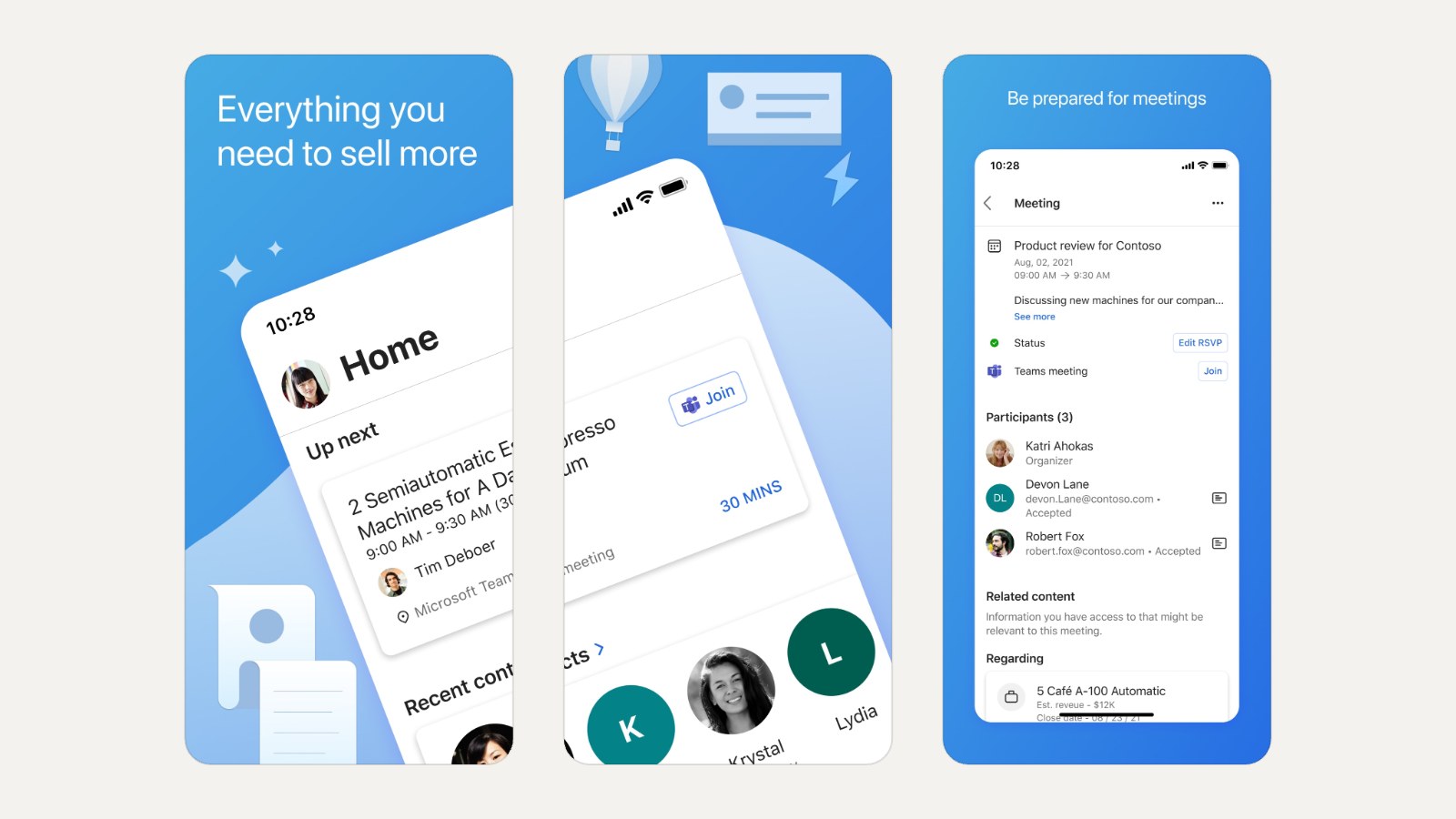
Dynamics 365 Sales is Microsoft's CRM. The mobile app shows meeting reminders and daily insights, and notes can be added quickly after a meeting. In offline mode, reps can create and edit appointments, contacts, opportunities, quotes and orders, provided the admin assigns an offline profile.
Source: App Store
Typical use: A company that works in Outlook and Teams uses the Sales agent in Outlook mobile. Before the meeting it shows a customer summary. Afterwards the rep dictates a note or changes fields by voice and confirms the change.
For field sales: The voice features live in Outlook and the Copilot app, where many reps already work. Maps with route planning are not part of the standard product.
Limitations: Offline mode has documented gaps, for example for business process flows and product suggestions. Reps only see ERP data if it is in Dynamics.
Rating: 3.9 out of 5 on OMR Reviews (138 reviews), 79 % for ease of use, 77 % for support.
3. HubSpot Sales Hub: easy to use, limited offline
HubSpot is popular with small and mid-sized sales teams because it is quick to set up. The app shows contacts, deals and tasks, and incoming calls display the customer from the CRM. AI features such as summaries and call prep run through Breeze.

Source: App Store
Typical use: A sales team that gets leads from marketing and works them as deals until close keeps working in the app on the road.
For field sales: One user on OMR Reviews says the app puts "my entire sales process on my phone". HubSpot has no map of nearby customers or route planning, which add-ons such as Badger Maps provide.
Limitations: According to the HubSpot community, only recently viewed records are available offline. Built for marketing and new-business pipelines.
Rating: 4.3 out of 5 on OMR Reviews (520 reviews), 85 % for ease of use, 87 % for support.
4. Pipedrive: simple app with map and offline mode
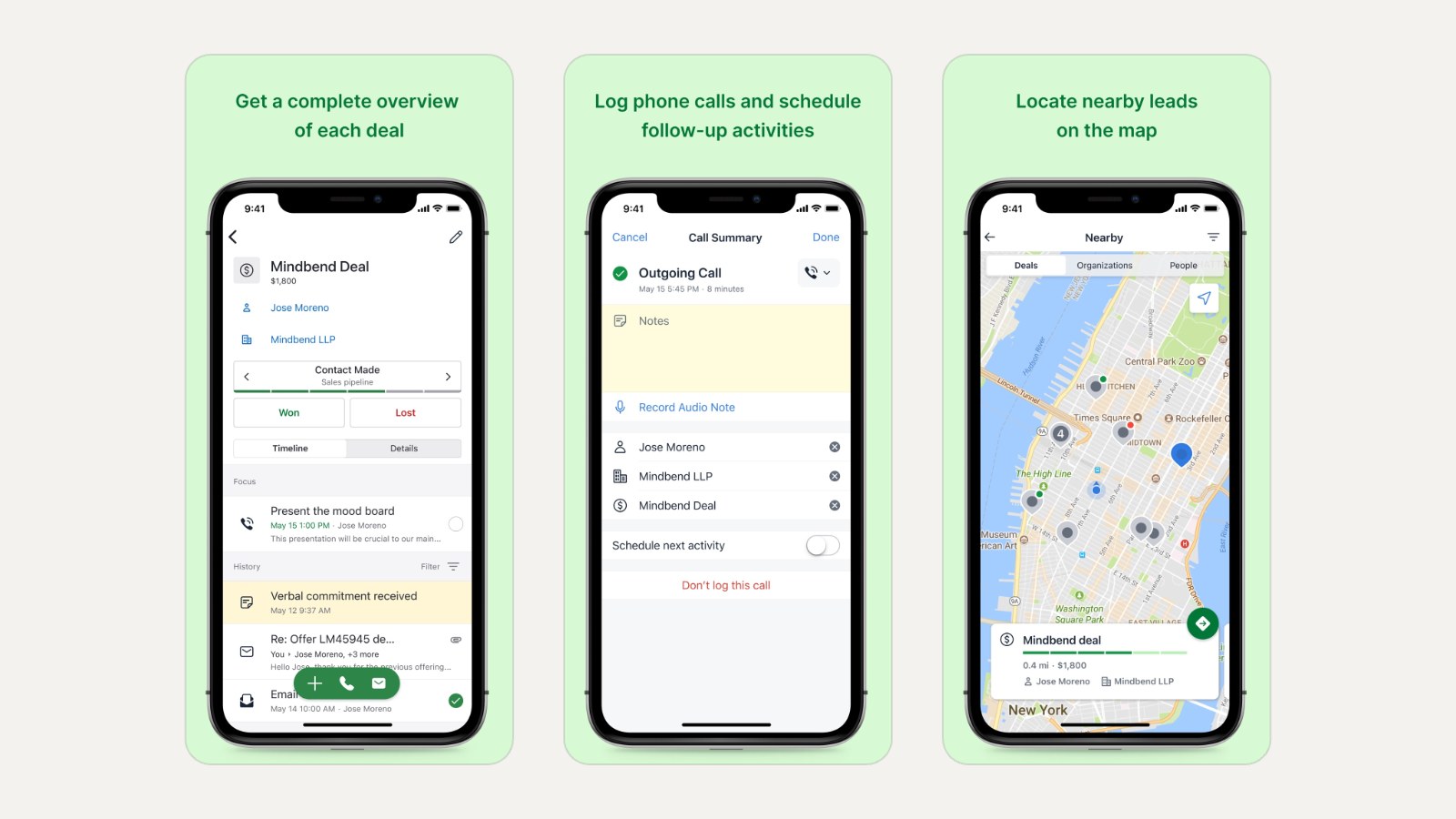
Pipedrive is a lean CRM built around the deal pipeline. The mobile app covers much of what field reps need: nearby customers and deals on a map, voice notes and voice-to-text, automatically logged calls and an offline mode that syncs changes once the signal is back.
Source: App Store
Typical use: A small sales team that wins projects or new customers plans ad hoc visits from the map and records notes right after the meeting.
For field sales: Ease of use on OMR Reviews is 89 percent, above the CRM category average of 86 percent.
Limitations: One user reports that the app often freezes, and others miss features in the app. Everything revolves around deals, and existing customers with recurring orders hardly fit the model.
Rating: 4.2 out of 5 on OMR Reviews (188 reviews), 89 % for ease of use, 84 % for support.
5. ADITO: visit planning by cycle for mid-sized companies
ADITO is a CRM from Bavaria for mid-sized companies. For field sales, visit cycles can be set per customer. The system suggests visits by priority, plans the route, finds nearby customers with a radius search and hands the route to Google Maps or the car's navigation. An AI assistant helps with spelling, wording and structure in visit reports.
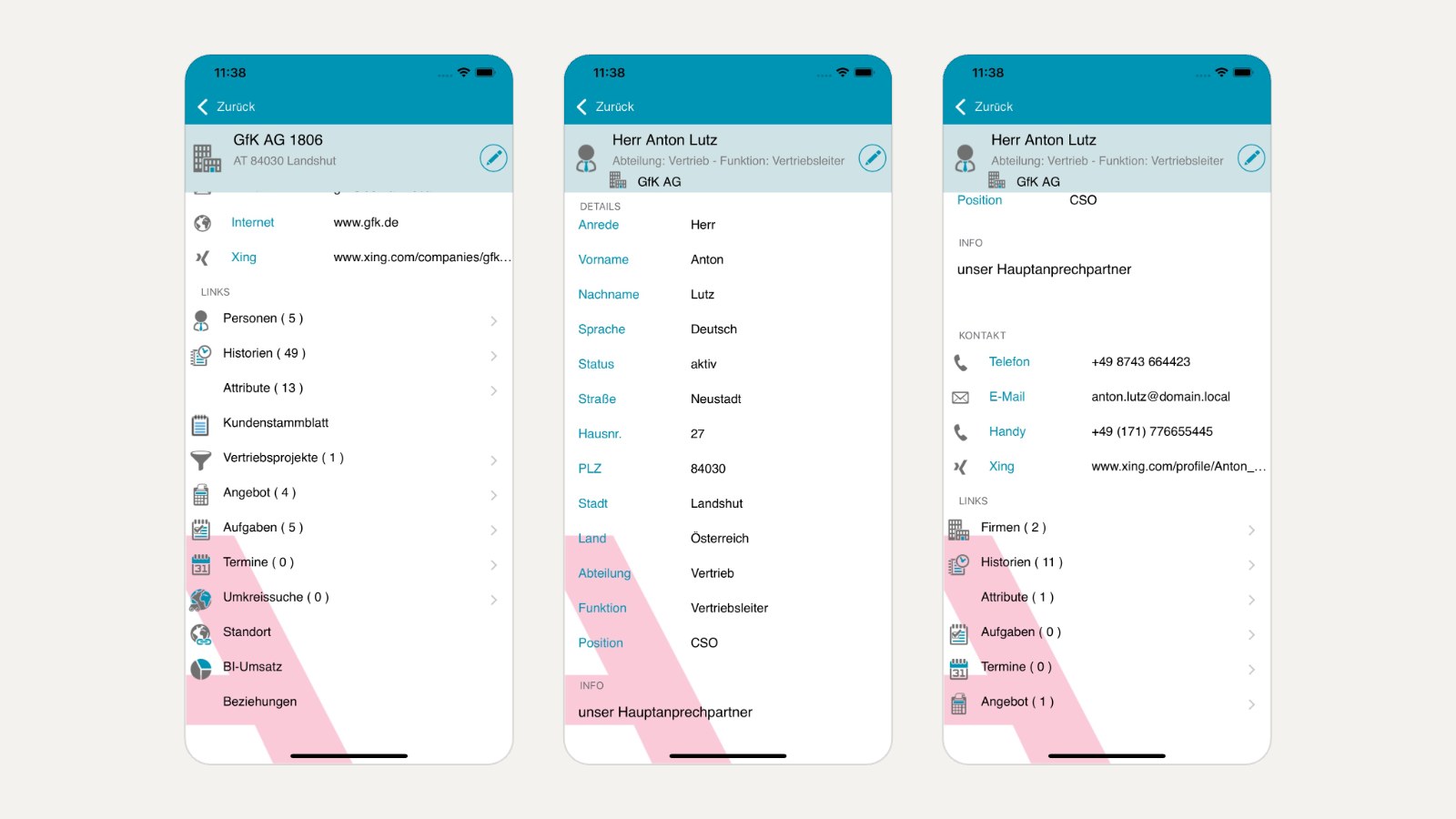
Source: App Store
Typical use: A manufacturer with fixed visit cycles for A, B and C customers plans the week in ADITO and writes reports on a tablet at the customer.
For field sales: Visit planning is built in, without an add-on. One user praises working "right on site at the customer, for example on the tablet".
Limitations: One user says the smartphone layout still has room for improvement. ADITO's field sales page does not mention voice input or offline use.
Rating: 4.4 out of 5 on OMR Reviews (21 reviews), 91 % for ease of use, 90 % for support.
6. CAS genesisWorld: a mobile app that also works offline
CAS genesisWorld from Karlsruhe has been widely used by German mid-sized companies for years. Users on OMR Reviews call the mobile app a strength: reps pull up current customer data at the customer's site, and according to users the app works offline and can be customized.
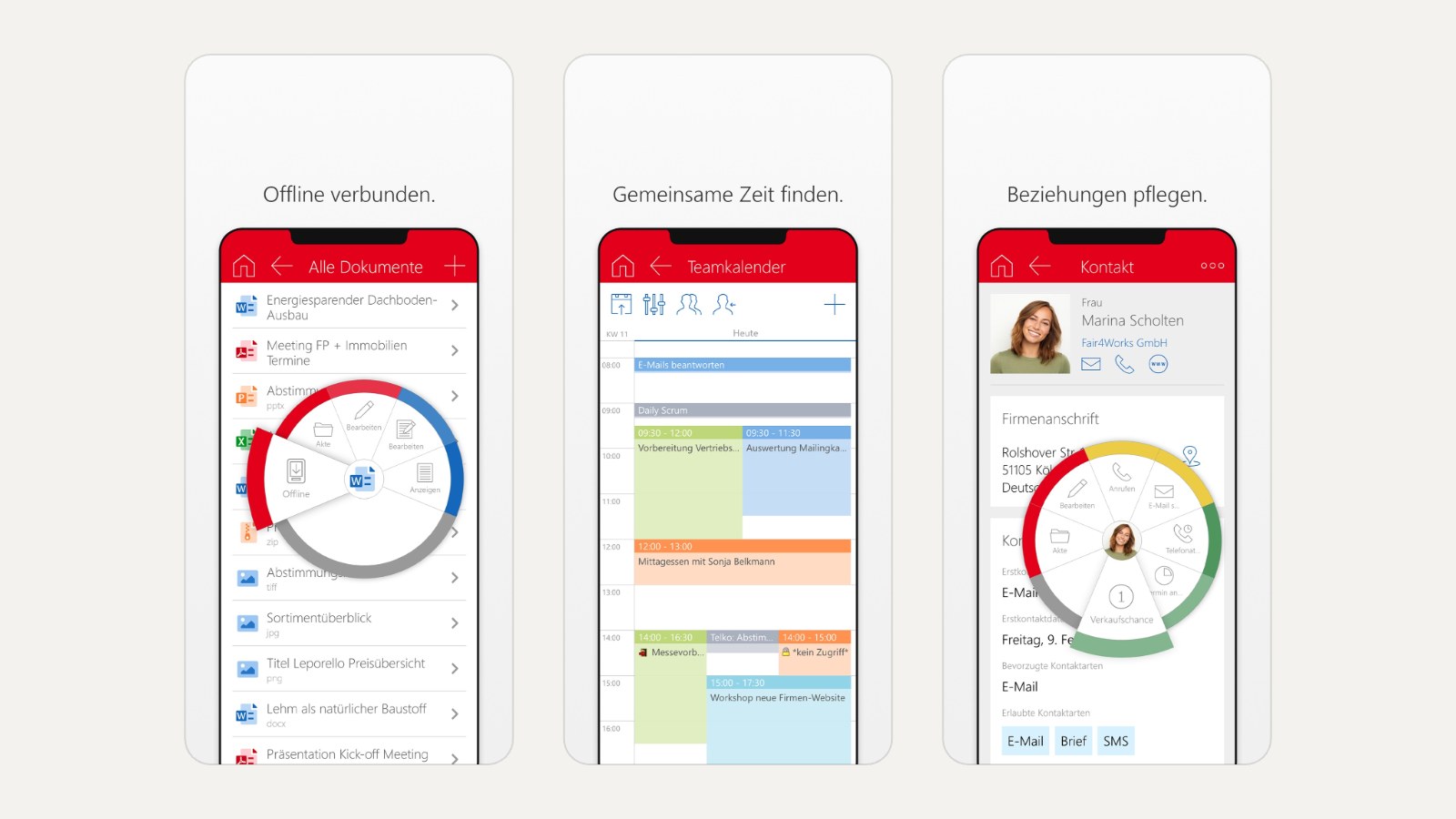
Source: App Store
Typical use: A mid-sized distributor with its own CRM team manages customers, quotes and appointments in CAS and gives the field team the app for the road.
For field sales: One user names "strong mobile usability" as a plus.
Limitations: Users criticize "inconsistent views between the web version and the app". Like every classic CRM, the app shows what has been entered.
Rating: 4.5 out of 5 on OMR Reviews (43 reviews), 84 % for ease of use, 91 % for support.
7. Badger Maps: a route planner on top of the CRM
Badger Maps is a route planner for field sales that syncs with 25 CRMs, including Salesforce, HubSpot and Dynamics. It optimizes routes with up to 120 stops, suggests customers near the route and captures visits with check-in forms, photos and voice notes.
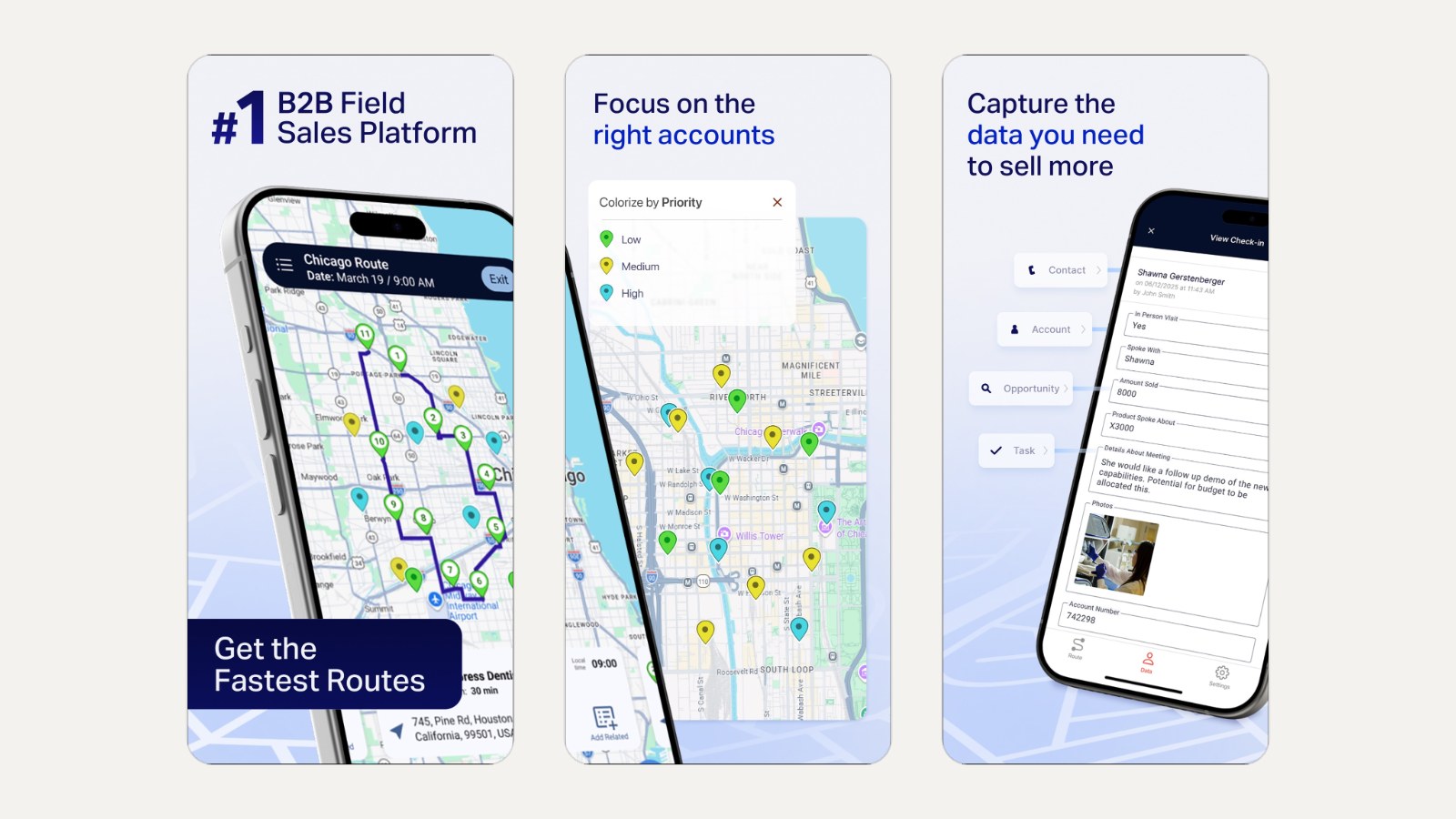
Source: App Store
Typical use: A field team with many customers across a large territory plans the daily route in Badger Maps, while contacts and deals stay in the CRM.
For field sales: Strong at everything to do with maps and routes.
Limitations: Another tool next to the CRM, and not a full CRM itself. The vendor does not mention offline use.
Rating: 4.7 out of 5 on G2 (368 reviews). Badger Maps is not listed on OMR Reviews. We compare more tools for routes and visits in our article on field sales apps.
What every CRM lacks in the field
Mobile apps have improved a lot in recent years: voice notes, offline mode and maps are now available almost everywhere. One limit remains. A CRM shows the rep what someone has entered. What the customer actually orders sits in the ERP.
For distributors and direct sales teams, that is the most important information before a meeting: is the customer ordering less often than usual? Is a product category missing that similar customers buy? Is a reorder overdue? A field rep in wholesale covers 247 customers on average (median 175, Acto study, 106 companies). At that scale, nobody sees these signals without help, and no CRM calculates them on its own.
Why a CRM often delivers less than it costs in wholesale is explained in our guide CRM in wholesale.
The alternative to a CRM: Acto, built for field sales
Acto is an AI sales assistant for distributors and manufacturers with direct sales. Every night it reads order data from the ERP and customer data from the CRM, assesses every customer and gives reps signals with reasons and talking points. Which customers to visit is still the rep's decision.
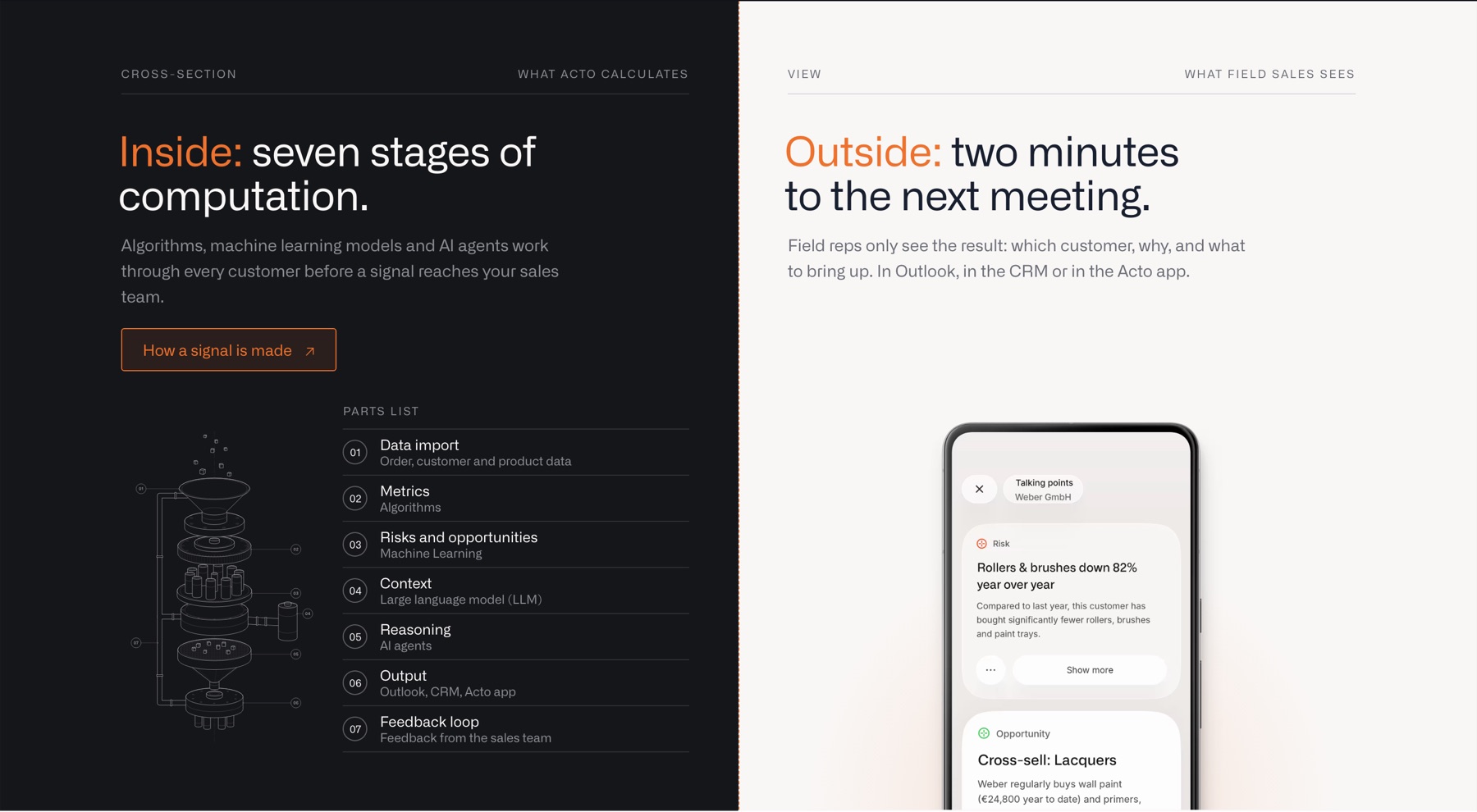
Closer to the field rep

Acto is built for the minutes between two meetings. This is what the day looks like with it:
- 7:30: Acto suggests customers for the week, including ones that would otherwise slip through. Appointments go straight into the Outlook calendar, and nearby customers open in Google Maps with one tap.
- 9:40: Prep in about two minutes: one sentence on why the meeting matters, plus revenue trend, recent visits, open opportunities and risks.
- On the road: While driving, the rep calls Acto and gets briefed on the next customer. The call needs no mobile data, so it also works where apps stop loading. In the parking lot, he asks questions in plain language, such as revenue over the last six months, without calling inside sales.
- 12:20: He speaks the report. Acto files it in the CRM and creates follow-up tasks such as "prepare a quote". No typing needed.
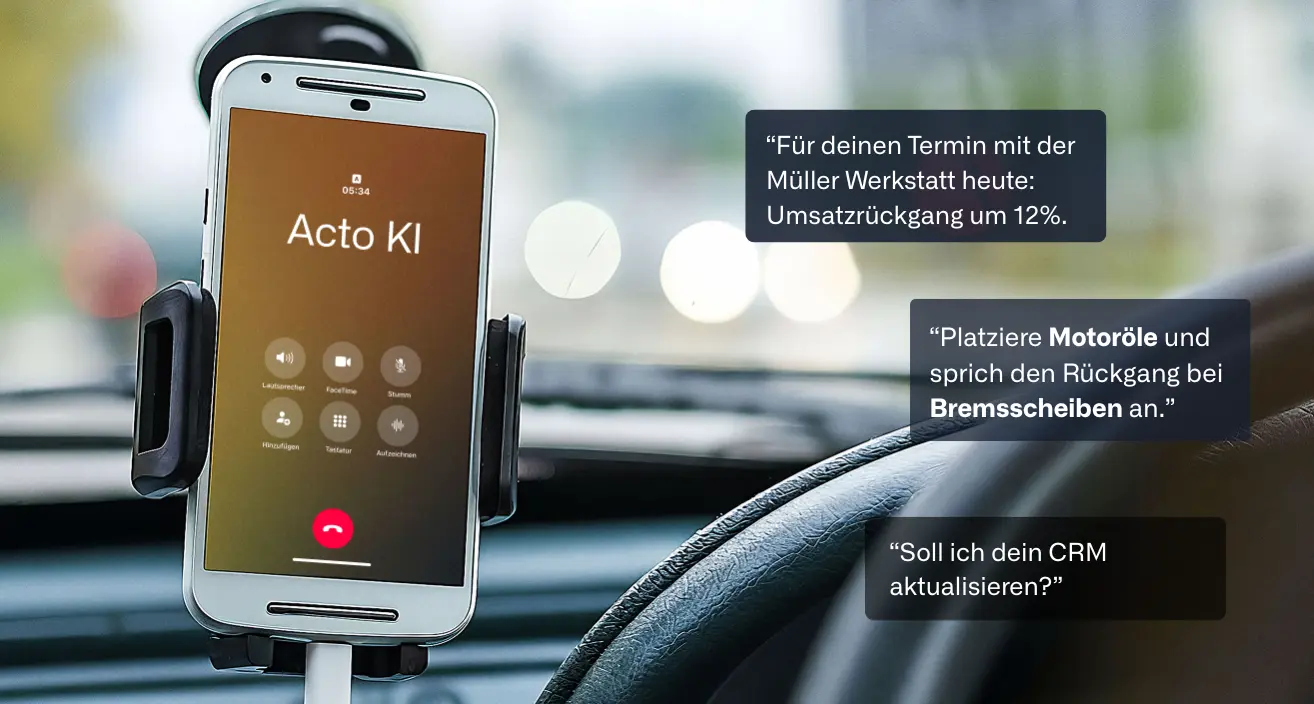
The only thing the field team maintains is the spoken report, and there are no mandatory fields. If a suggestion does not fit, the rep declines it with a short reason, and Acto learns from it. Acto runs as an app on iOS and Android, in the browser and as a sidebar in Outlook, Salesforce, Dynamics and SAP.
On OMR Reviews, users rate Acto's ease of use at 93 percent, against an average of 77 percent in its comparison category. At Schäfer Shop, Acto saves up to 8 hours per employee per week according to the customer, and sales marks 92 percent of signals as helpful.
Built for distribution and direct sales
Every signal comes from the order history: declining revenue and orders, product categories dropping out, overdue reorders, cross-selling based on similar customers, falling margin. Acto compares each customer with their own history and with groups of similar customers by industry, size, order frequency and assortment. An example from the app: a painting contractor buys 82 percent fewer rollers and brushes than last year, while comparable businesses spend 8,000 to 15,000 euros a year on lacquer.
- Plate: around 10 percent more revenue in the pilot team and 35 percent less time between two orders.
- Böllhoff: 8.6 percent more revenue for Acto users compared with non-users.
- Hitado: new reps know their territory after one to two months instead of a year.
Instead of a CRM or alongside it
Smaller sales organizations use Acto instead of a CRM. Larger ones keep their CRM for contacts and master data and use Acto as a sidebar in it and in Outlook. Acto writes reports and tasks to the CRM and writes nothing to the ERP. Rollout takes 4 to 6 weeks with 2 to 3 days of IT effort. More on the CRM alternative for wholesale and the field sales app.
Limitations: Acto does not manage a new-business pipeline, does not replace master data management and needs recurring orders per customer.
Rating: 4.6 out of 5 on OMR Reviews (10 reviews), 93 % for ease of use, 95 % for support.
Which system fits? Four questions to choose
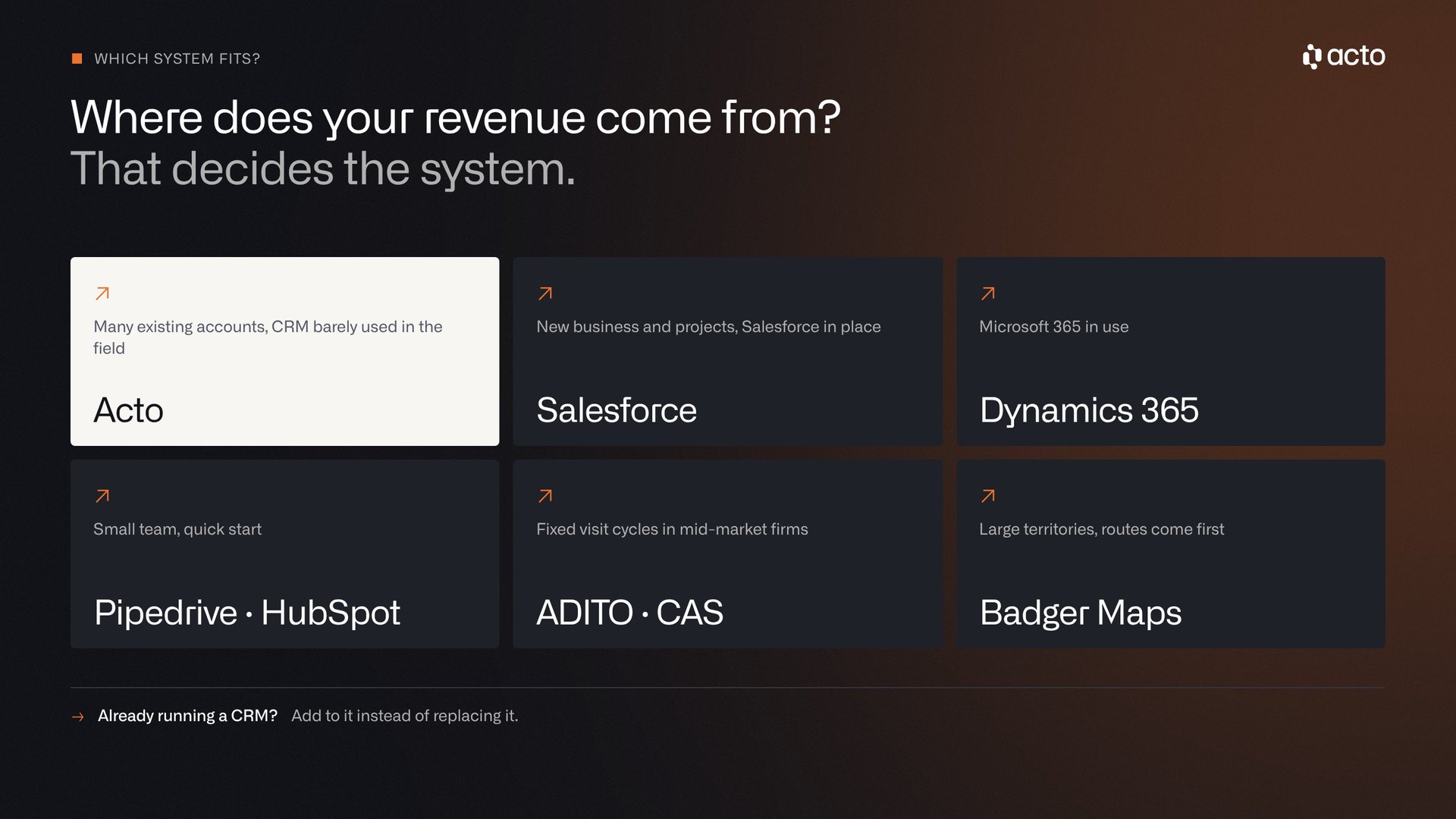
1. Where does your revenue come from? If most of it comes from existing customers with recurring orders, the field team needs signals from the ERP. If it comes from projects and new customers, a classic CRM with a pipeline is the better foundation.
2. Is your CRM used in the field today? If not, a new CRM rarely solves the problem. Ask five reps when they last checked the CRM before a visit.
3. How important are maps and routes? For large territories with many stops, ADITO, Salesforce Maps or Badger Maps are worth it.
4. Which systems are already set? If you run Microsoft 365, look at Dynamics and the Sales agent in Outlook. If you already have a CRM, add to it instead of replacing it.
| Your situation | Matching choice |
|---|---|
| Distribution or direct sales with many existing accounts, CRM barely used in the field | Acto, instead of a CRM or as a sidebar in it |
| Large sales team, new business and projects, Salesforce in place | Salesforce Sales Cloud with Salesforce Maps |
| Microsoft 365 in use | Dynamics 365 Sales with the Sales agent in Outlook |
| Small team, quick start | Pipedrive or HubSpot |
| Mid-sized company with fixed visit cycles | ADITO or CAS genesisWorld |
| Large territories, routes come first | Badger Maps on top of the CRM |
Not for you: when a classic CRM remains the right choice
A classic CRM remains the right foundation when revenue comes from projects, tenders or new customers, for example in building technology where planners are the audience. The same applies to manufacturers who sell mainly through distributors and cannot see their end customers' orders, and to companies whose ERP data has gaps. In those cases Acto has too little to calculate signals from.
FAQ: field sales CRM
Which CRM is best for field sales?
It depends on the business. For large teams with new business, Salesforce or Dynamics 365 fit. For small teams, Pipedrive or HubSpot. For mid-sized companies with fixed visit cycles, ADITO or CAS genesisWorld. For distributors and direct sales teams with many existing accounts, Acto is an option as a CRM alternative, because it analyzes the order history from the ERP.
Which field sales CRMs work offline?
Pipedrive and Dynamics 365 Sales have a documented offline mode, which an admin has to set up in Dynamics. Salesforce offers offline access in its mobile app. Users of CAS genesisWorld report that its app works offline. HubSpot only shows recently viewed records offline. With Acto, the phone call while driving works without mobile data.
Can field reps capture visit reports by voice?
Yes, in several systems. Salesforce has post-meeting voice notes, Dynamics 365 takes notes and field updates by voice in Outlook mobile, and Pipedrive and Badger Maps have voice-to-text. In Acto, the spoken report becomes the CRM entry, including follow-up tasks. More in our article on voice-to-CRM.
Is Acto a CRM?
No. Acto does not manage a new-business pipeline or marketing campaigns. It analyzes order data from the ERP and prepares field reps for their meetings. Smaller companies use it instead of a CRM, larger ones as a sidebar in their CRM.
What do I do if my field team does not maintain the CRM?
Ask what the field team gets back from the CRM. A system that only demands input feels like control. Reps who see a real reason for a visit before the meeting, and speak the report afterwards instead of typing it in the evening, use the system on their own.
How long does implementation take?
For the CRMs, it depends mainly on how many customizations and interfaces are needed, for example to the ERP. Acto goes live in 4 to 6 weeks with 2 to 3 days of IT effort, without an ERP project.
Conclusion: the question first, then the system
The mobile apps of the big CRMs have become good. Voice, offline mode and maps are not enough, though, as long as the system only shows the rep what someone has entered. For managing new business and projects, a classic CRM serves you well. For distributors and direct sales teams that live from existing customers, the rep needs what is in the ERP before every meeting. That is what Acto is built for.
The two paths, Acto instead of a CRM or as a sidebar in it, are shown on our page CRM alternative for wholesale. In a conversation, we use your own data to check which path fits your field team.